




Cases & Matters 2 min read Updated: 2026-11-14
Client Email Alerts on New Case Intake
Whenever you open a new case for a client whose email address is saved in your directory, Legalistik lets you send an automated intake confirmation email immediately.
1. Verify Office System Settings
- Open Law Office → System Settings in the left sidebar.
- Confirm your official office email, name, and case numbering pattern are properly saved.
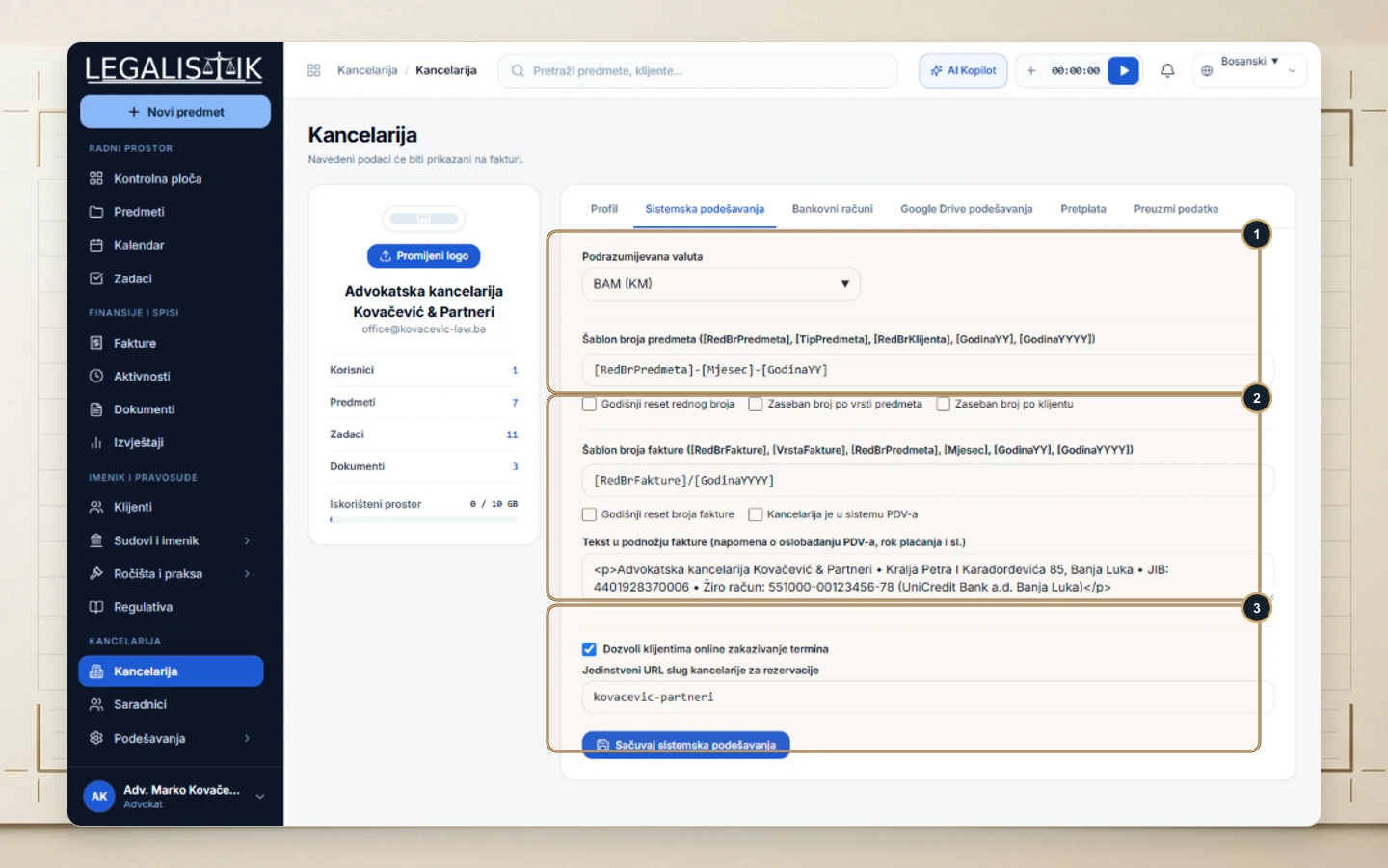
2. Attach Client Email During Case Intake
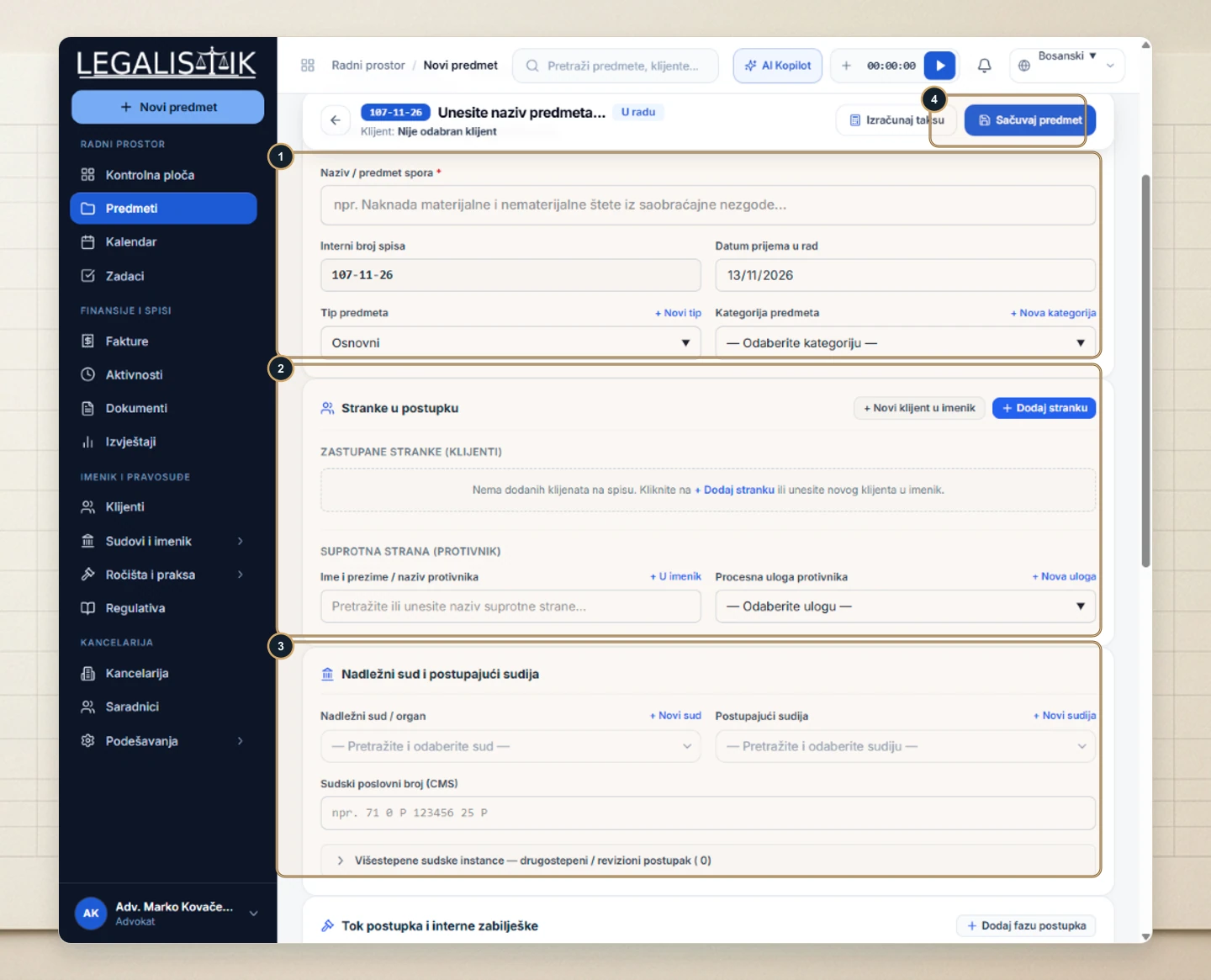
- (1–2) While completing the new case form under Parties, attach a client record that contains a valid email address (or create one inline with + New Client).
- (3–4) Fill in court details, click Save Case, and confirm the prompt to send the client welcome notification with their matter reference.
Benefits of Automated Case Intake Confirmation
Clients receive a structured email showing your firm’s official name, internal docket ID, and office contact details the moment their file opens. Even if you add a client’s email address later in the directory, your team has accurate intake details synced across future notifications.
