Cases & Matters 2 min read Updated: 2026-11-14
Cases & Matters: Intake, AI & Fee Schedule
The Cases module is the operational core of Legalistik, bringing parties, court filings, tasks, billable time, invoices, and fee calculations together inside a single digital dossier.
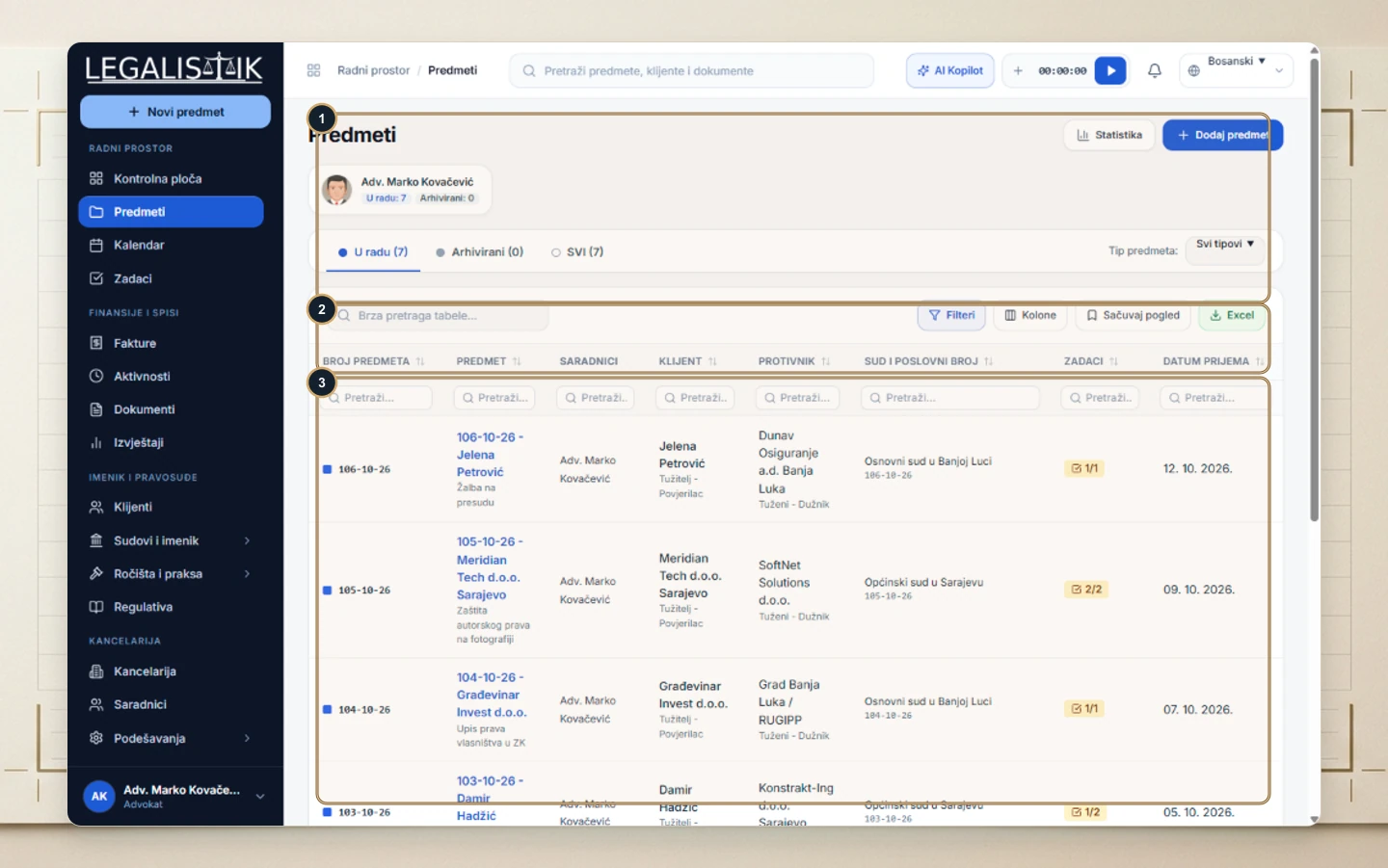
1. Case List & Filtering
- (1) Switch between Active, Archived, and All cases, filter by case type, view quick metrics, or click + Add Case.
- (2) Use the table toolbar for instant search, Filters, Columns customization, Save View, and one-click Excel export.
- (3) Filter directly beneath any column header including file ID, matter name, client, opposing party, and court docket.
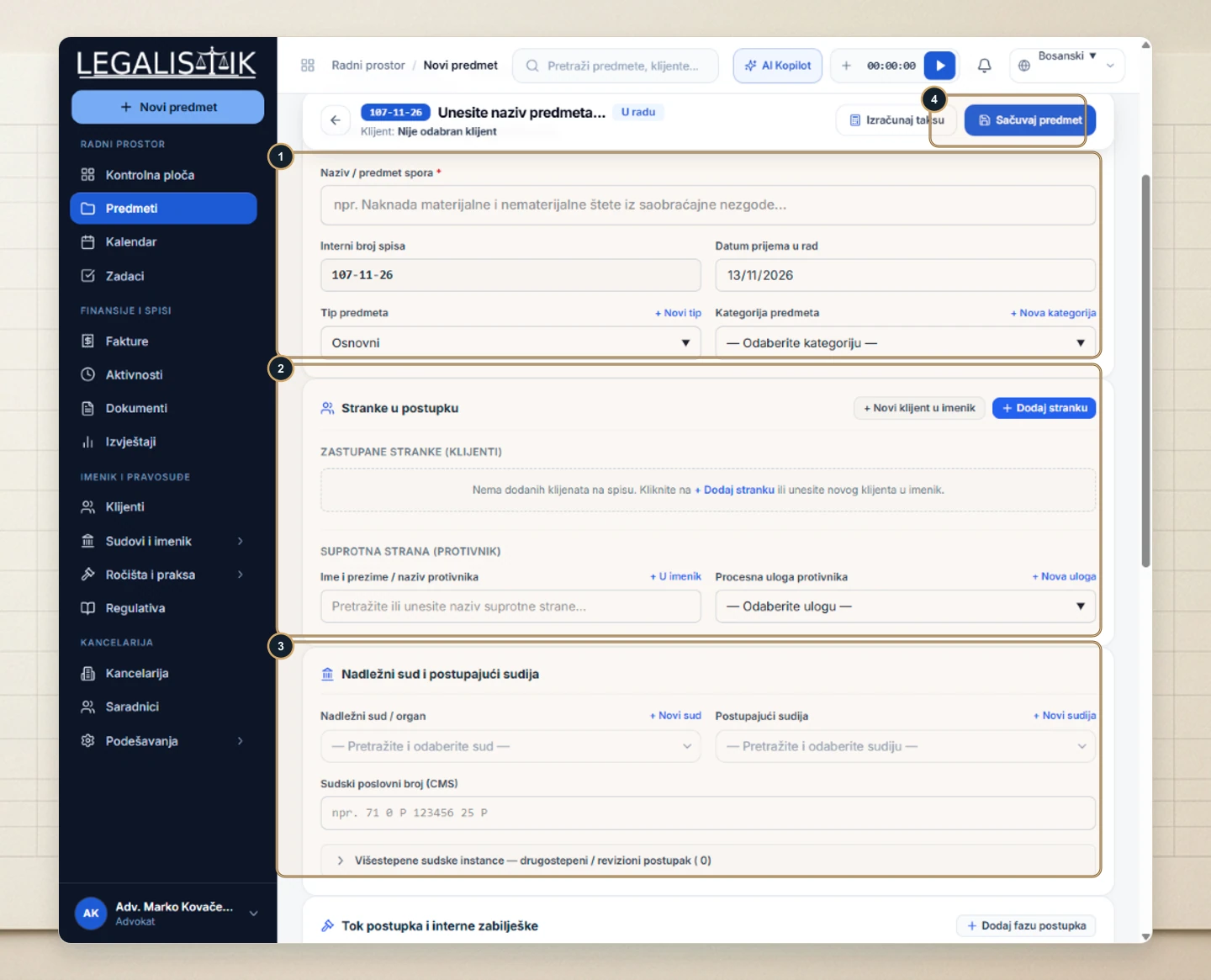
2. Creating a New Case
- (1) Click + New Case to fill in the matter name, auto-generated internal file number, intake date, and category.
- (2–3) Attach represented clients, opposing parties, presiding court, judge, and court docket number, then (4) click Save Case.
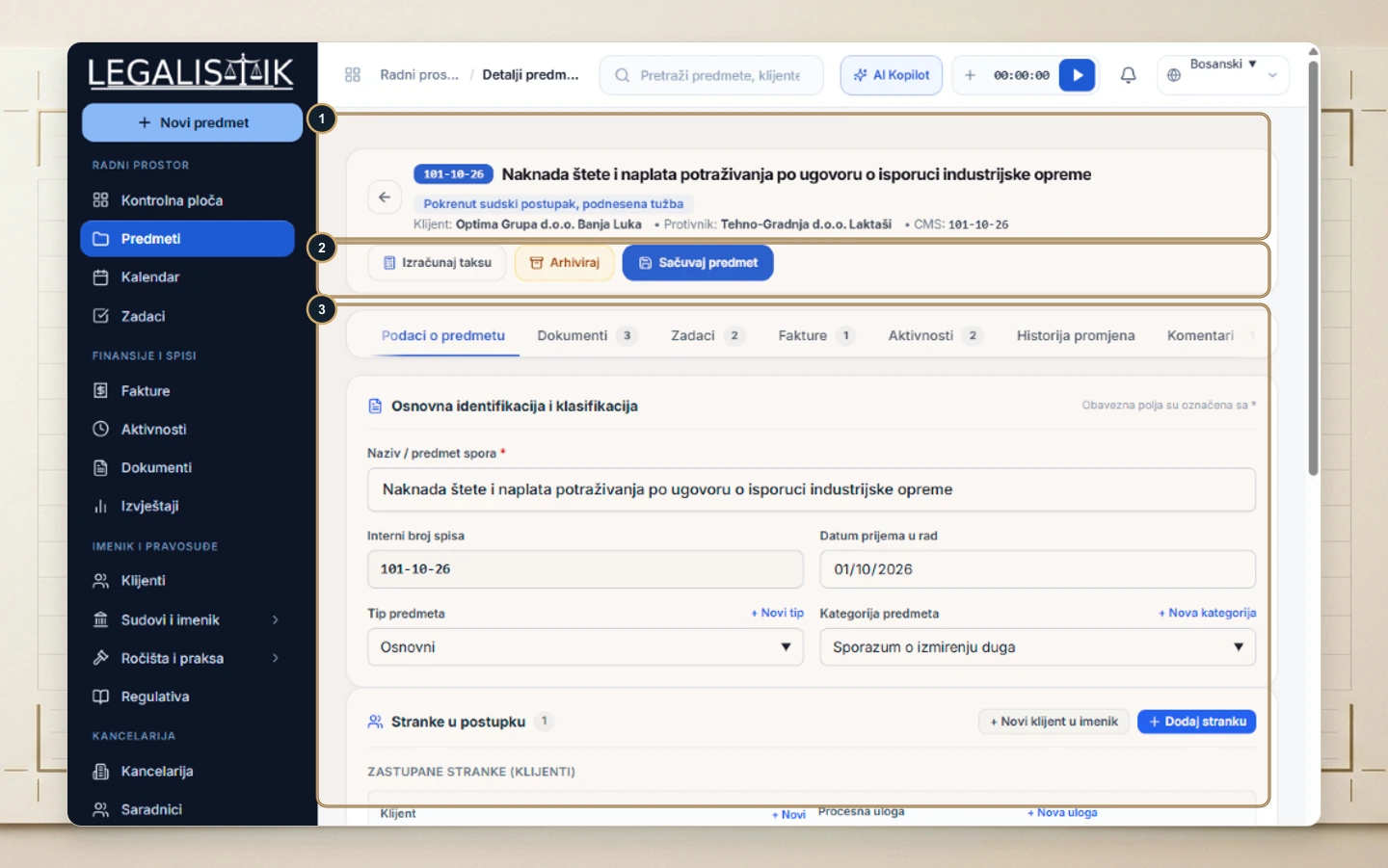
3. Case File Overview & AI & Tariff Tab
Inside any file (1–2) you have top-level status pills and actions (Calculate Court Fee, Archive, Save Case), while (3) tabbed sections organize Overview, Documents, Tasks, Invoices, Activities, History, Comments, and AI & Tariff.
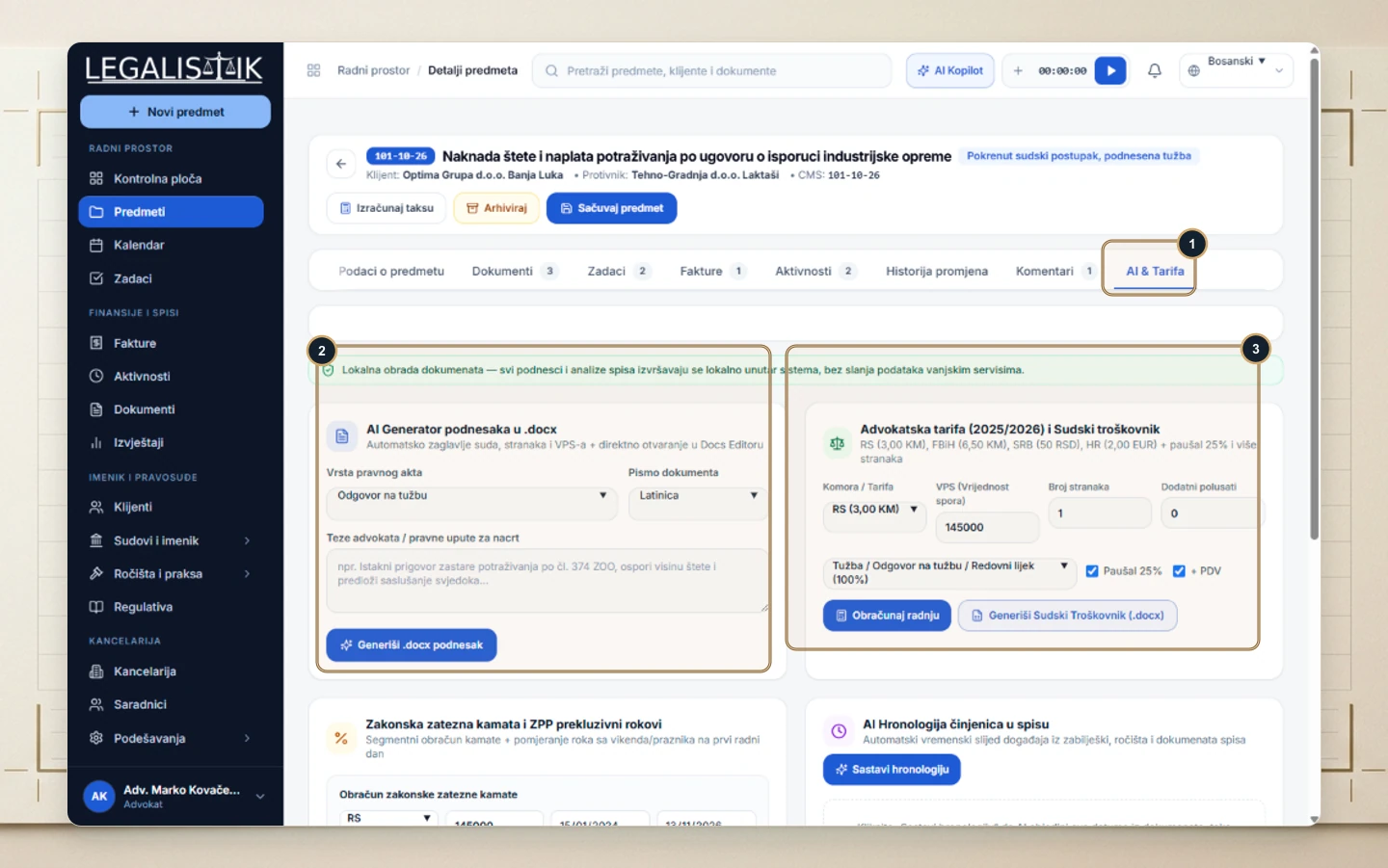
Open the (1) AI & Tariff tab to access tools pre-filled with your case facts:
- (2) Local AI Pleading Generator (.docx): Select the pleading type, script, and legal arguments to generate a formatted Word draft with court and party headers.
- (3) Bar Tariff Calculator & Cost Sheet (.docx): Compute statutory attorney fees by jurisdiction, claim value, overhead, and VAT, alongside Statutory Interest and AI Case Chronology.