




Legalistik - Law Firm Management Software
Legal Calendar & Court Hearings

A Legal Calendar That Never Misses a Hearing or Deadline

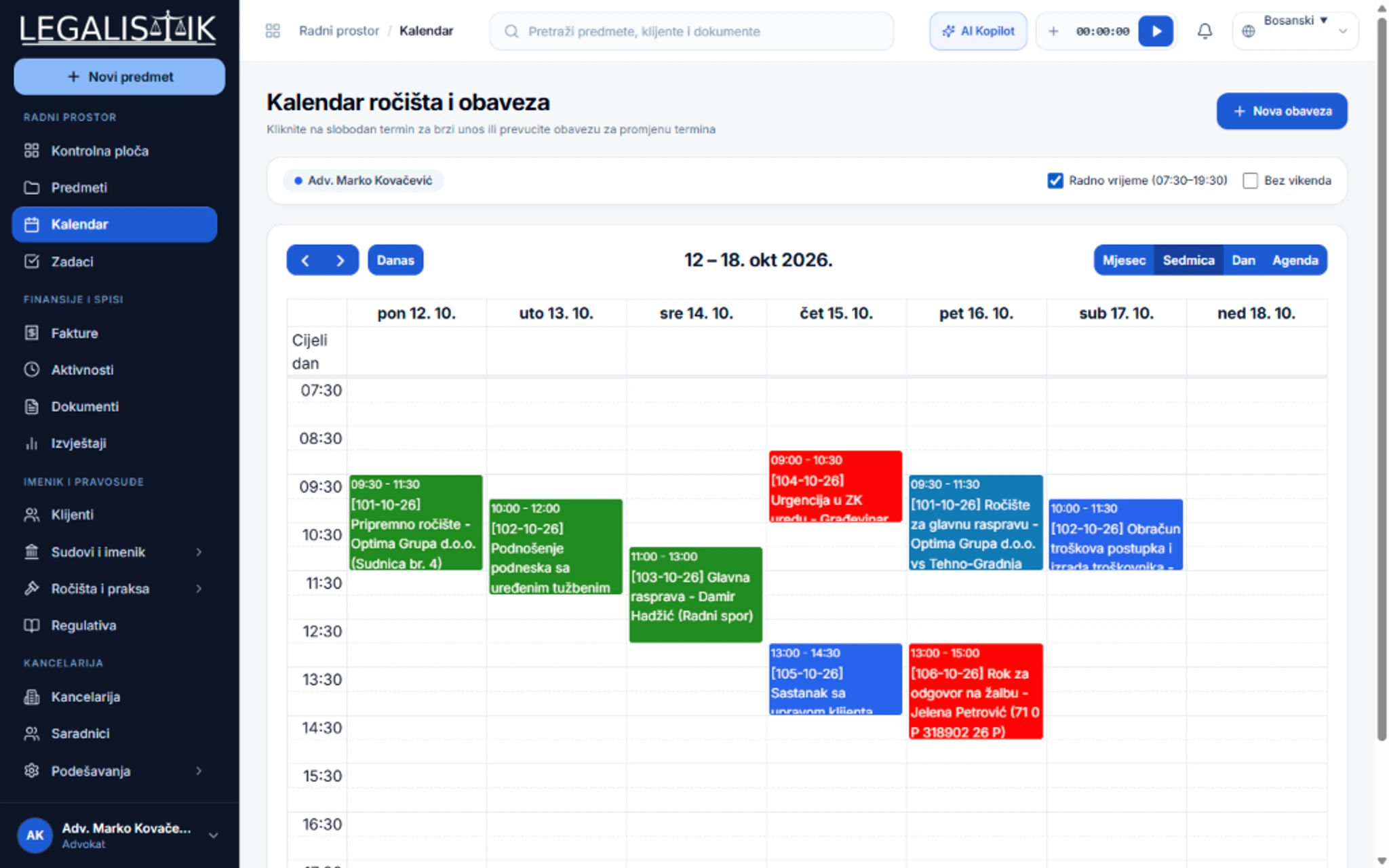
Plan the daily, weekly, or monthly schedule for your entire firm. Every hearing and task is directly linked to its case, client, and assigned team member.

Daily, weekly, monthly, and agenda schedule views
One-way and two-way synchronization with Google Calendar
Automated email, desktop browser, and mobile push reminders
Filter calendar by team member, event type, and completion status
app.legalistik.com/kalendar
A Legal Calendar That Never Misses a Hearing or Deadline
Inspect full view (2x)
01

Complete Schedule Visibility Across Your Entire Team

Every team member has a dedicated color on the calendar, while event types (hearings, statutory deadlines, client meetings) are visually distinct. Click any calendar entry to jump straight into the underlying case file and documents.

  • Drag-and-drop rescheduling to move appointments to a new date or time
  • One-click hearing duplication to schedule the next hearing in the same case
  • Customizable color coding for task categories and team members
02

Google Calendar Sync & Intelligent Reminders

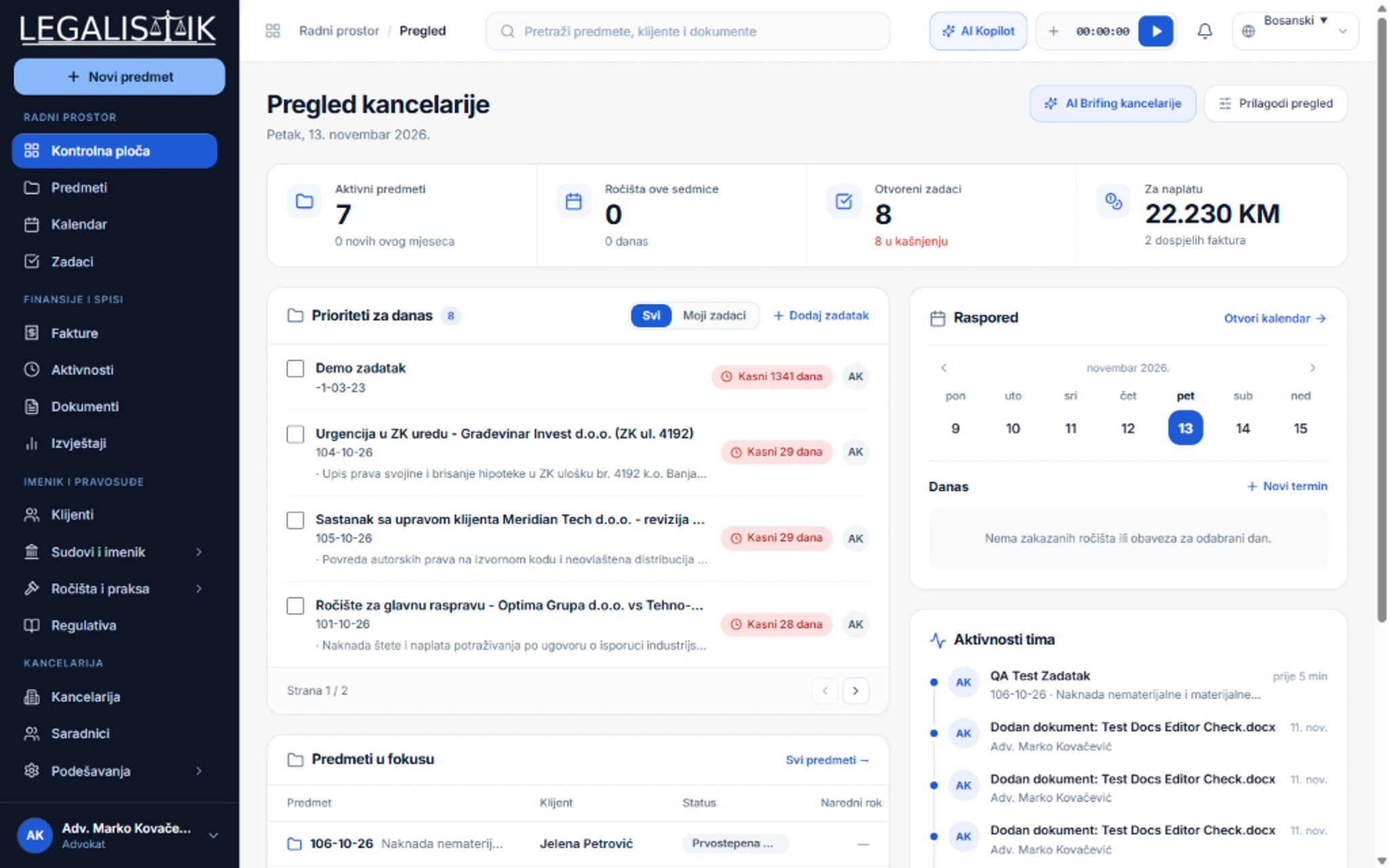
Connect Legalistik with your Google account in seconds. Changes made in Legalistik appear immediately on your phone and vice versa, backed by customizable notifications before every critical event.

  • Reminders 15, 30, 60 minutes or multiple days before a deadline
  • Instant notifications to collaborators when tasks are assigned or completed
  • Automated daily and weekly schedule digests delivered via email
app.legalistik.com
Legal Calendar & Court Hearings - Detailed View
Inspect full view (2x)
Interactive Deadline Tool

Need to compute a statutory court appeal deadline right now?

Try our Court Deadline Tracker & Statutory Calculator with automatic weekend-to-Monday rollover.

Open Deadline Tracker

Frequently Asked Questions

How does two-way Google Calendar synchronization work?

Link your Google account in Profile Settings and select a calendar. Every task or hearing created in Legalistik automatically syncs to Google Calendar, and time changes in Google Calendar sync back to Legalistik.

Can I filter the calendar for a specific attorney or associate?

Yes. At the top of the calendar you can filter by one or more collaborators, task status (In Progress, Pending, Completed), or event category.

Explore Other Platform Modules

Legalistik Cloud

Digitize your law practice with minimal cost

Join hundreds of attorneys and legal departments across the region saving hours of administrative work every day with Legalistik.

No credit card required • Full 30-day PRO trial • Cancel anytime

Try Free