




Cases & Matters 2 min read Updated: 2026-11-14
Client Portal: Track Case Statuses Online
Eliminate repetitive status-check phone calls by granting clients read-only access through the Client Web Portal.
Activating Portal Access
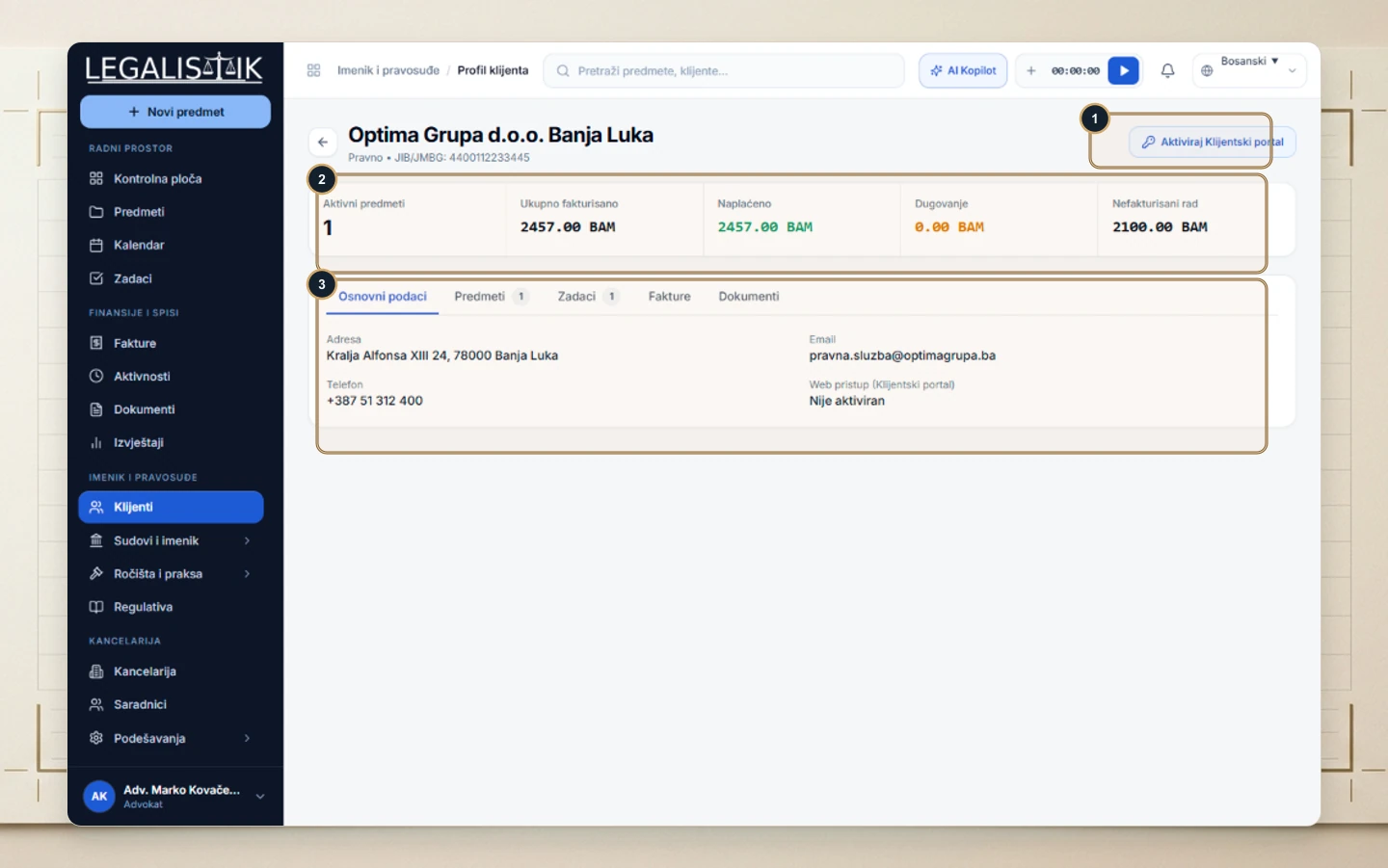
- Go to Clients and open the client’s Profile.
- (1) Click Activate Client Portal in the top-right header (current status also displays under Basic Details (3)).
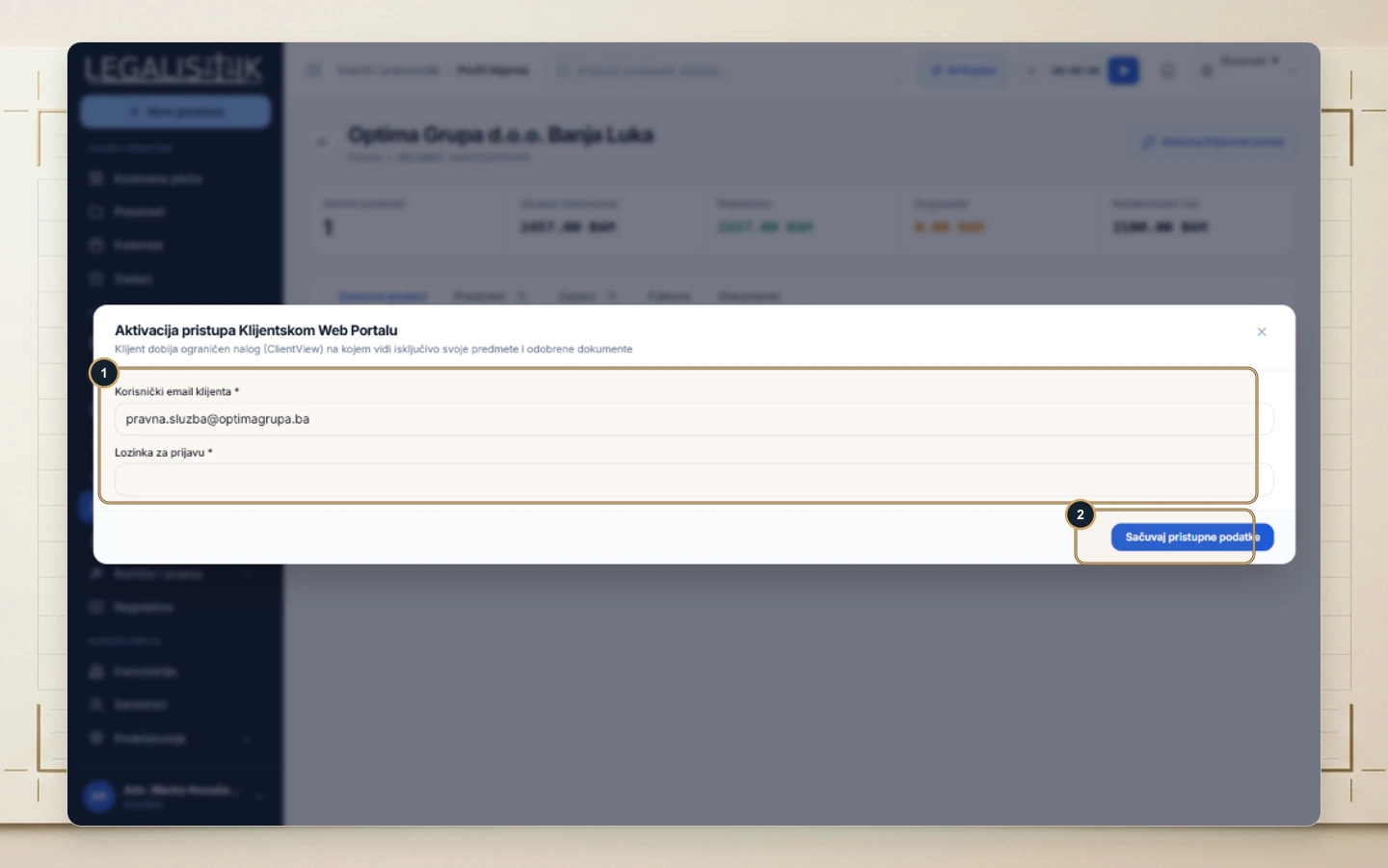
- (1) Verify the Client Email and assign an initial Sign-In Password.
- (2) Click Save Credentials. Your client receives restricted portal access showing only their assigned matters and documents explicitly shared to the portal.
Controlling Visibility & Revoking Access
Your firm retains complete control over what appears in the client portal: internal notes and unapproved drafts remain private, while only approved case milestones and selected documents are visible. You can reset the client’s credentials or disable portal access at any time from their Clients profile.
