




Legalistik - Law Firm Management Software
Tasks, Deadlines & Kanban Board

Delegate Tasks to Associates and Track Progress on a Kanban Board

Whether drafting an appeal, a motion, or an internal legal memo — set clear deadlines, priorities, and assignees without losing context in email threads.

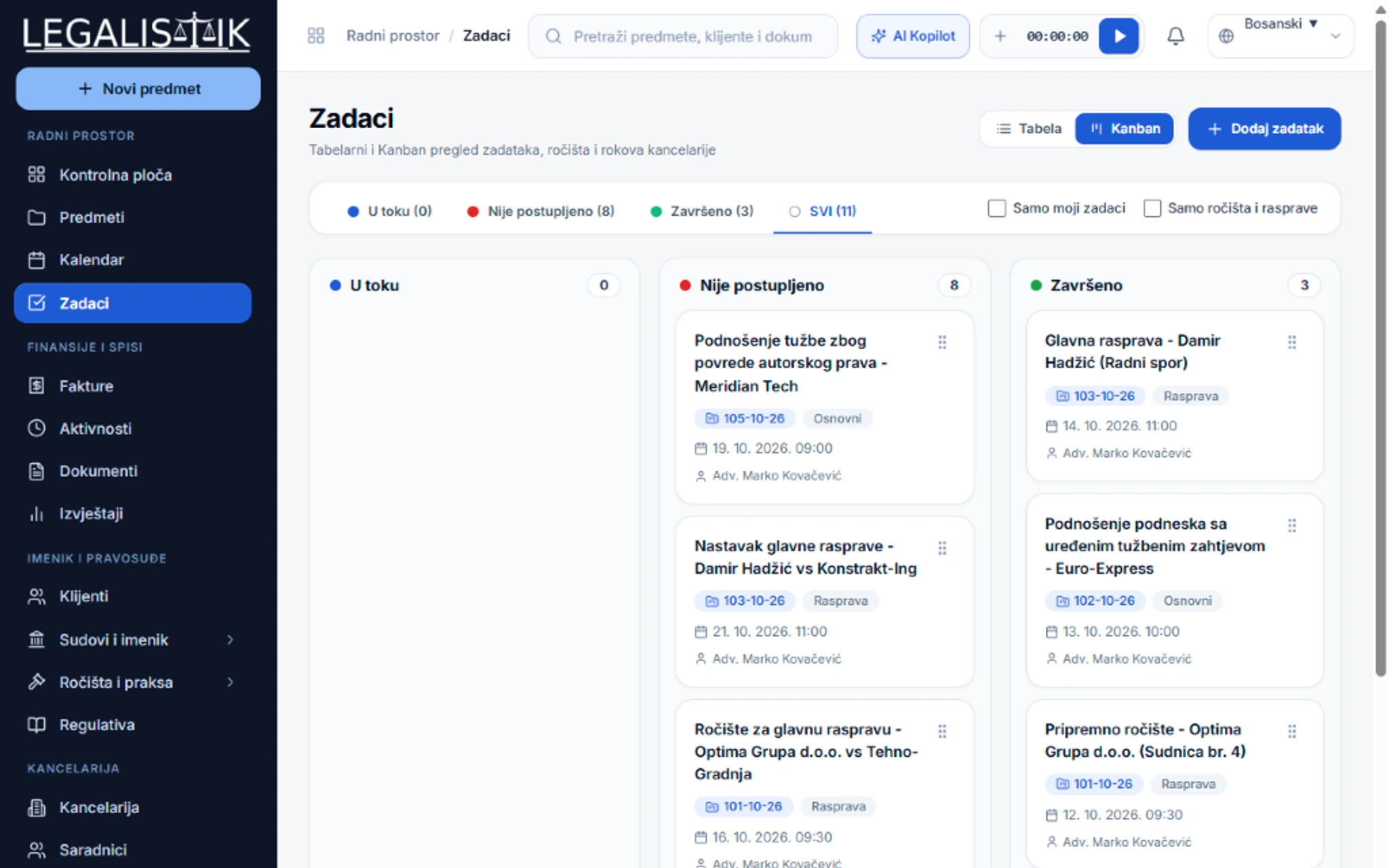
Visual Kanban board (In Progress, Pending Action, Completed)
Three priority tiers (Low, Medium, High) with clear visual indicators
Attach files and court documents directly to individual tasks
Automatic completion notifications sent back to the task creator
app.legalistik.com/zadaci
Delegate Tasks to Associates and Track Progress on a Kanban Board
Inspect full view (2x)
01

Kanban Workflow Built for Legal Teams

Drag task cards from "In Progress" to "Completed" effortlessly. The Kanban board gives managing partners and general counsel immediate visibility into team capacity.

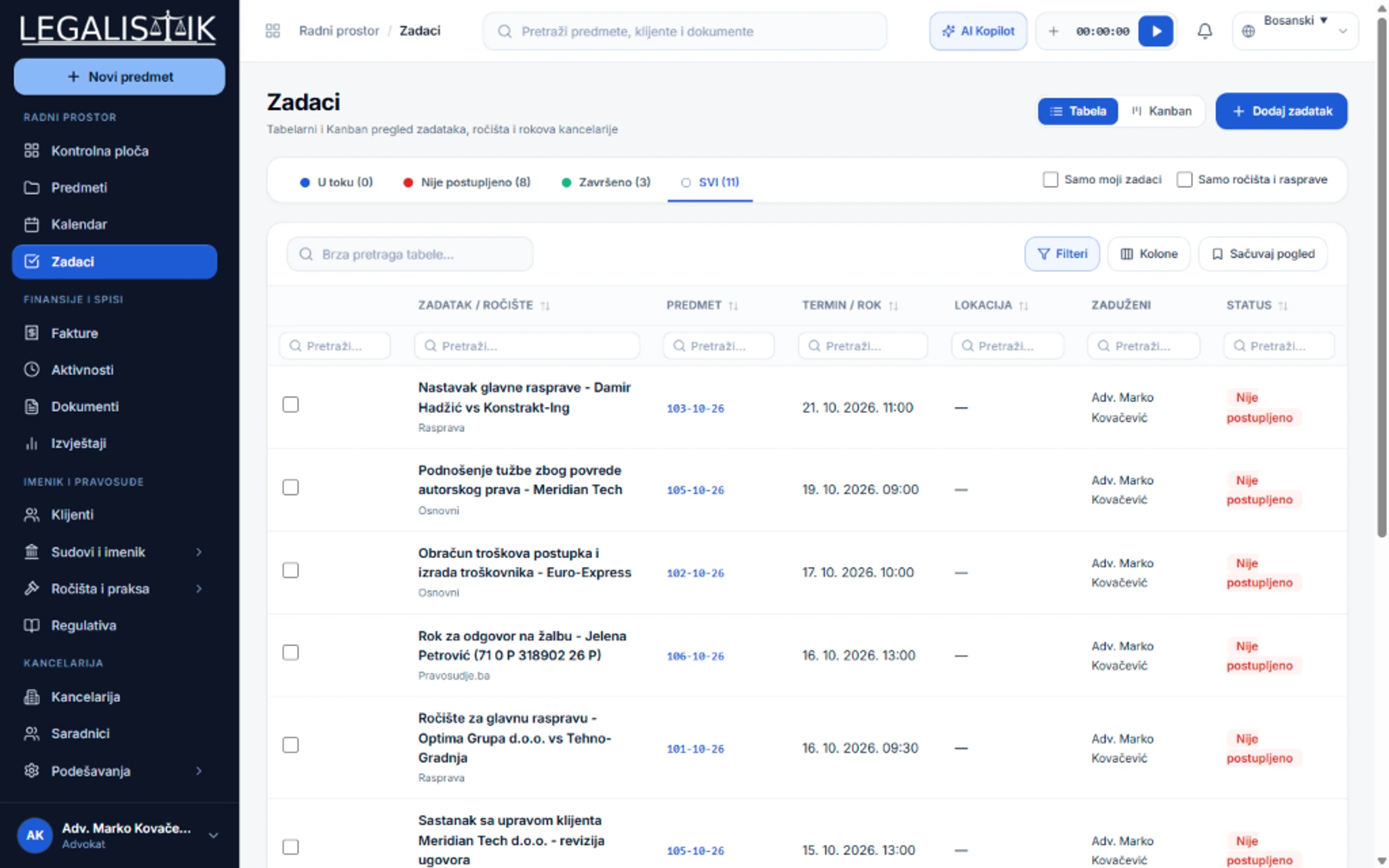
  • Link tasks to a specific case, a client, or general office operations
  • Filter by collaborator, priority level, and date range
  • Convert completed tasks directly into billable activities and invoices
app.legalistik.com
Tasks, Deadlines & Kanban Board - Detailed View
Inspect full view (2x)
Interactive Deadline Tool

Need to compute a statutory court appeal deadline right now?

Try our Court Deadline Tracker & Statutory Calculator with automatic weekend-to-Monday rollover.

Open Deadline Tracker

Frequently Asked Questions

Can I attach a document directly to a task for an associate?

Yes. When creating or editing a task you can drag and drop one or more files from your computer so the assigned associate has everything needed immediately.

Explore Other Platform Modules

Legalistik Cloud

Digitize your law practice with minimal cost

Join hundreds of attorneys and legal departments across the region saving hours of administrative work every day with Legalistik.

No credit card required • Full 30-day PRO trial • Cancel anytime

Try Free