




Cases & Matters 2 min read Updated: 2026-11-14
Comments and Internal Discussion Inside Cases
Instead of scattering case notes across emails and chat apps, keep your legal team aligned inside the case file itself.
Posting Internal Comments
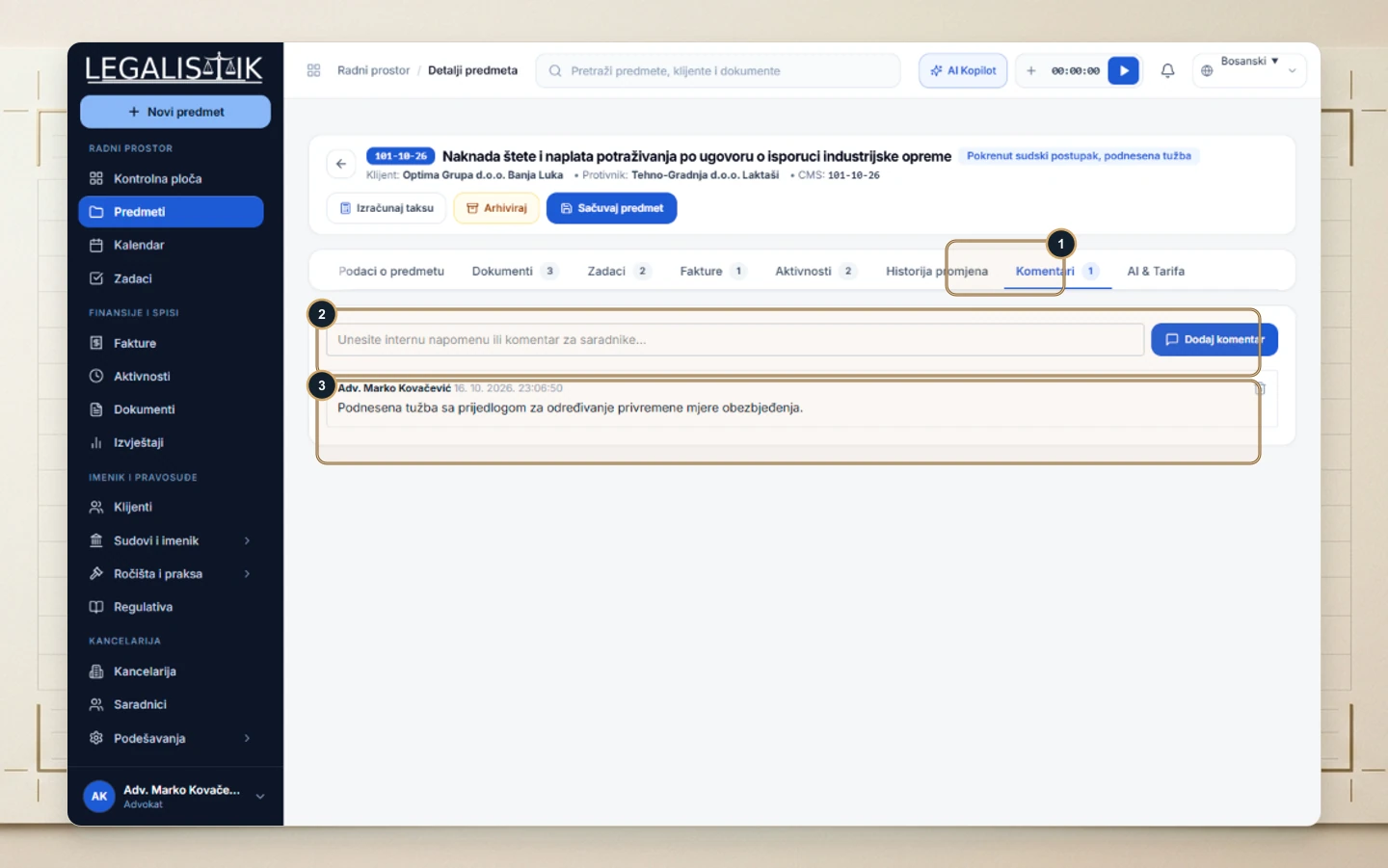
- Open any case and (1) click the Comments tab.
- (2) Type your internal note, hearing summary, or filing instruction and click Add Comment.
- (3) All entries are preserved in chronological order with author name and timestamp, triggering instant in-app bell alerts for mentioned or assigned colleagues.
Team Mentions & Permanent Case Context
Whenever you mention a colleague inside a comment, Legalistik immediately triggers an in-app bell notification so critical instructions are never buried in external chat threads. Because all discussions stay anchored to the electronic case file, any associate taking over the matter can review every prior decision in seconds.
