Law Firm Data Security, GDPR & RBAC

Law firms and corporate legal departments hold some of the most sensitive records in commerce: M&A deal terms, trade secrets, employment disputes, financial statements, and privileged litigation strategies. As a result, choosing practice management software is never purely a convenience decision—it goes straight to ethical duties of attorney-client confidentiality and regulatory obligations under the General Data Protection Regulation (GDPR).
Relying on an office desktop server or shared local folders often feels safer simply because the hardware sits down the hallway. In reality, local machines are prime targets for hardware failure, stolen laptops, local ransomware, and unmonitored USB copies. Modern cloud legal infrastructure pairs hardened European hosting with strict internal access governance.
European Union Hosting & Bank-Grade Encryption
As detailed on our Data Security architecture page, Legalistik anchors client confidentiality across three foundational infrastructure controls:
- ISO/IEC 27001 Certified EU Data Centers (Frankfurt, Germany): All matter records and documents reside strictly inside the European Union under GDPR jurisdictional safeguards.
- 256-Bit SSL/TLS Encryption (TLS 1.3 in Transit, AES-256 at Rest): Communication between browsers, mobile apps, and Legalistik servers—as well as stored case documents—is encrypted to European banking standards.
- 2x Daily Geo-Redundant Backups & 99.9% Uptime SLA: Continuous 24/7/365 monitoring and redundant snapshots protect your firm from accidental deletion, laptop loss, or local ransomware incidents.
Equally critical is unrestricted ownership: every client file, document, and invoice remains 100% your firm’s property.
Role-Based Access Control (RBAC): Protecting Data Inside the Firm
External perimeter defense only solves half the security challenge. Inside growing law firms, operational risk frequently stems from overly broad internal permissions—where trainees, temporary staff, or external co-counsel can inspect firm-wide billing totals, partner compensation data, or confidential VIP cases.
Legalistik’s Team, Collaborators & Permissions module enforces a granular RBAC Permissions Matrix. When onboarding or updating any user, managing partners toggle module-level access individually (Dashboard, Tasks, Billing, Documents, Reports, Settings) and can restrict sensitive case files solely to assigned attorneys.
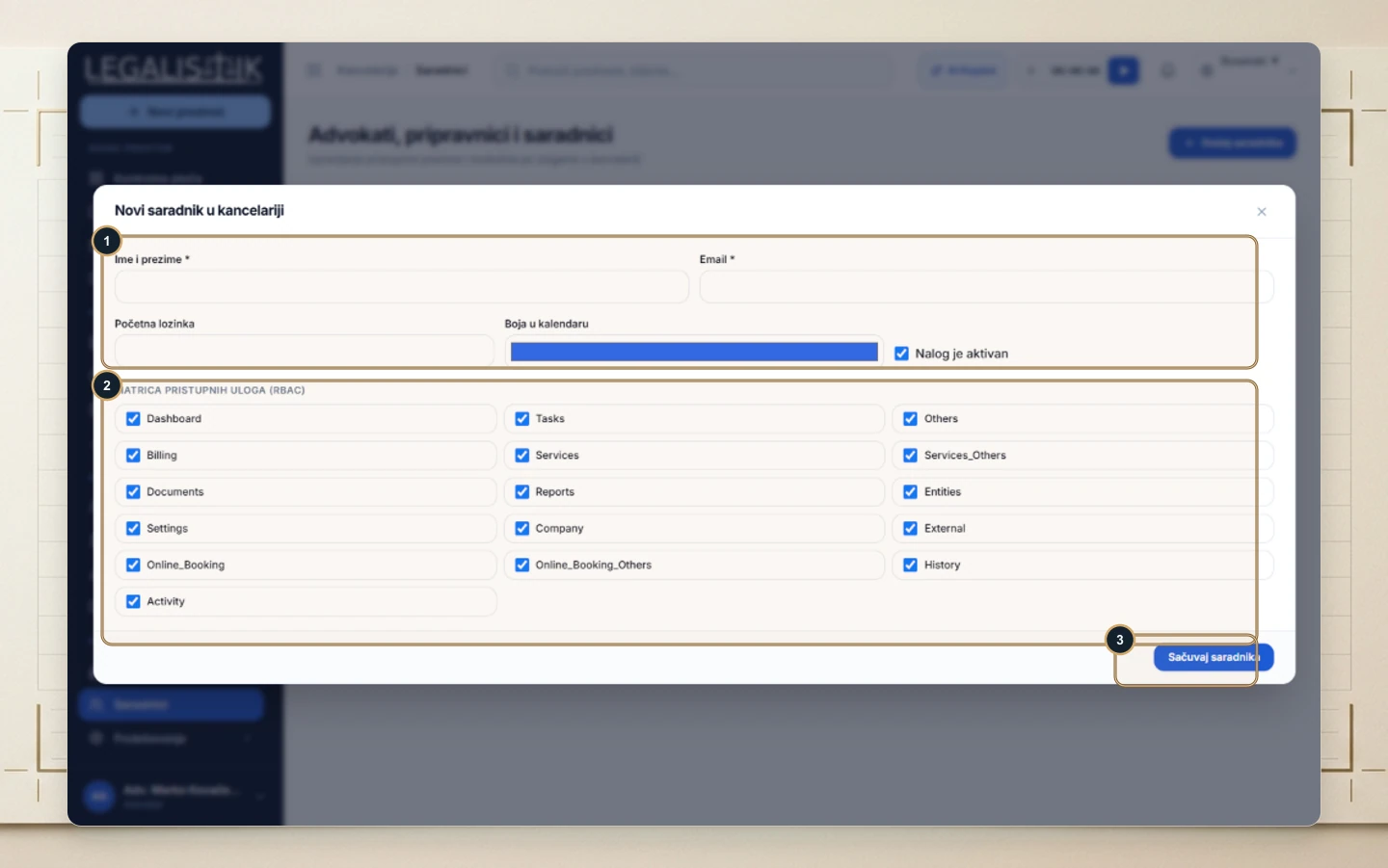
When an associate or paralegal leaves the firm, partners never have to delete the user profile and lose accountability over past edits. As shown in our help article on adding, editing roles, and deactivating associate accounts, unchecking Account is active blocks login immediately while preserving every historical audit record intact.
Immutable Audit Logs & Controlled Client Portals
Every modification inside a case, document upload, or task update writes to a chronological Audit Log (History tab), giving managing partners clear accountability across multi-attorney law firms and partnerships. Meanwhile, when sharing milestones through the optional Client Web Portal, internal comments and associate discussions remain strictly invisible—clients view only documents explicitly flagged as client-visible.
Zero Lock-In: Full Archive Export in One Click
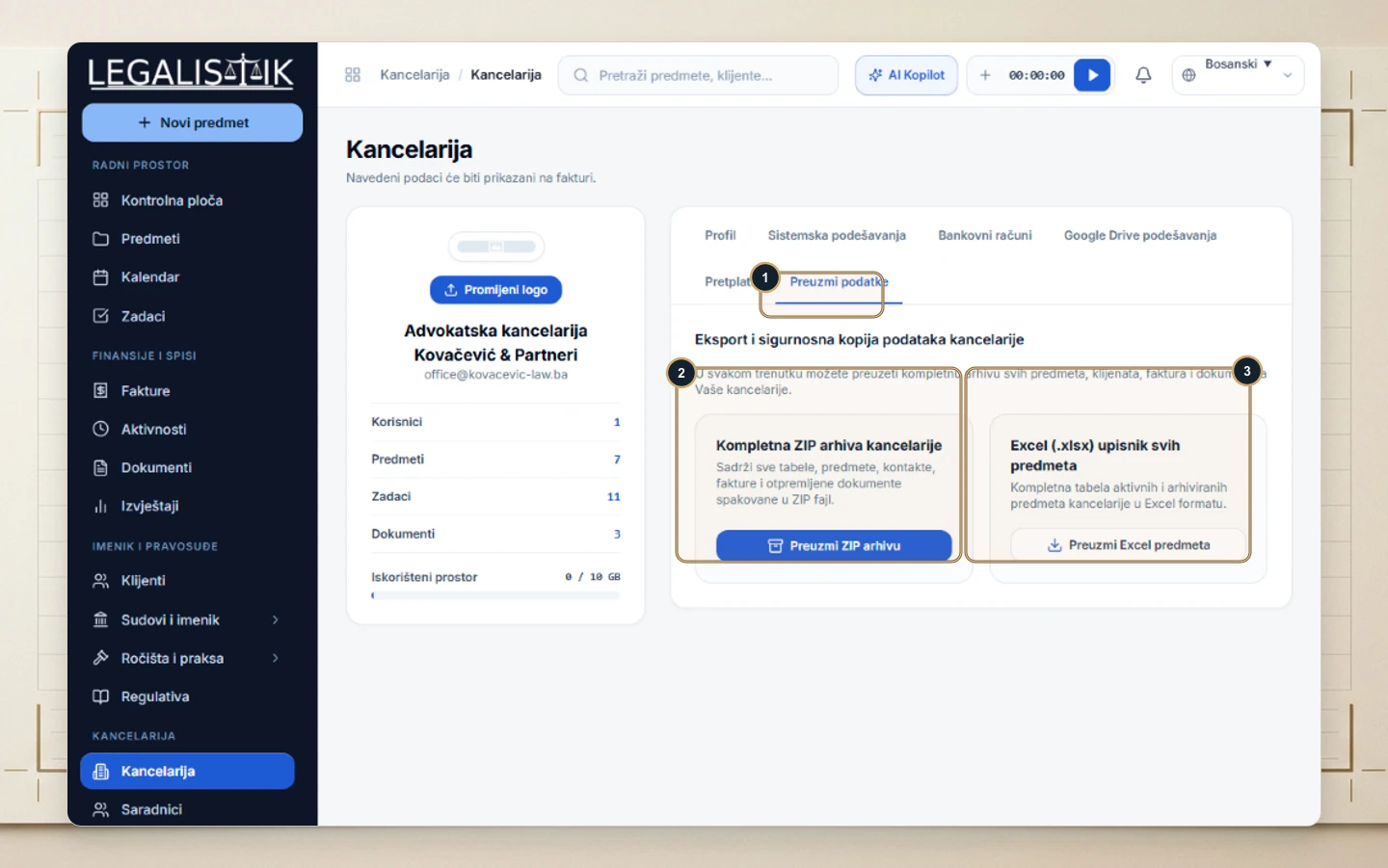
A legitimate concern for any legal practice moving to the cloud is data portability. Under Office → Export Data, administrators can download the firm’s entire ZIP Archive (cases, clients, invoices, and attached documents) or export an Excel Case Registry in a single click anytime, as explained in the guide to subscriptions and full firm data exports.
Cloud Security & GDPR Governance Matrix for Law Practices
| Security Layer | Technical Control in Legalistik | Confidentiality & GDPR Impact |
|---|---|---|
| Hosting Jurisdiction | ISO/IEC 27001 data centers (Frankfurt, Germany) | Full alignment with EU GDPR data residency rules |
| Cryptographic Protection | TLS 1.3 in transit and AES-256 at rest | Protects case files from interception or unauthorized access |
| Internal Access (RBAC) | Per-module permissions + assigned-attorney case locks | Enforces least-privilege access across partners and staff |
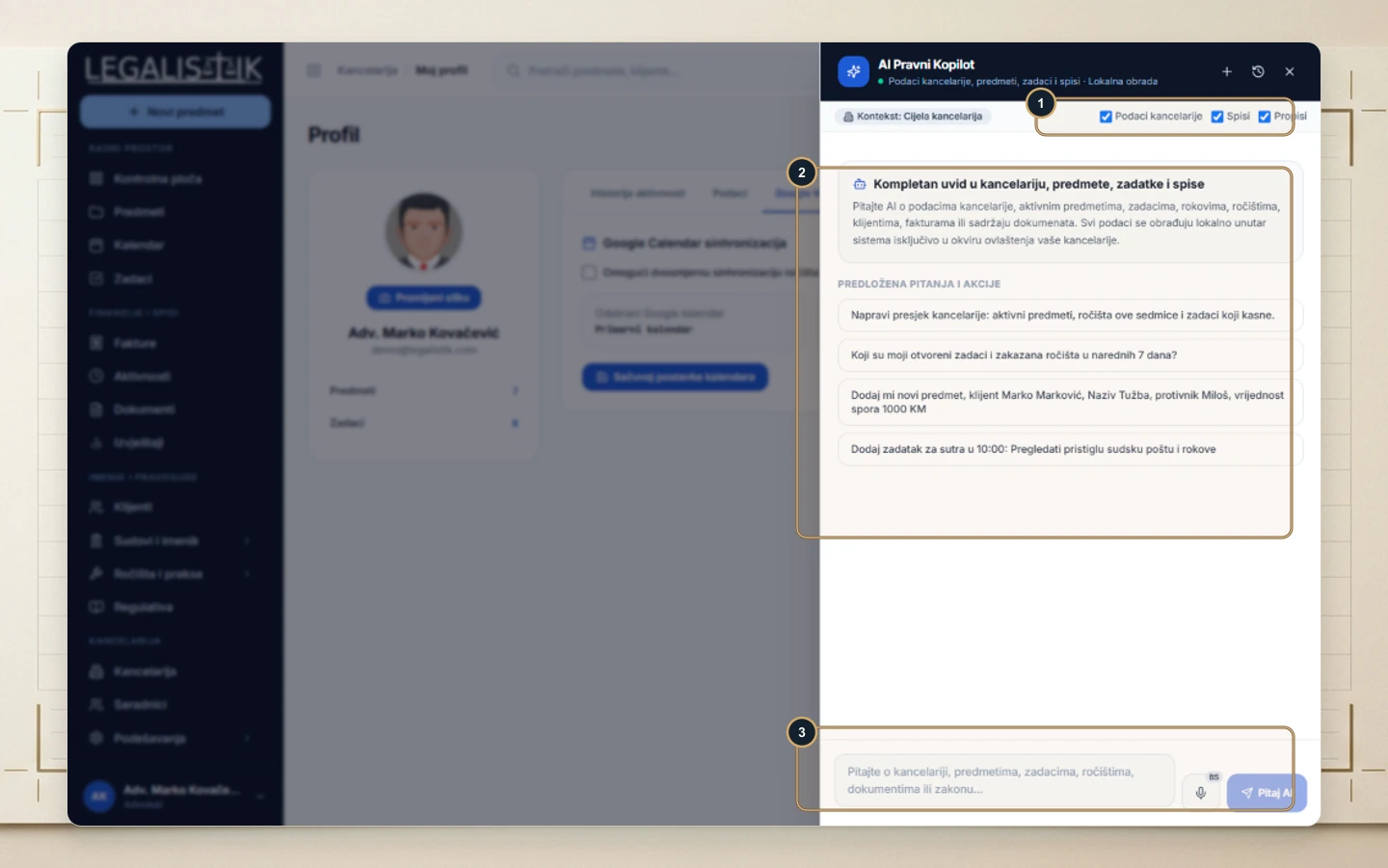
| Local AI & Redaction | 100% local AI analysis + Anonymization check tab | Keeps privileged documents off external third-party AI APIs |
| Resilience & Portability | 2x daily backups + 1-click ZIP and Excel export | Prevents ransomware loss and eliminates vendor lock-in |
Law Firm Security & GDPR Compliance Checklist
- Enforce least privilege: Restrict billing, firm settings, and confidential M&A or litigation files to authorized collaborators only.
- Eliminate shared logins: Issue every lawyer and staff member an individual account so audit trails stay accurate, and deactivate accounts immediately upon offboarding.
- Run GDPR checks before external sharing: Use local AI anonymization reviews when preparing redacted judgments or sample agreements.
- Audit client portal access regularly: Revoke external portal access once matters close or corporate engagements conclude.
- Schedule periodic local snapshots: Download a full ZIP/Excel backup quarterly as part of your firm’s written business continuity plan.
Conclusion
Protecting attorney-client privilege in a digital practice requires more than strong passwords—it demands EU ISO 27001 infrastructure, end-to-end encryption, privacy-preserving local AI, and granular RBAC permissions. With clear audit trails and one-click data portability, law firms gain enterprise-grade security without sacrificing everyday agility.