Frequently Asked Questions 2 min read Updated: 2026-11-14
Subscription, Licenses & Data Export
Your subscription details, active user seats, storage utilization, and complete data exports live inside the Law Office settings area.
Checking Subscription & Billing Status
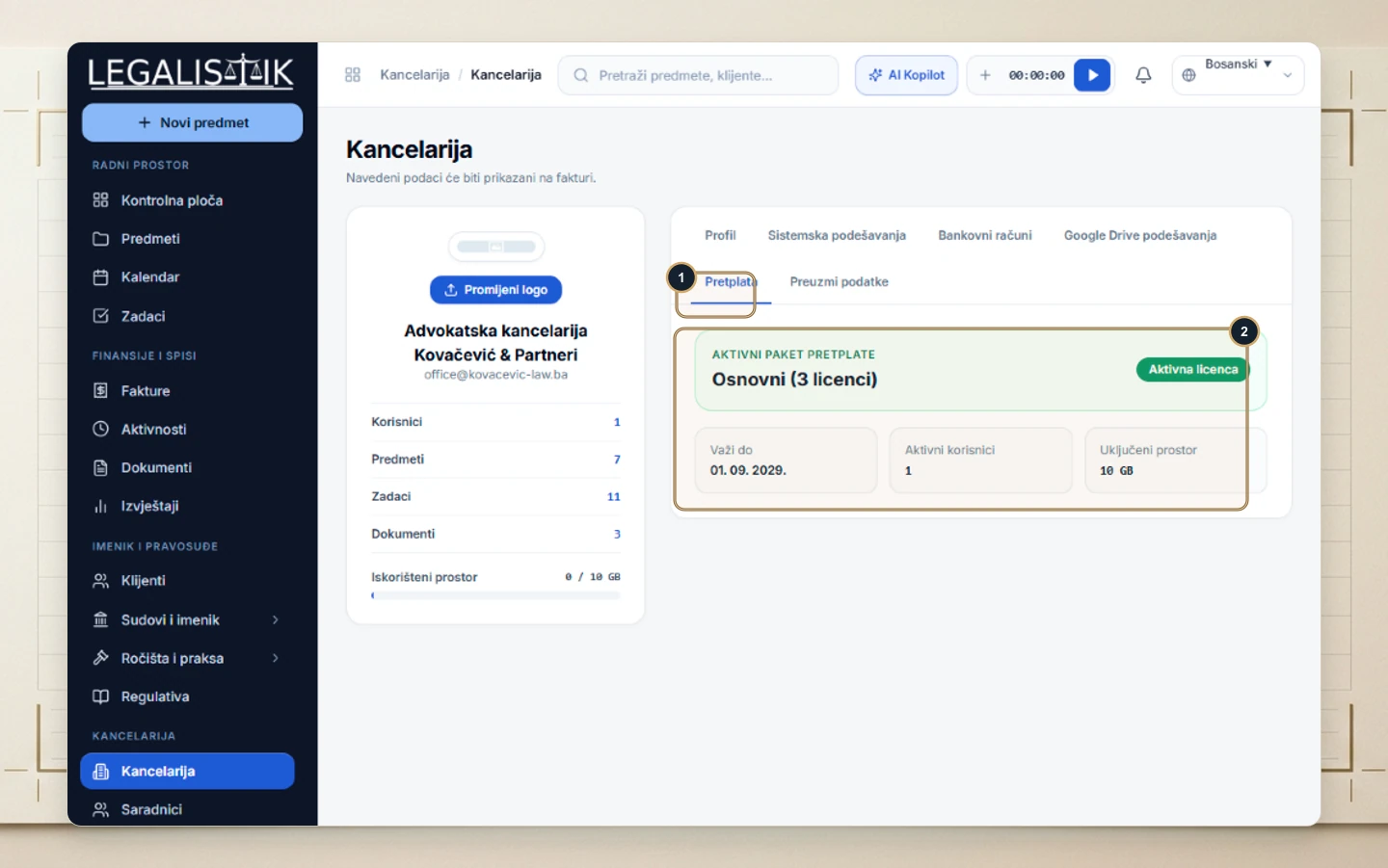
- Open Law Office in the sidebar and (1) switch to the Subscription tab.
- (2) View your current plan tier, active seat count, expiration date, and included storage quota along with subscription receipts.
Exporting Complete Firm Backups
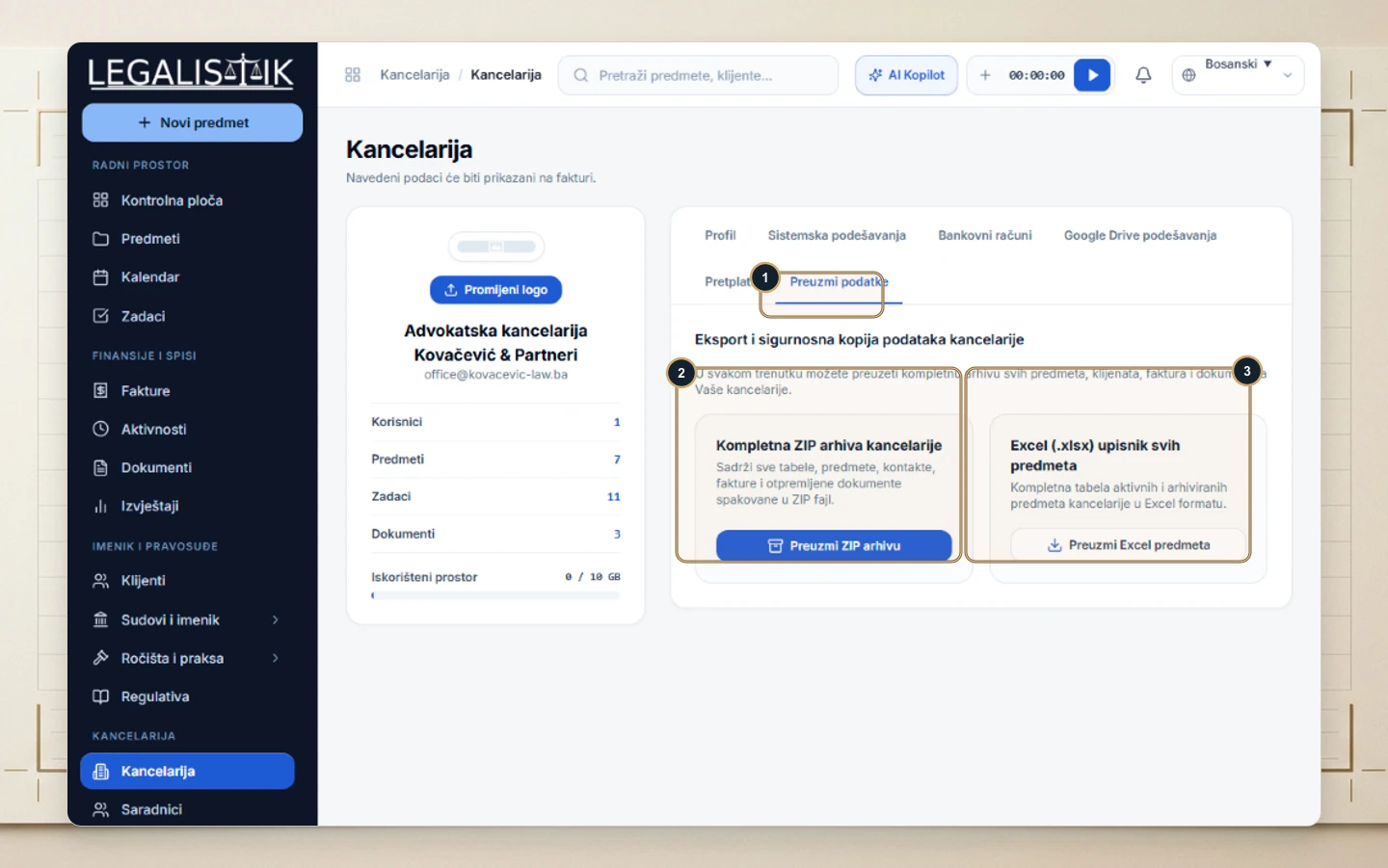
- (1) Switch to the Export Data tab inside Law Office.
- (2) Click Download ZIP Archive to export every matter, client, invoice, and uploaded file in one bundle.
- (3) Click Download Cases Excel to export an immediate
.xlsxregistry of all active and archived matters.