Account & Office Setup 2 min read Updated: 2026-11-14
Associates: Roles, Invites & Deactivation
Manage your entire firm roster and define module-level permissions from the Associates section.
Team Directory & Invite Links
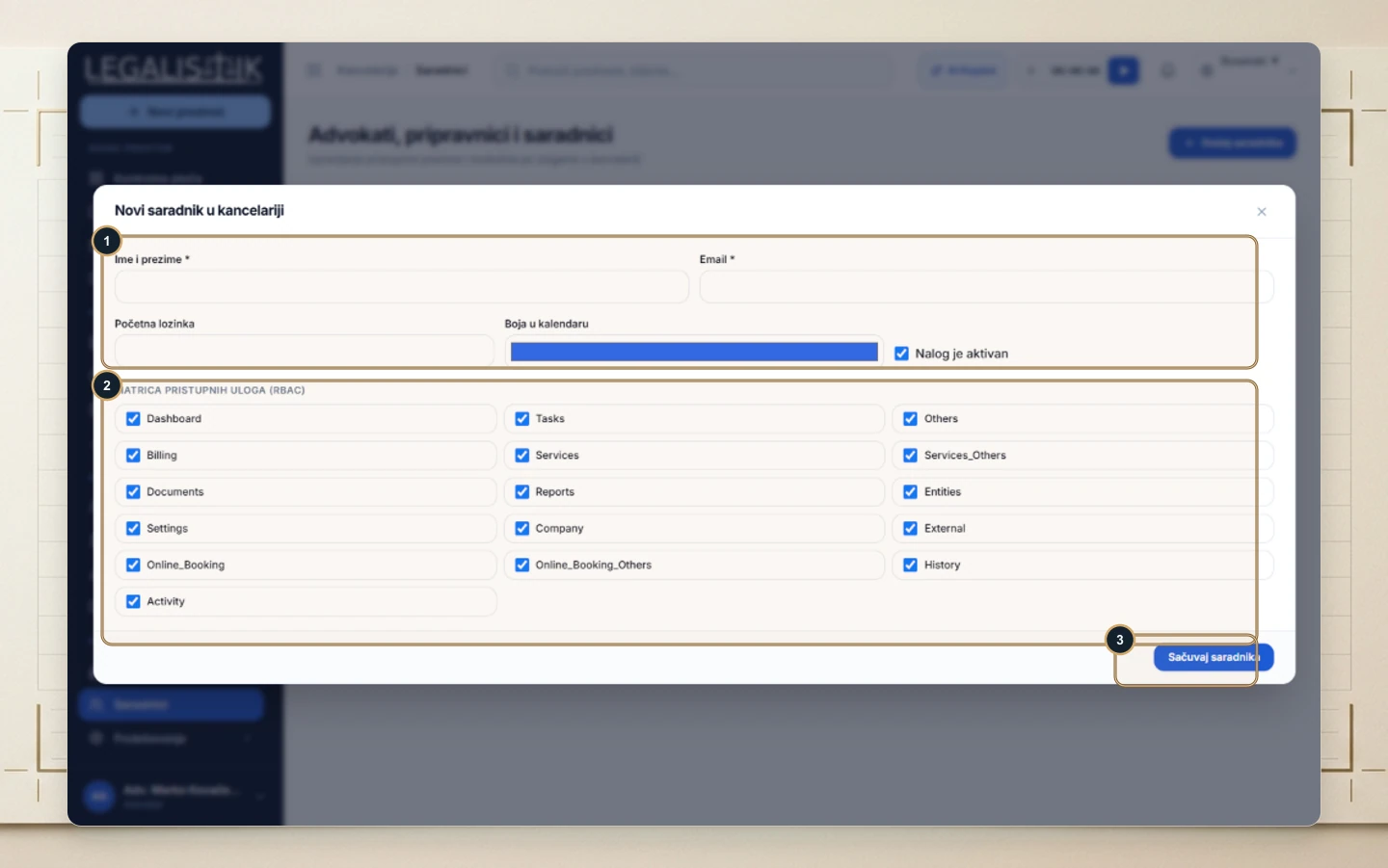
- Open Associates at the bottom of the left sidebar.
- (1) Click + Add Associate in the top-right corner to onboard a new user.
- (2) Review active seat status, enabled permissions count, copy a direct invitation link, or click Edit Roles to update permissions anytime.
Creating an Associate with RBAC Matrix
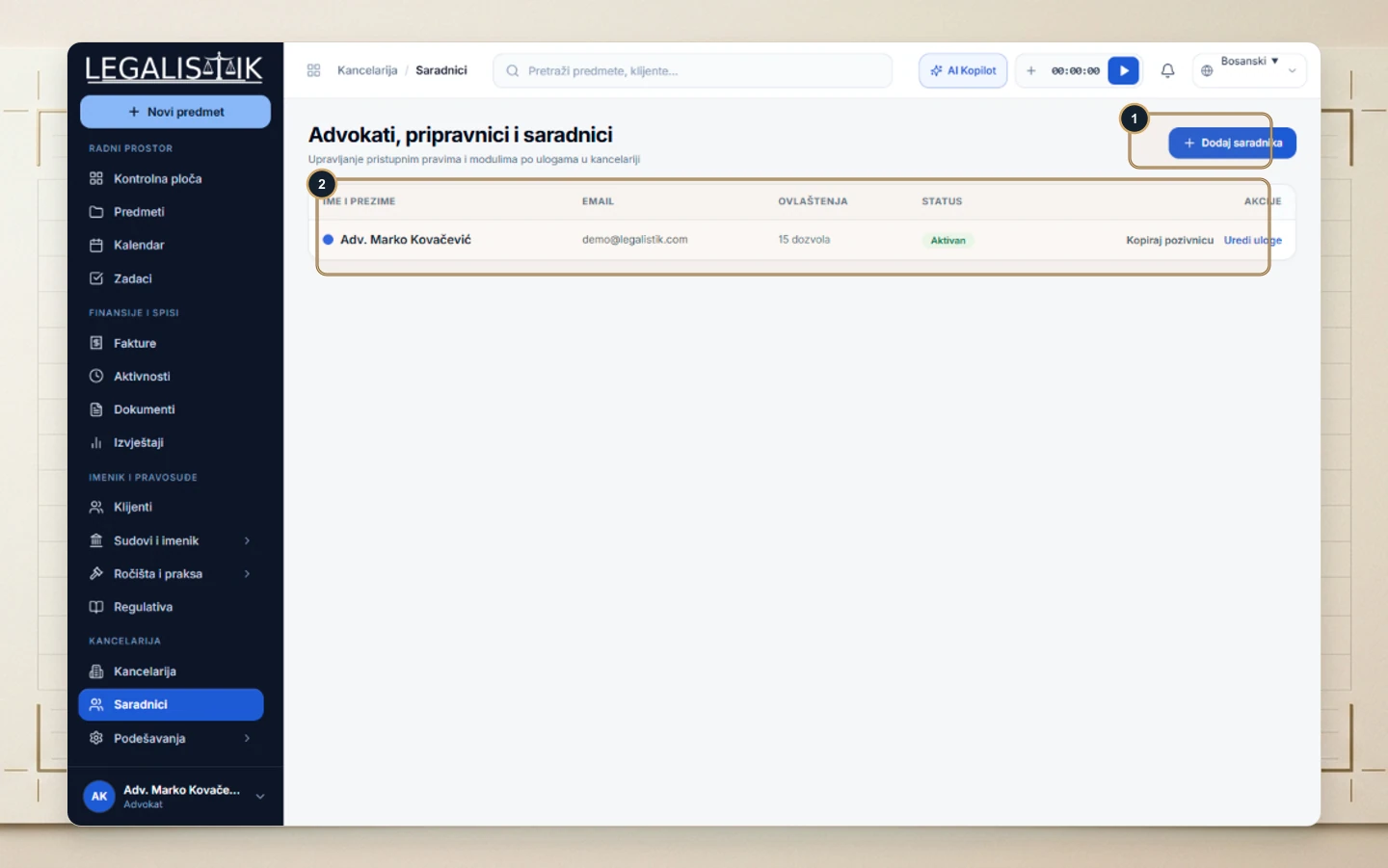
- (1) Enter Full Name, Email, optional starter password, select a distinct Calendar Color, and ensure Account is active is checked.
- (2) Under the Role-Based Access Control (RBAC) Matrix, toggle exactly which areas the associate may view (Dashboard, Tasks, Billing, Documents, Reports, Settings, etc.).
- (3) Click Save Associate. To offboard an employee without erasing case audit trails, edit their record and uncheck Account is active.