How to Calculate Court Deadlines Under ZPP
Missing a statutory preclusion deadline for an appeal, statement of defense, or enforcement objection is one of the highest-stakes operational risks in legal practice. Once a peremptory term expires, the court dismisses late filings as inadmissible regardless of the underlying merits of the case.
Although counting calendar days sounds straightforward, miscalculations frequently occur around service-date exclusions, weekend expirations, regional public holidays, and uncoordinated spreadsheets shared across busy litigation teams. Standardizing both procedural math and automated docket reminders eliminates guesswork before it becomes malpractice exposure.
Core Procedural Rules for Computing Court Deadlines
Across civil procedure statutes in Southeastern Europe (including Article 112 in Croatia, Article 360 in Bosnia and Herzegovina, Article 104 in Serbia, and Article 114 in Montenegro) and comparable European civil law jurisdictions, day-based court deadlines follow three foundational principles.
1. Exclusion of the Service Date (Dies a Quo Non Computatur in Termino)
When a statutory term is measured in days, the calendar day on which the court ruling or pleading is served is excluded from the count. Day 1 begins at 00:00 on the first calendar day immediately following receipt.
2. Weekend and Court-Holiday Roll-Over (Dies ad Quem)
If the nominal final day of a deadline falls on a Sunday, a Saturday (when courts are closed), or an official public holiday, the deadline automatically extends until 24:00 at the end of the next regular court business day.
3. Registered Postal Dispatch Proof
Submitting a pleading via certified or registered postal mail before 24:00 on the final day is legally recognized as filing with the court on that date—making retention of stamped envelopes and postal receipts essential evidentiary practice.
Common Statutory Terms & Worked Roll-Over Example
The table below summarizes typical statutory litigation terms supported in practice management workflows:
| Statutory Term | Common Procedural Filings | Docketing Safeguard |
|---|---|---|
| 3 days | Objections to interim measures; curing formal filing defects | High urgency; immediately check if nominal expiry hits Saturday/Sunday |
| 8 days | Interlocutory procedural appeals; summary enforcement objections | Retain signed proof of service and postmarked envelope in case files |
| 15 days | Standard appeals against first-instance judgments; formal answers to complaints | Most frequent litigation term; schedule draft review 3–4 days prior |
| 30 days | Complex commercial judgment appeals; administrative judicial review actions | Cross-check specialized legislation (lex specialis) and holidays |
| 60 days | Extraordinary appeals on points of law (Supreme Court review) | Break drafting into internal partner/associate Kanban milestones |
Step-by-Step Worked Example (8-Day Term Landing on Saturday)
Suppose a law firm receives a court order on Friday, October 23, 2026, triggering an 8-day statutory term:
- Day 0 (Receipt Date): October 23, 2026 — excluded from the count.
- Day 1 (Start of Term): Saturday, October 24, 2026 — first calendar day following service.
- Nominal Expiry (Day 8): Saturday, October 31, 2026 — court offices are closed on Saturday.
- Final Preclusive Deadline: Monday, November 2, 2026 at 24:00 (assuming Monday is not a statutory holiday).
To verify any service date and duration instantly, use the free Court Deadline Calculator, which automatically computes dies a quo and shifts weekend expirations to Monday.
Moving From Manual Calculators to Automated Firm-Wide Docketing
Computing a deadline once is only half of risk prevention. Multi-attorney practices also need clarity on ownership, review checkpoints, and mobile alerts while counsel are in court.
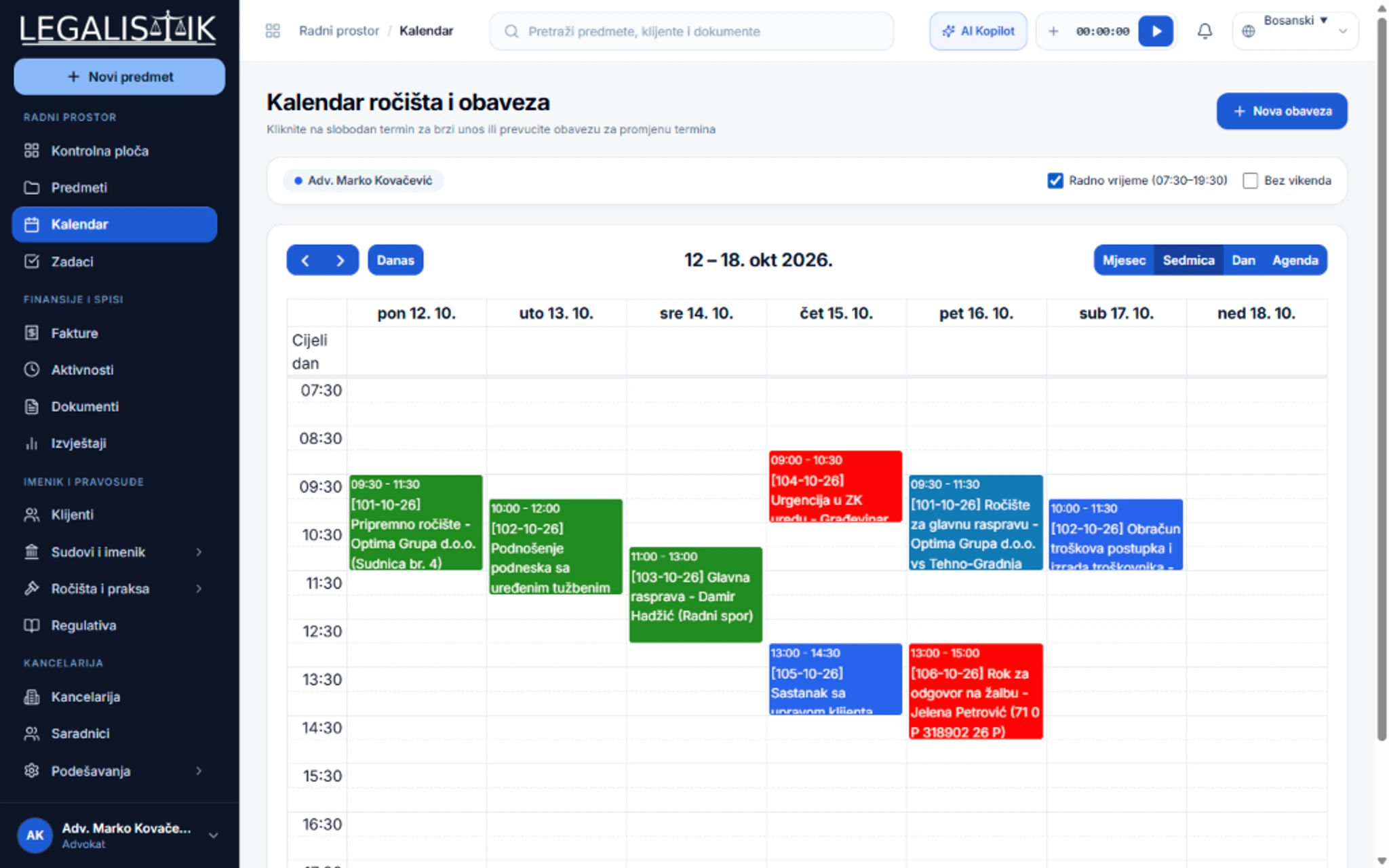
Within Legalistik’s Court Docket & Deadlines module and shared Legal Calendar, every statutory deadline links directly to its electronic case dossier, court registry, and assigned team member. Partners can filter schedules by attorney, drag-and-drop non-statutory meetings, and separate working hours from weekends.
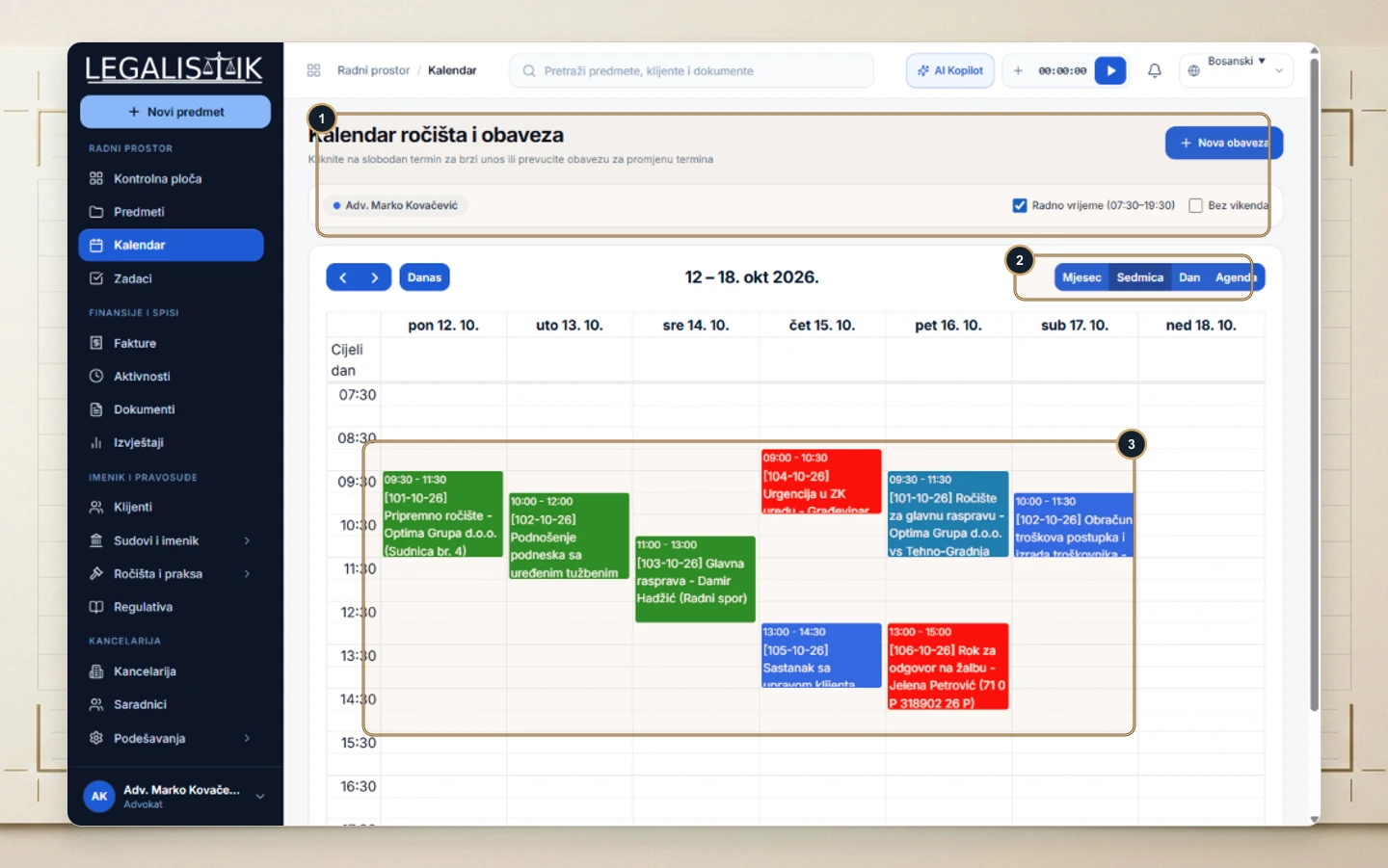
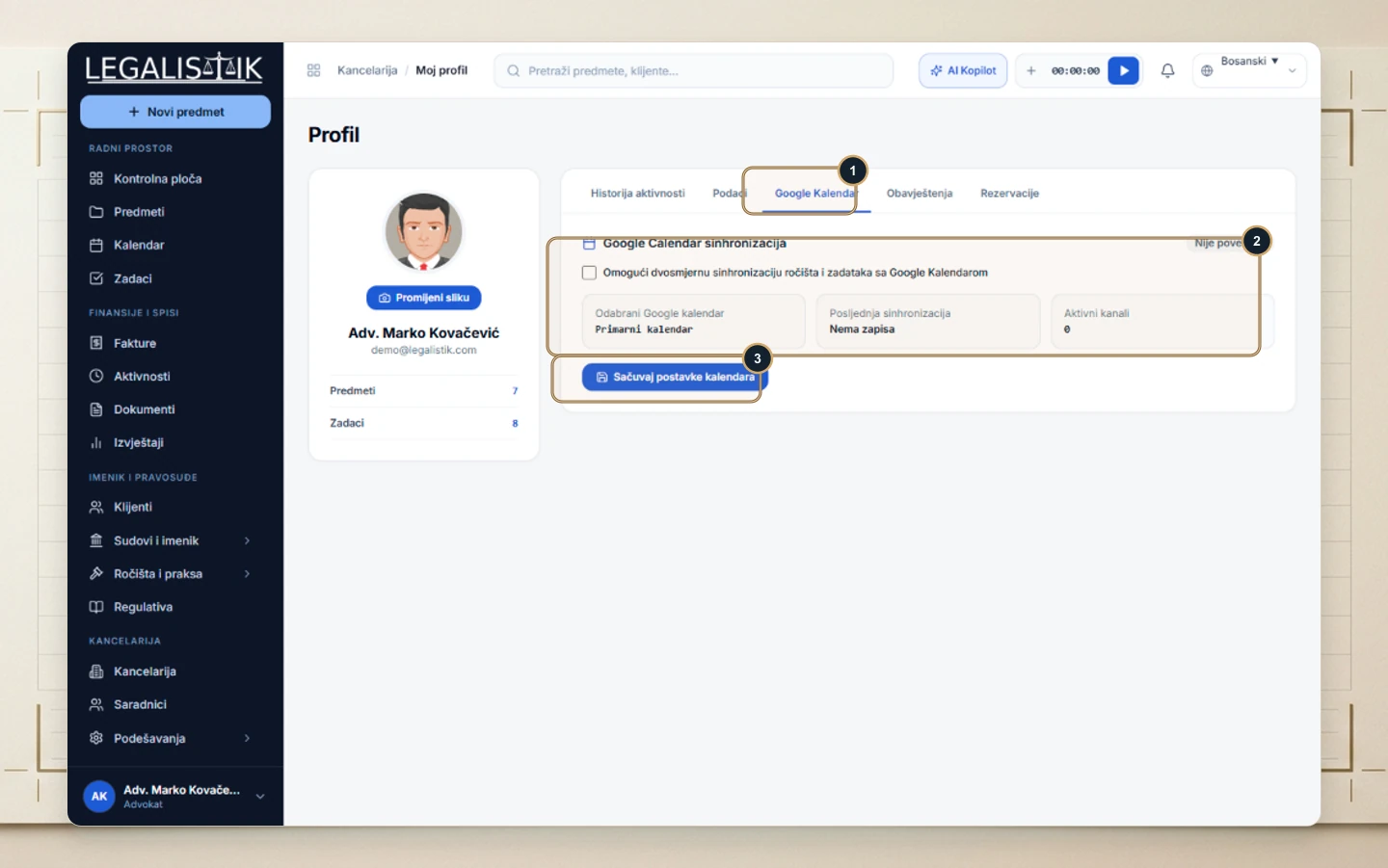
Enabling two-way Google Calendar synchronization ensures hearings entered at the office appear immediately on smartphones in the courtroom, backed by multi-tier reminders 7 days, 3 days, 24 hours, and on the deadline day itself.
Best-Practice Checklist for Zero Missed Deadlines
- Scan service proof immediately: Upload the postmarked envelope or e-service confirmation directly into the matter’s document vault upon receipt.
- Set an internal preparation buffer: Create an associate drafting task 2 to 3 business days ahead of the actual statutory filing date.
- Verify public holidays & lex specialis: Automated tools handle standard day counts and weekends, while counsel must always verify jurisdiction-specific holidays and specialized statutes inside the Legalistik Regulations Database.
- Layer your alert channels: Combine in-app browser notifications, daily email digests, and mobile push alerts—see the Calendar user guide for configuration steps.
Conclusion
Combining accurate procedural rules with centralized cloud docketing eliminates avoidable calendar errors. Bookmark the free calculator for rapid verification and tie every critical deadline directly to your firm’s digital matter files so nothing slips through the cracks.