




Account & Office Setup 2 min read Updated: 2026-11-14
Custom Fields for Cases and Clients
Every firm tracks unique internal attributes—such as Archive Binder Number, Insurance Claim ID, or Regional Desk. Legalistik lets you add custom fields directly to your case intake forms.
Adding a Custom Field
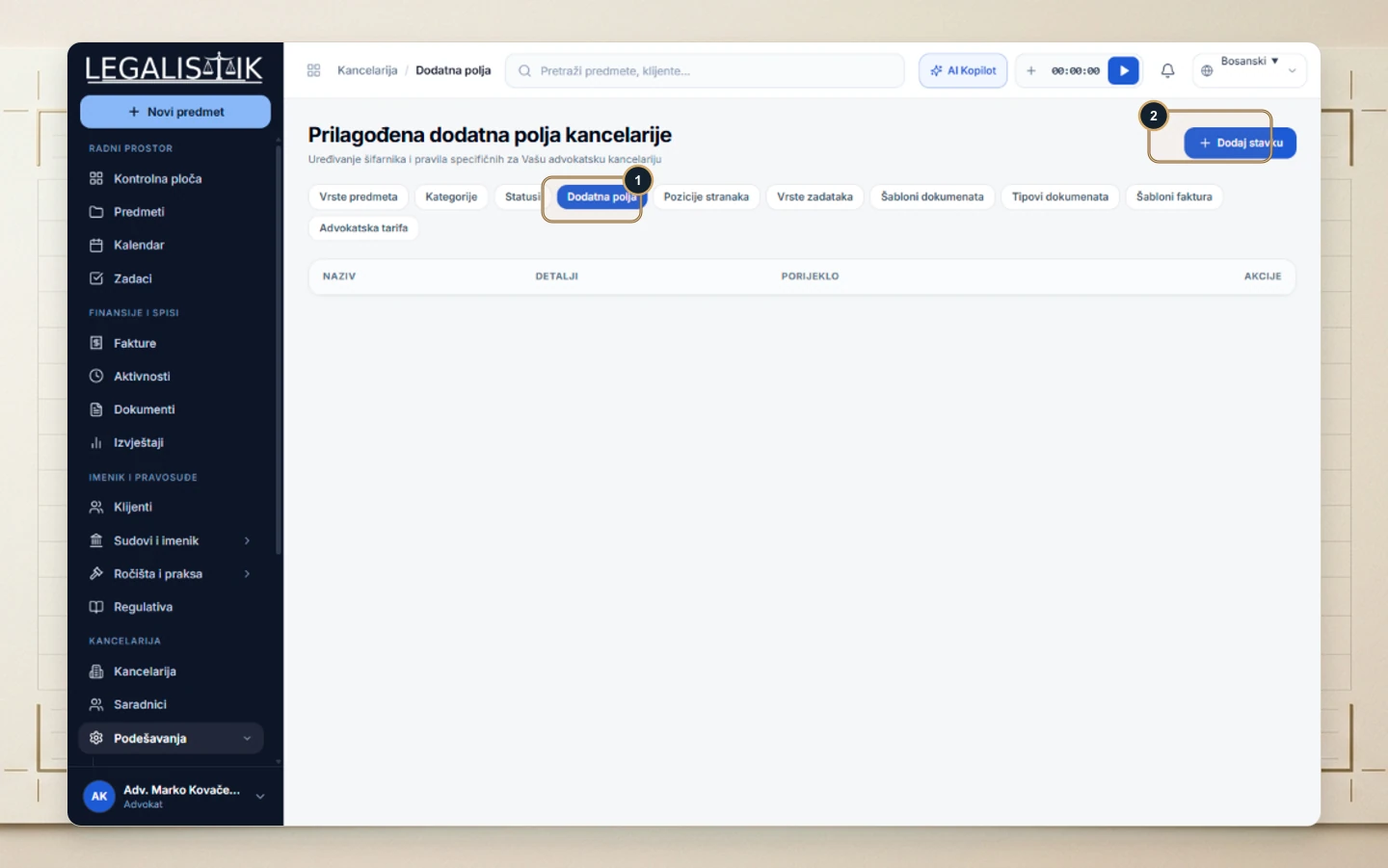
- (1) Navigate to Settings in the sidebar and select the Custom Fields pill tab.
- (2) Click + Add Item in the top-right corner, define the field label and type, and save—the field immediately becomes available inside every case file.
Where Custom Fields Appear Across Your Practice
Every active custom field configured under Settings immediately appears inside the case intake and edit drawer across all matters. This guarantees your entire team captures firm-specific metadata—such as archive binder numbers, insurer claim codes, or internal client references—in a consistent, structured format.
