




Account & Office Setup 2 min read Updated: 2026-11-14
Managing Courts & Judges Directories
Legalistik ships with a pre-populated directory of courts, administrative bodies, and judges to eliminate repetitive typing during case intake.
Searching & Adding Courts or Judges
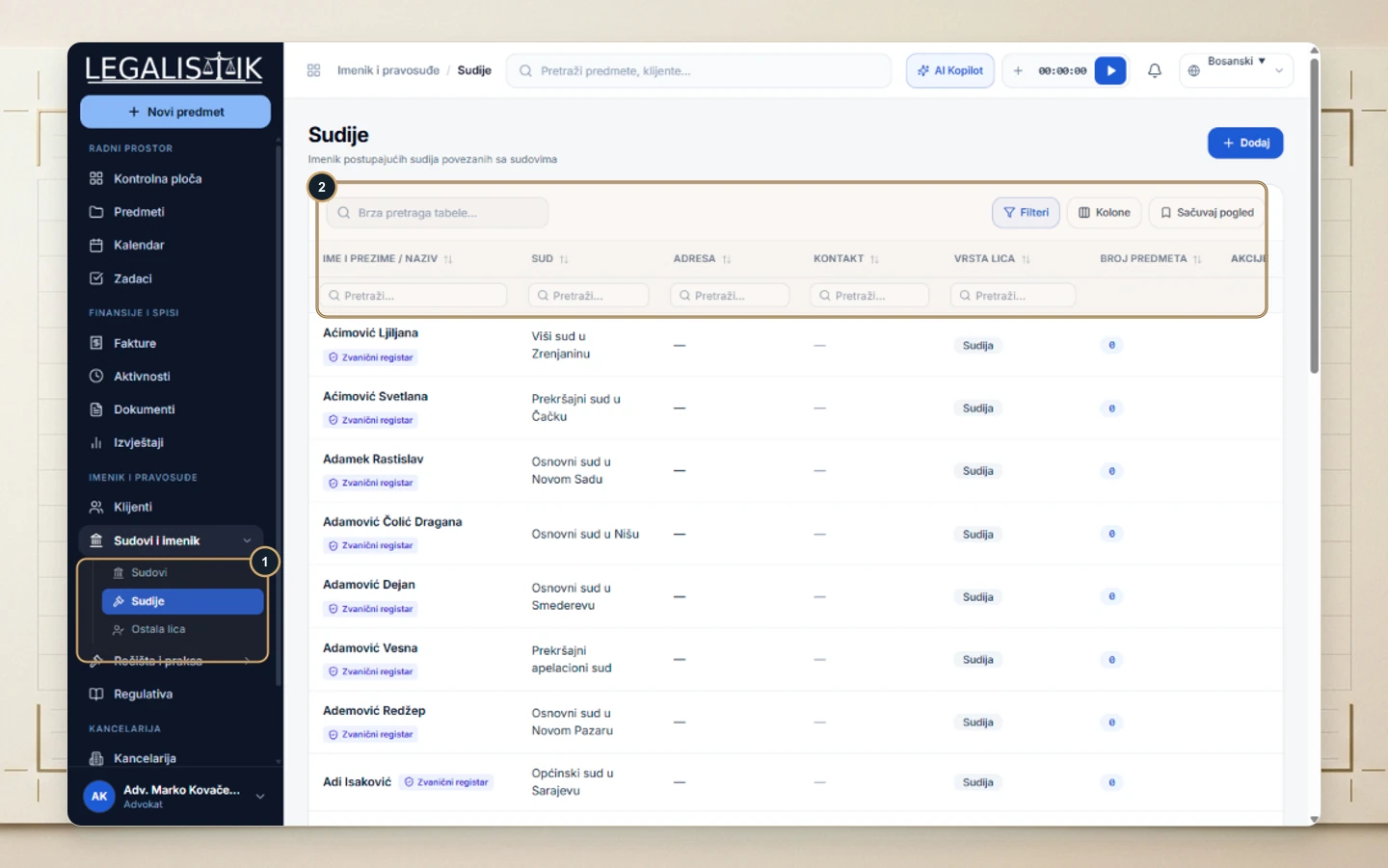
- (1) Expand Courts & Directory in the left sidebar and open Courts, Judges, or Other Contacts.
- (2) Filter instantly by judge name, court, or jurisdiction, or click + Add in the top-right corner to register an additional judge or tribunal.
Inline Creation During Case Intake
While filling out a new case, click + New Court or + New Judge right beside those dropdowns to create records without leaving your screen.
Maintaining Shared Court & Legal Directories
Alongside the preloaded courts and judges catalog, the Other Parties tab stores recurring expert witnesses, notaries, enforcement officers, and opposing counsel. Once added, records become immediately selectable from dropdowns across all firm cases and hearings.
