




Account & Office Setup 2 min read Updated: 2026-11-14
Law Office Profile, Logo & Letterhead
Your law firm profile supplies official letterhead and billing details across every PDF invoice, Word template, and public booking link.
Office Profile Setup
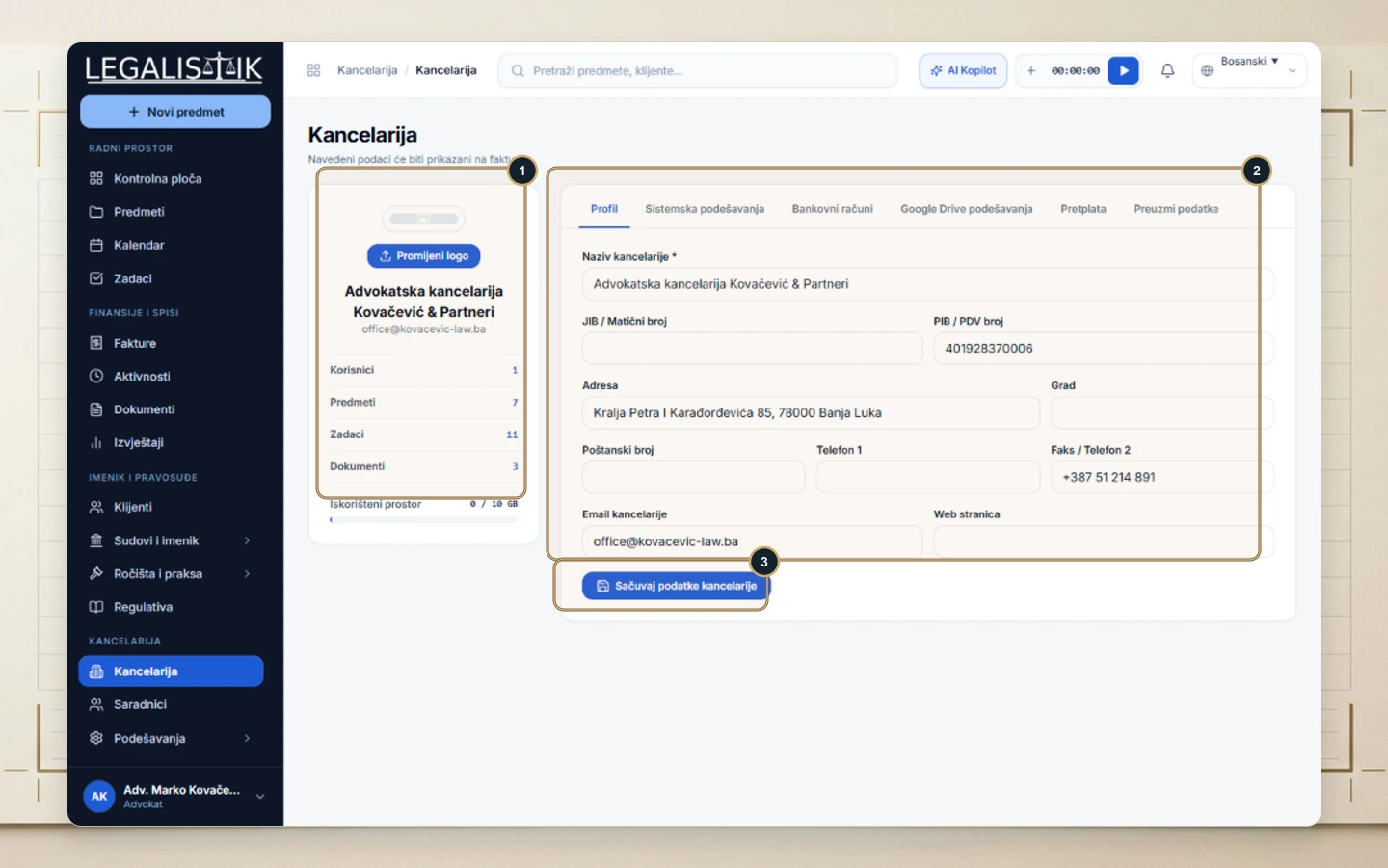
- Open Law Office from the sidebar (opens on the Profile tab).
- (1) On the left card, click Change Logo to upload your firm mark, and monitor active users, cases, and storage usage below.
- (2) Complete the right-hand form with Law Office Name, Tax / Registration IDs, Street Address, City, phone numbers, and Office Email.
- (3) Click Save Office Details to apply changes across all documents and receipts.
Where Firm Profile Details Are Automatically Reused
Your uploaded logo, firm name, street address, and tax identifiers automatically populate exported PDF/Word invoices, proforma quotes, and your public online booking page. The left summary panel also displays live counts of active associates, open cases, and workspace storage usage.
