




Account & Office Setup 2 min read Updated: 2026-11-14
Case and Invoice Numbering Templates
Legalistik lets your firm match its internal docket and invoice numbering conventions using flexible dynamic tokens.
System Numbering Setup
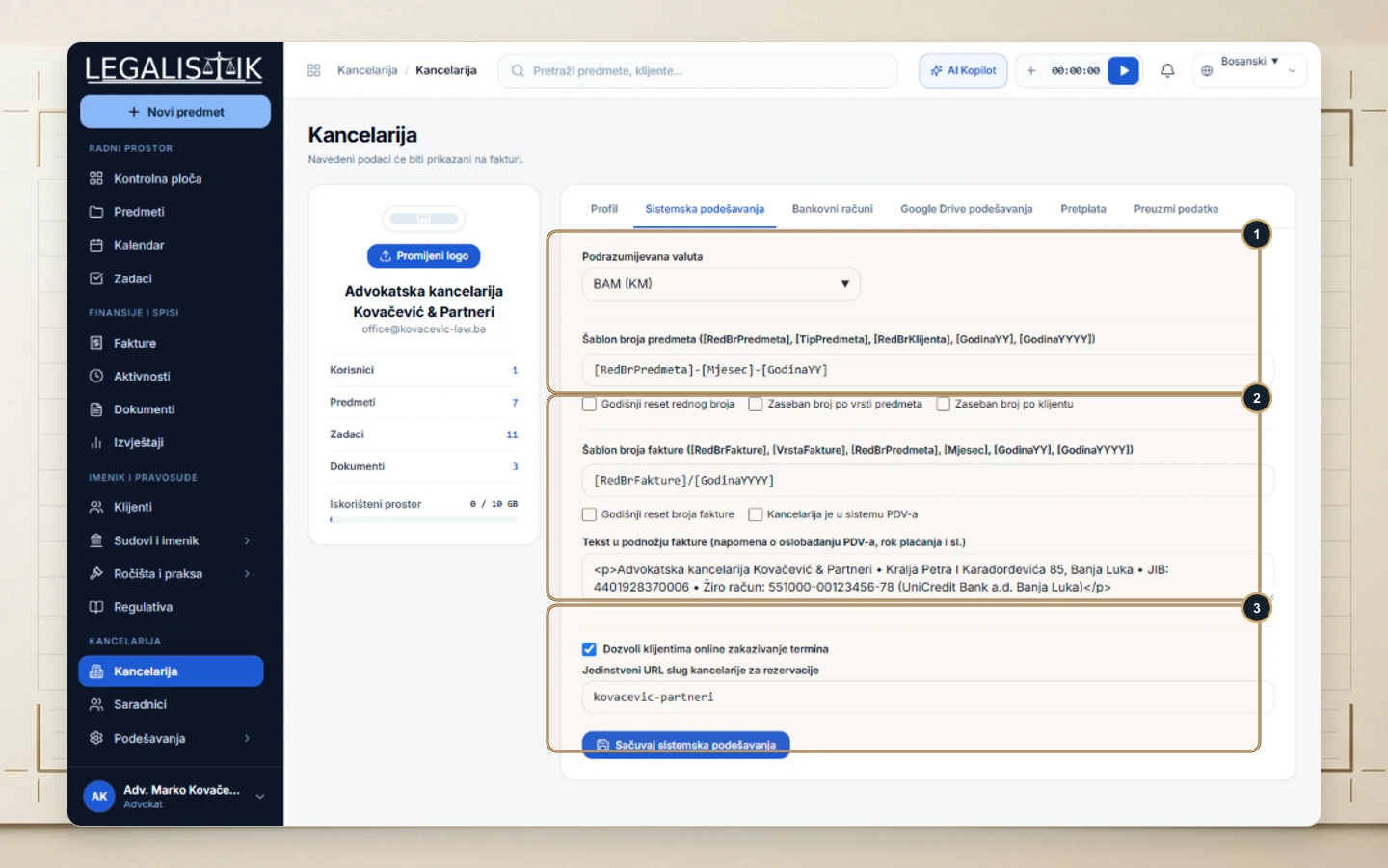
- Open Law Office and go to the System Settings tab.
- (1) Choose your firm’s Default Currency and enter a Case Number Template using tokens such as
[RedBrPredmeta],[Mjesec],[GodinaYY], or[GodinaYYYY]. - (2) Configure the Invoice Number Template, annual counter reset options, VAT registration flag, and standard Invoice Footer bank/tax text.
- (3) At the bottom, optionally toggle Online Client Booking with a custom firm URL slug and click Save System Settings.
Format Examples & Annual Number Reset
Combining tokens such as [RedBrPredmeta], [TipPredmeta], and [GodinaYY] creates structured docket IDs like 106-P-26, while [RedBrFakture]/[GodinaYYYY] handles standard invoice sequences. Enabling the annual reset option automatically restarts numbering at 1 on January 1st each year.
