Tasks & To-Dos 2 min read Updated: 2026-11-14
Adding Tasks, Deadlines, and Hearings
All legal deadlines, office to-dos, and court hearings can be added from the Tasks module, inside a Case, or visually inside the Calendar.
Filtering & Managing the Task List
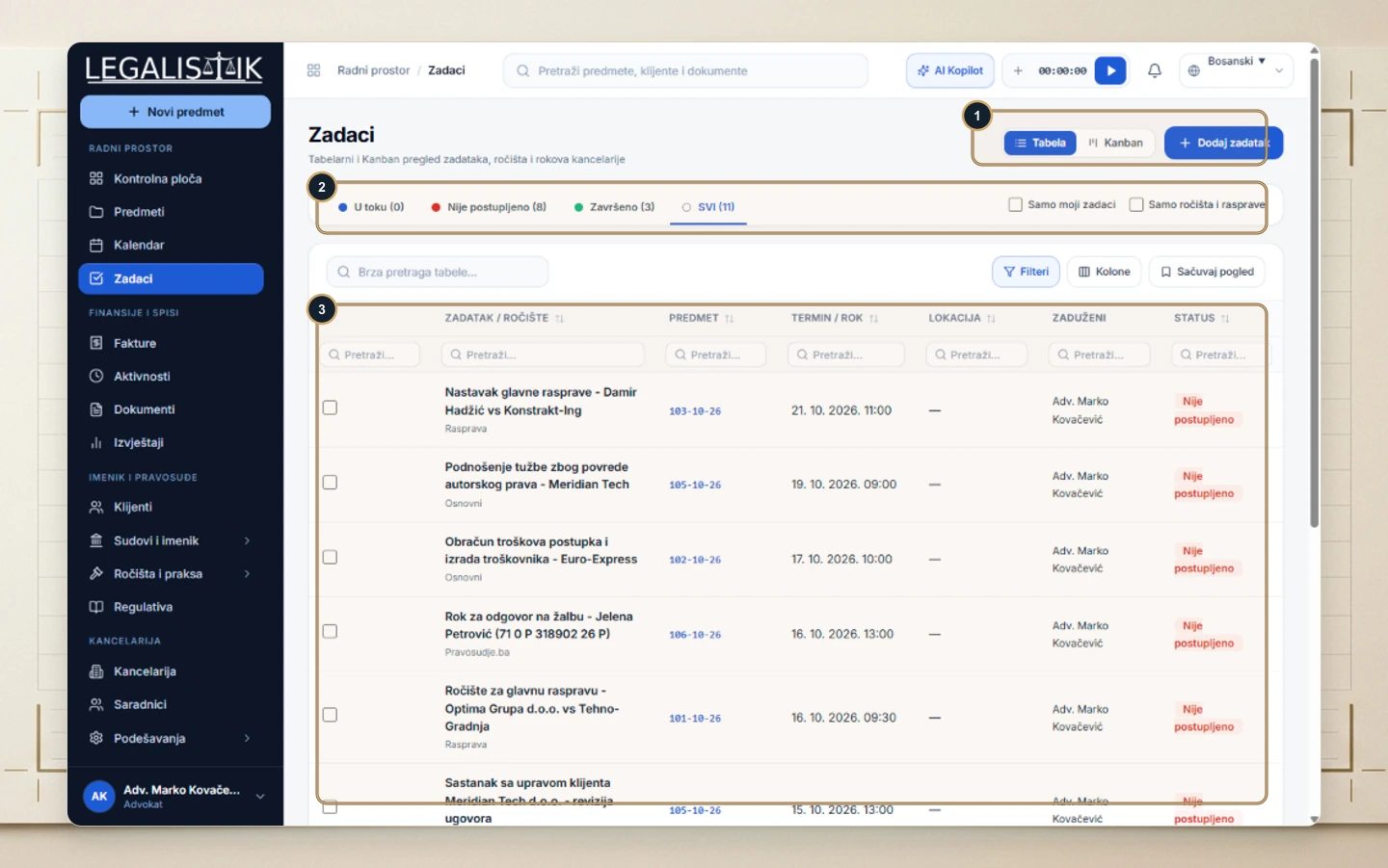
- (1) Toggle between Table and Kanban in the top-right toolbar or click + Add Task.
- (2) Filter instantly by workflow status (In Progress, Overdue / Pending, Completed, All) plus My Tasks Only and Hearings Only.
- (3) Search beneath every column header including linked matter ID, due timestamp, courtroom, and assignee.
Creating a New Task or Court Hearing
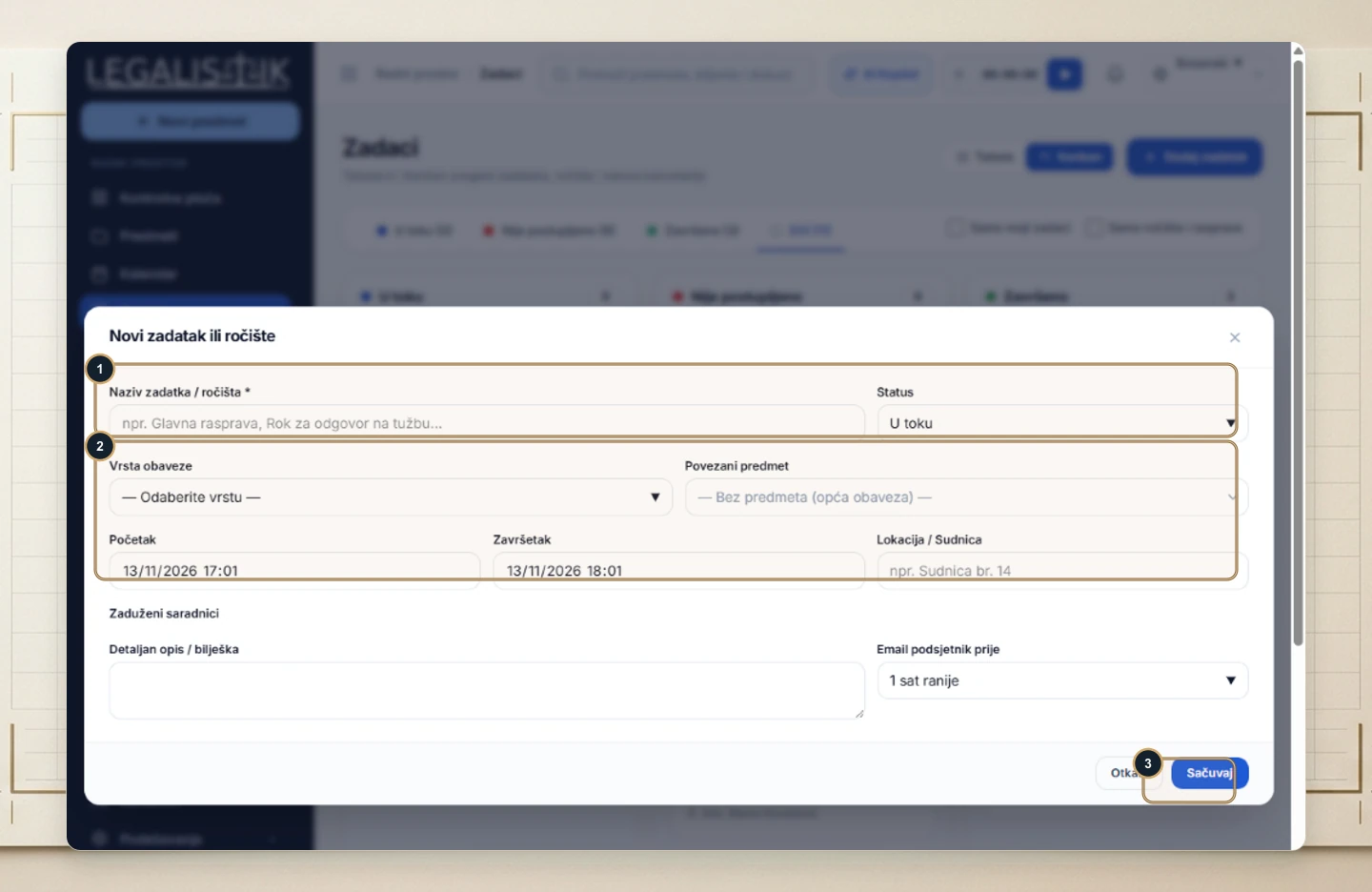
- (1) Enter the Task / Hearing Title and select the starting Status.
- (2) Choose the Obligation Type, link a Case, specify start/end timestamps, enter the Courtroom / Location, assign team members, and configure automatic email reminders.
- (3) Click Save—it immediately populates your Calendar and Kanban board.