Calendar & Deadlines 2 min read Updated: 2026-11-14
How to Use the Calendar
The Legalistik Calendar provides a clear schedule of who is in which courtroom and every upcoming filing deadline.
Navigating & Rescheduling
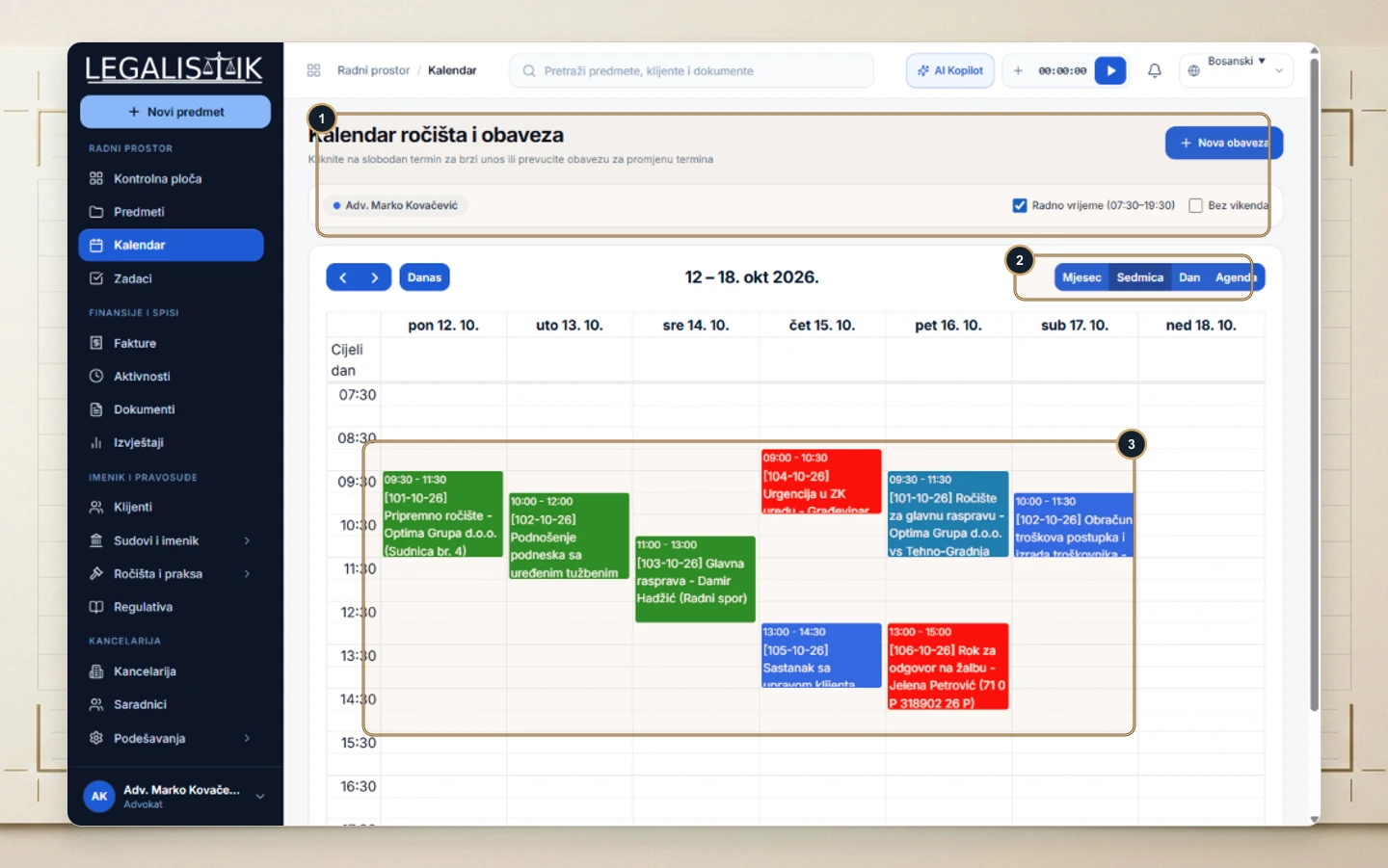
- (1) Filter by team member in the top bar, toggle Working Hours (07:30–19:30) or Hide Weekends, or click + New Event.
- (2) Switch views on the right between Month, Week, Day, and Agenda.
- (3) Click any empty time slot to schedule an event directly at that time, or drag and drop existing cards to reschedule in seconds.
Quick Event Creation
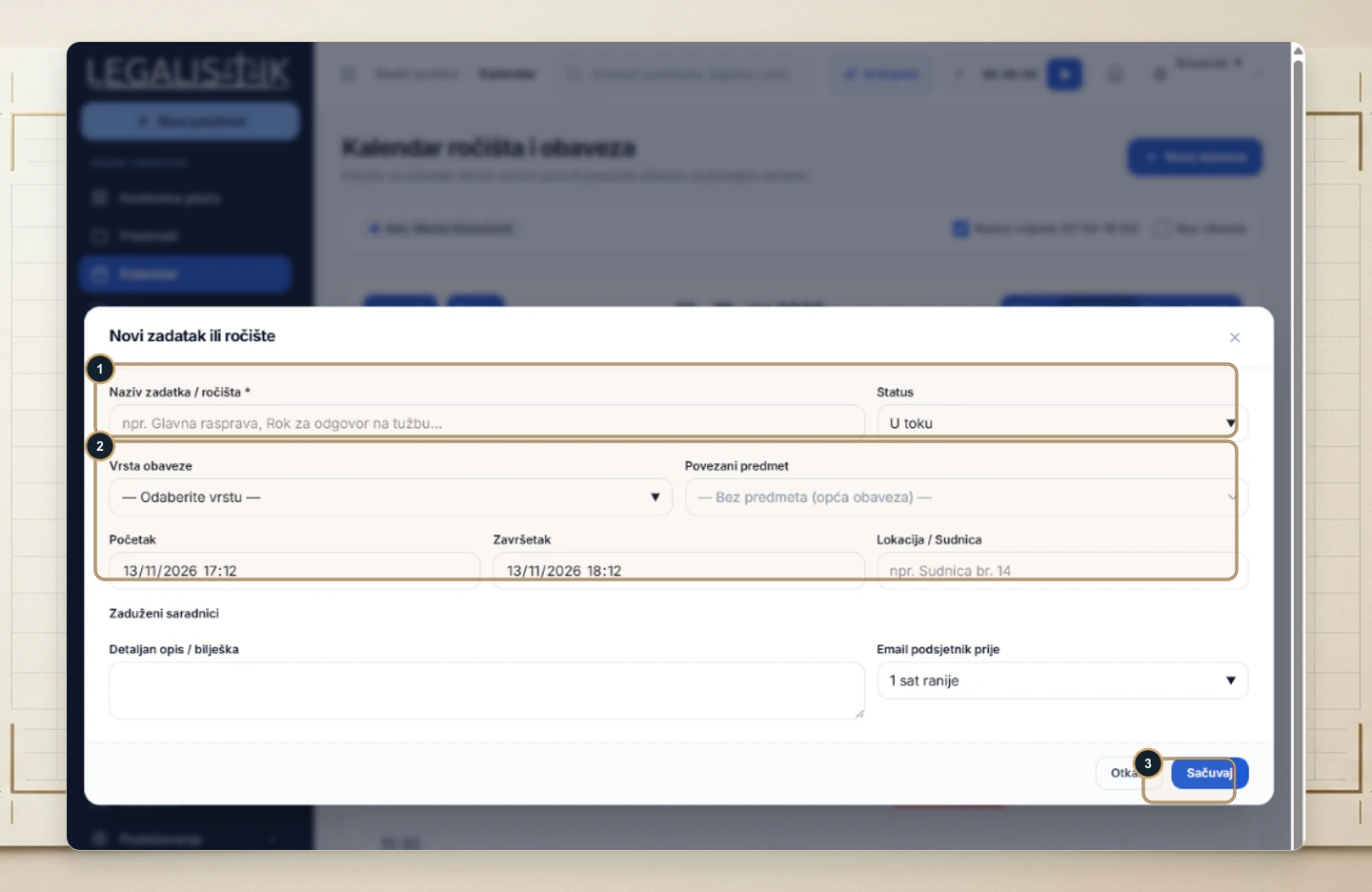
- (1) Enter the Event / Hearing Title and status.
- (2) Select the Type, link a Case, set start/end times, and specify the Courtroom / Location.
- (3) Click Save to sync immediately.