




Tasks & To-Dos 2 min read Updated: 2026-11-14
Deadline Reminders & In-App Notifications
In addition to per-task email reminders, each user controls digest emails and instant in-app notifications in their personal profile.
1. Notification Preferences in Your Profile
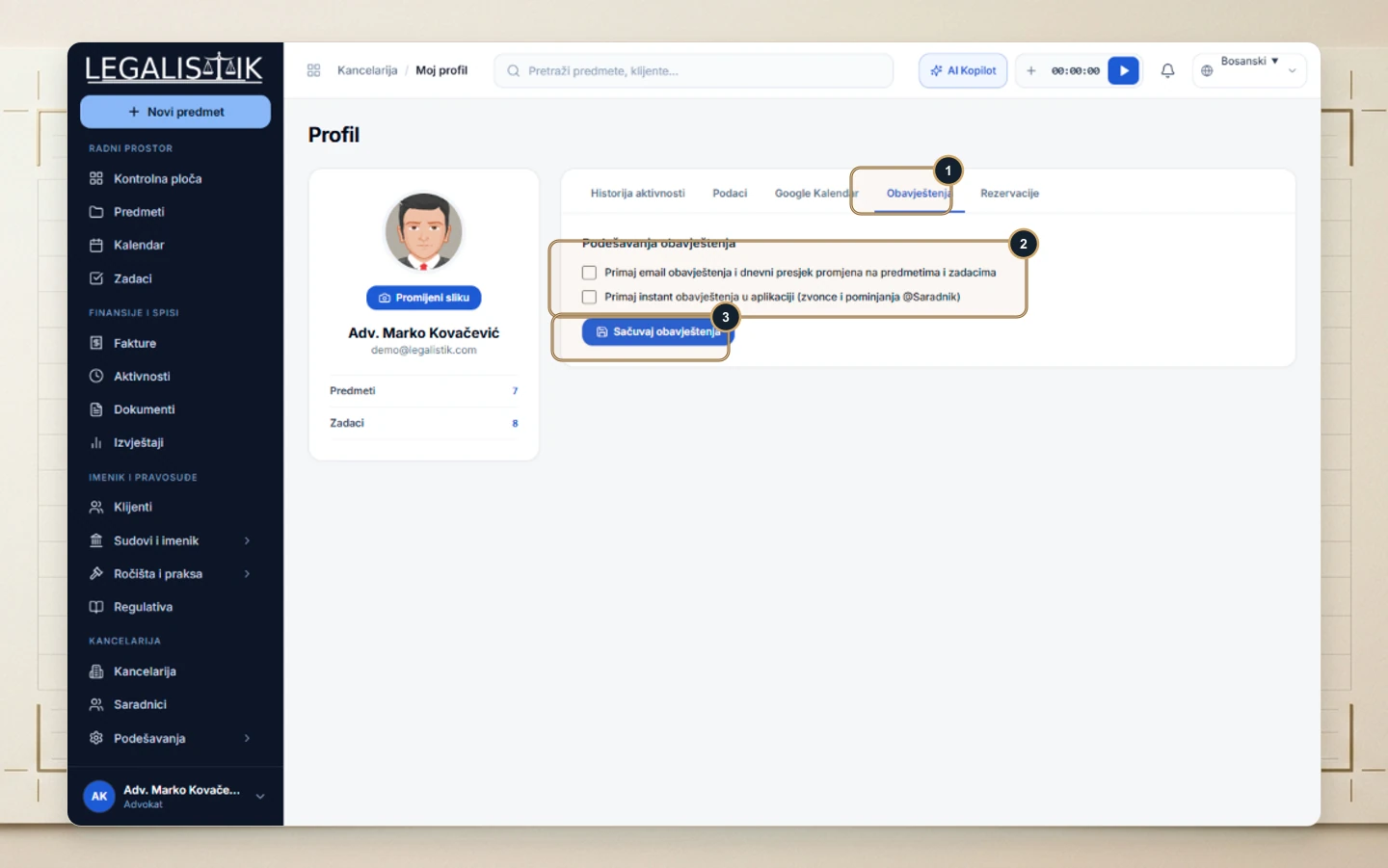
- Click your name in the bottom-left → My Profile, then (1) switch to Notifications.
- (2) Enable Email notifications & daily activity digest and/or Instant in-app notifications (bell & @Associate mentions).
- (3) Click Save Notifications.
2. Top-Bar Notification Bell
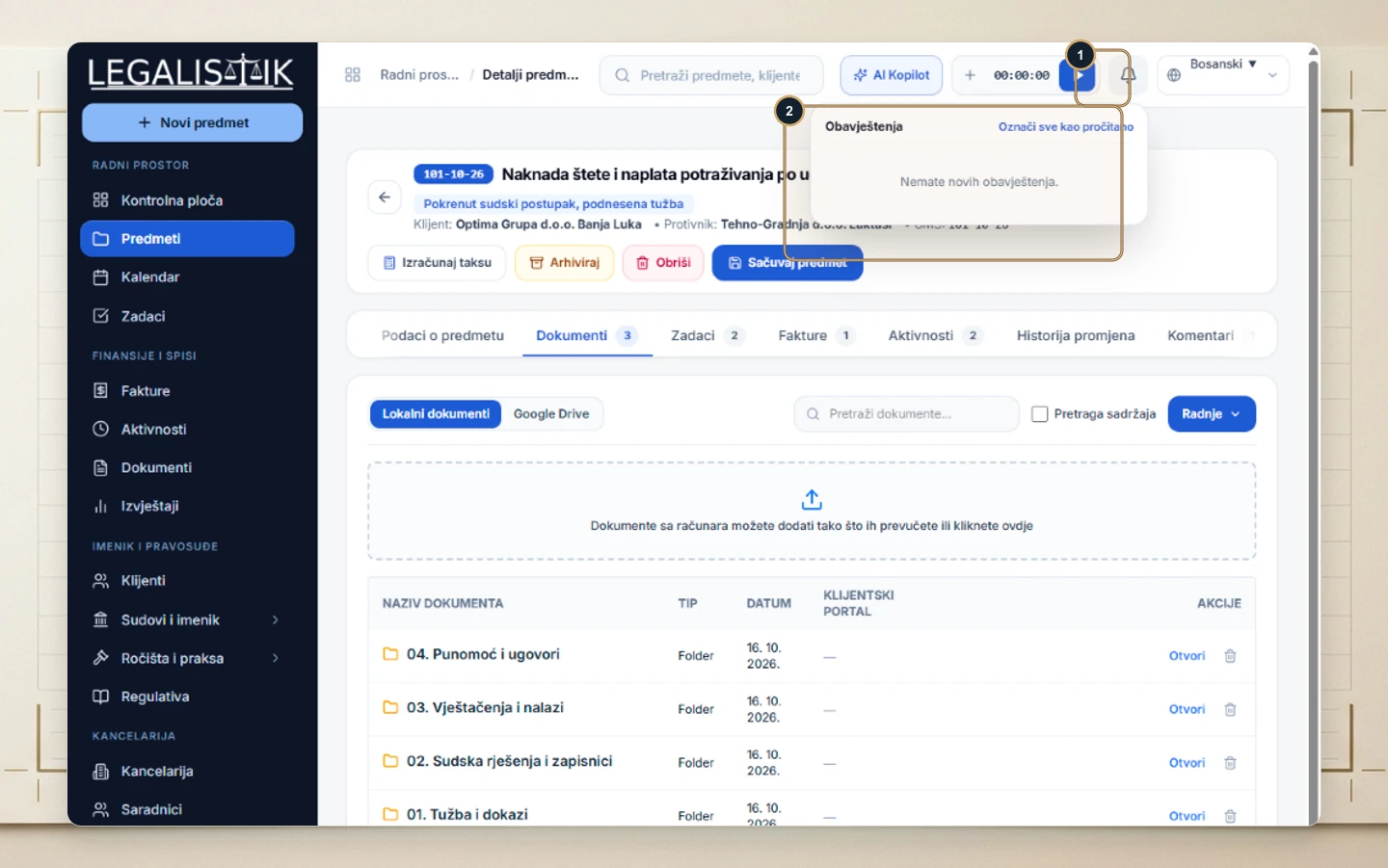
(1) Click the bell icon in the header to open (2) your live feed of deadline alerts, colleague comments, and booking requests, with a one-click Mark all read button.
Combining Event Reminders with Daily Digests
We recommend enabling both daily email digests and in-app bell notifications so every morning starts with a consolidated summary of due hearings, while colleague @mentions and newly booked client consultations trigger real-time alerts during the day.
