




Tasks & To-Dos 2 min read Updated: 2026-11-14
Task Priorities & Color-Coded Signals
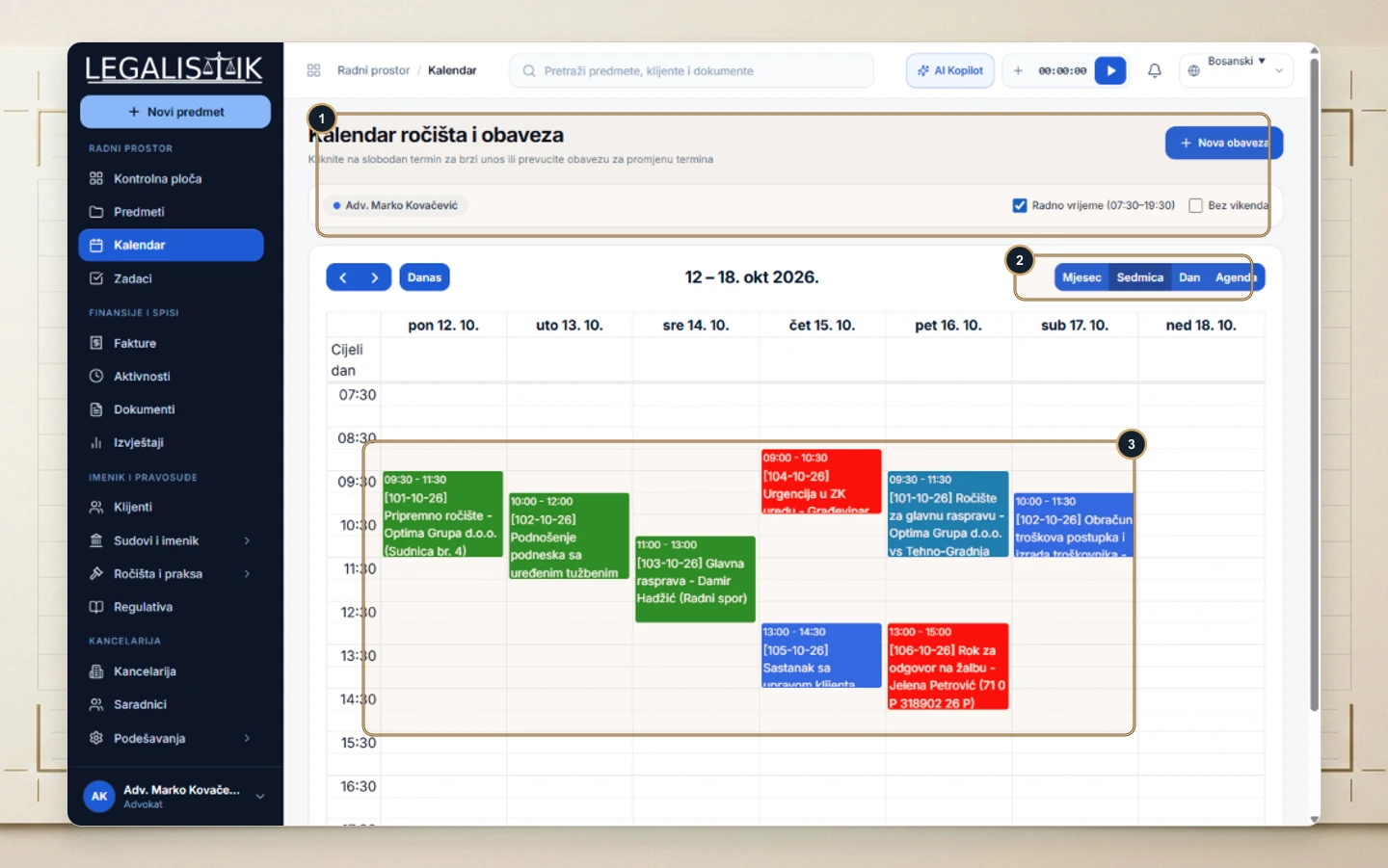
To ensure non-extendable court deadlines never blend in with routine office errands, Legalistik highlights task status and urgency consistently across tables and calendars.
Reading Priority & Status Cues
- In Tasks (1–3), status filter pills and color badges immediately flag overdue or high-urgency actions (Not Actioned, In Progress, Completed).
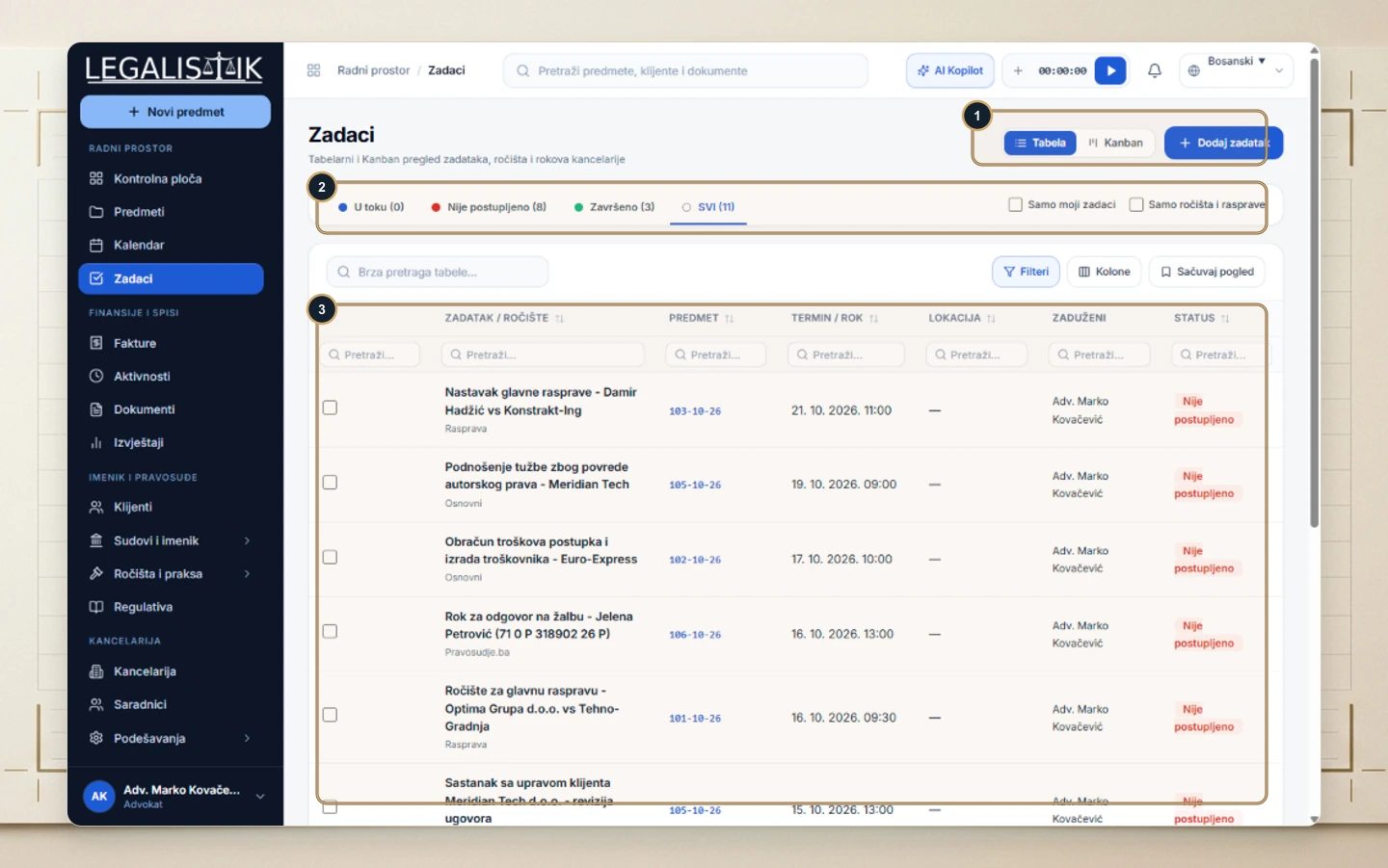
- (1–3) On the weekly Calendar, each block displays its corresponding green, blue, or red color code so high-risk deadlines stand out instantly.
Isolating Urgent Deadlines in One Click
Use the status pills above the Tasks list (Overdue / Pending, In Progress) alongside My Tasks Only and Hearings Only filters. Within seconds you get a clean priority view highlighting time-critical filings and court appearances marked in red.
