




Documents & Templates 2 min read Updated: 2026-11-14
Using Folders to Group Case Documents
Keep lengthy litigation files organized by grouping documents into clear subfolders—such as 01. Pleadings & Evidence, 02. Court Orders & Minutes, 03. Expert Opinions, and 04. Powers of Attorney.
Organizing with Folders & Drag-and-Drop
- (1) Inside any case’s Documents tab, click Actions → New Folder to create structured subdirectories.
- (2) Drag and drop files straight onto the upload dropzone above the table, and click Open next to any folder to browse or share its contents.
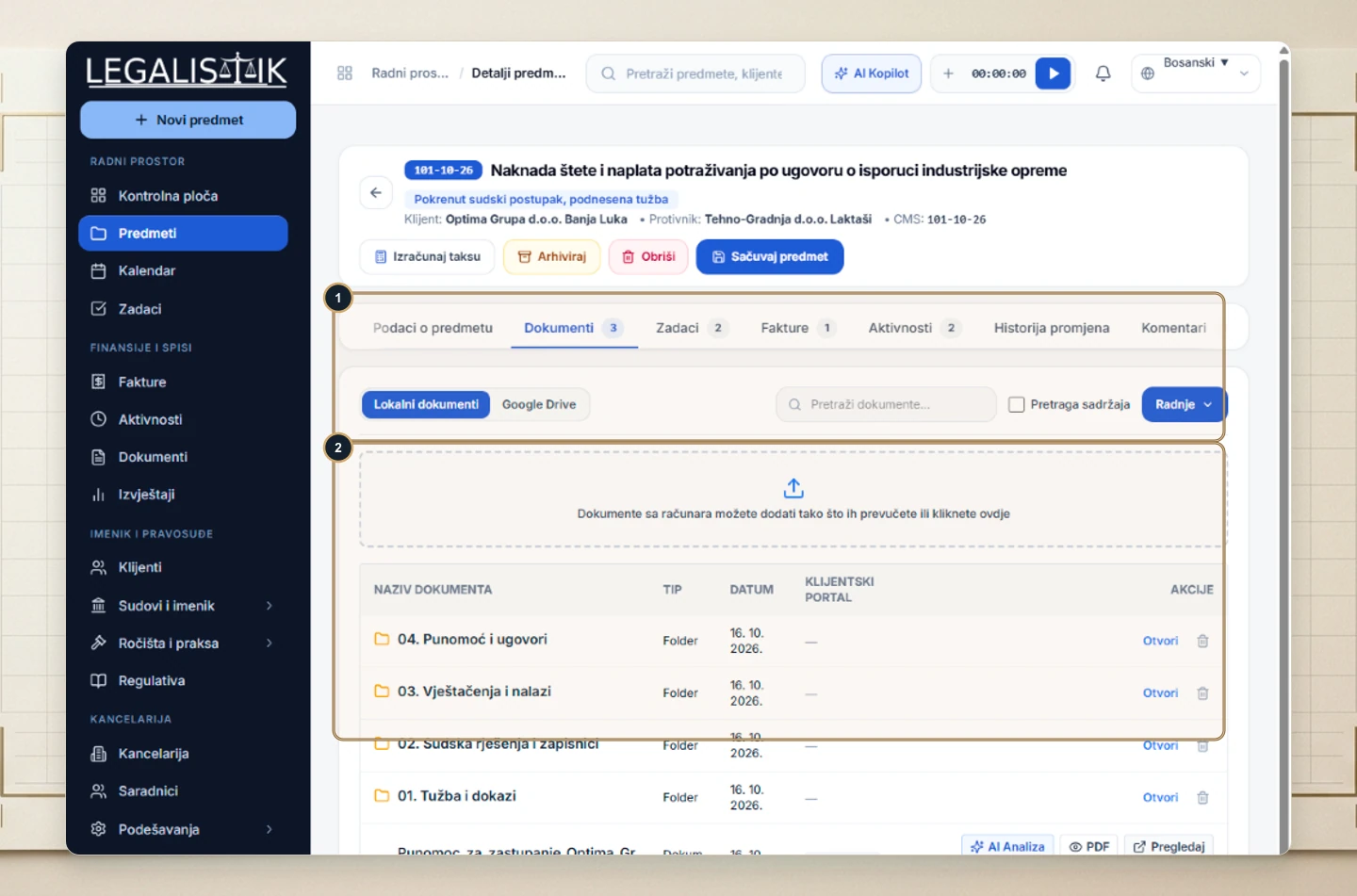
Efficiently Organizing Large Case Files
Dragging and dropping multiple files at once speeds up digitizing bulky court dockets and multi-part exhibits. Inside any folder row, use the Actions column to open nested directories, launch the online Docs Editor, or run AI Analysis without downloading copies locally.
