




Documents & Templates 2 min read Updated: 2026-11-14
Word (.docx) Templates & Automated Filings
Smart Word (.docx) templates eliminate repetitive copy-pasting of party names, tax IDs, court captions, and docket numbers across powers of attorney, demand letters, and recurring pleadings.
1. Uploading Word Templates in Office Settings
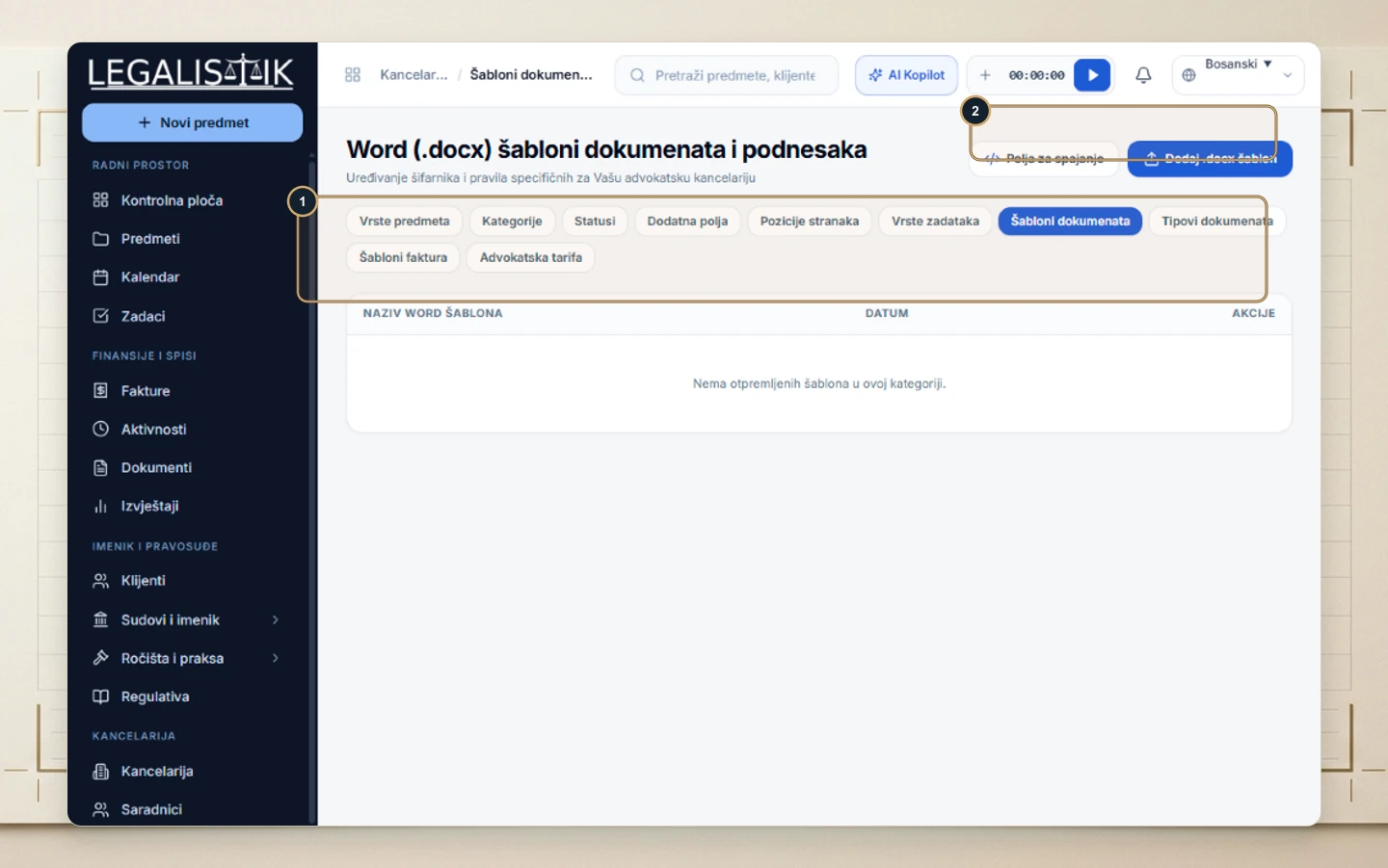
- Go to Settings → (1) Document Templates.
- (2) Click Merge Fields to verify exact variable placeholders (e.g.,
[Klijent.Ime],[Predmet.Sud]), then click Add .docx Template to upload your firm’s formatted Word template.
2. Generating a Merged Filing from a Case
- Inside any case’s Documents tab (or the global Documents vault), choose Actions → New Document from Template.
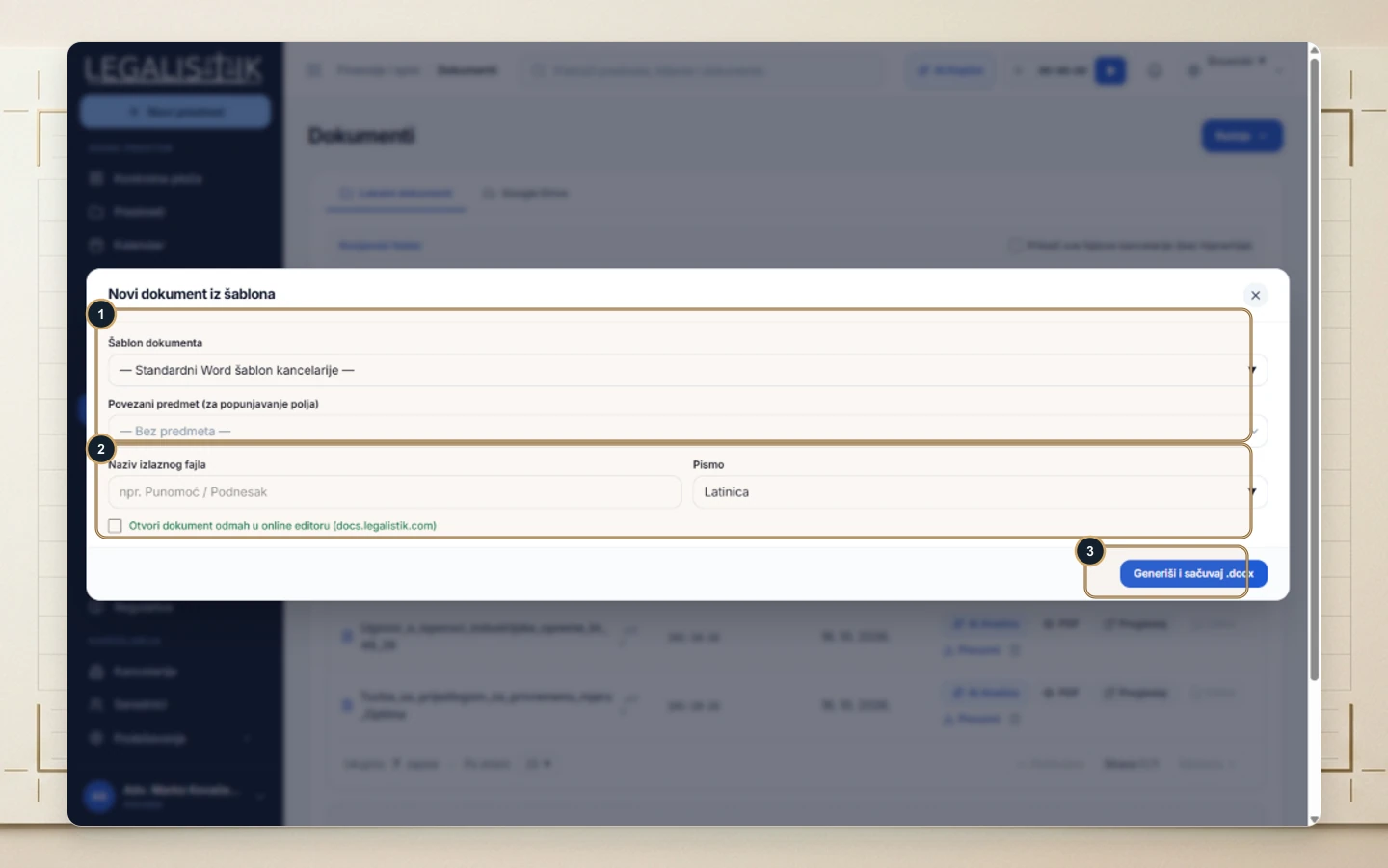
- (1) Select your Document Template and Linked Case to populate party, judge, and claim value data.
- (2) Enter an Output Filename, choose the Script (Latin or Cyrillic), and optionally check Open immediately in Online Editor (
docs.legalistik.com). - (3) Click Generate & Save .docx.
See List of Template Merge Fields for all 18 supported variables.
