Documents & Templates 2 min read Updated: 2026-11-14
Documents: Upload, Drive & AI Analysis
Access files across your entire firm in Documents or within any individual case’s Documents tab.
1. Document Actions & Full-Text Search
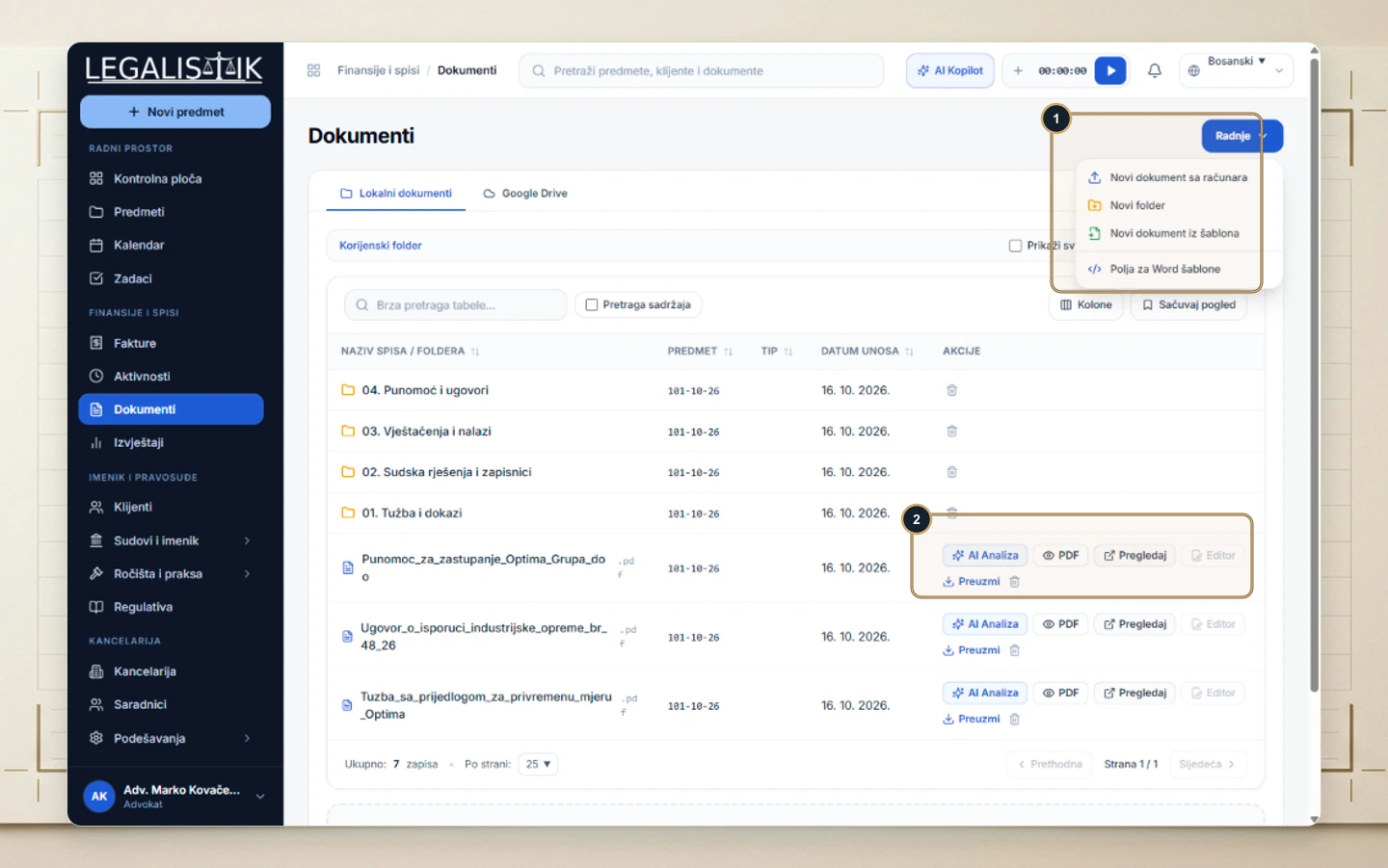
- (1) Open Actions in the top-right to upload a File from Computer, create a New Folder, generate a Document from Template, or inspect Word Merge Fields. Check Search Contents to query text inside attached files.
- (2) Every document row provides one-click AI Analysis, PDF, Preview, Editor, and Download actions.
2. Local AI Document Analysis
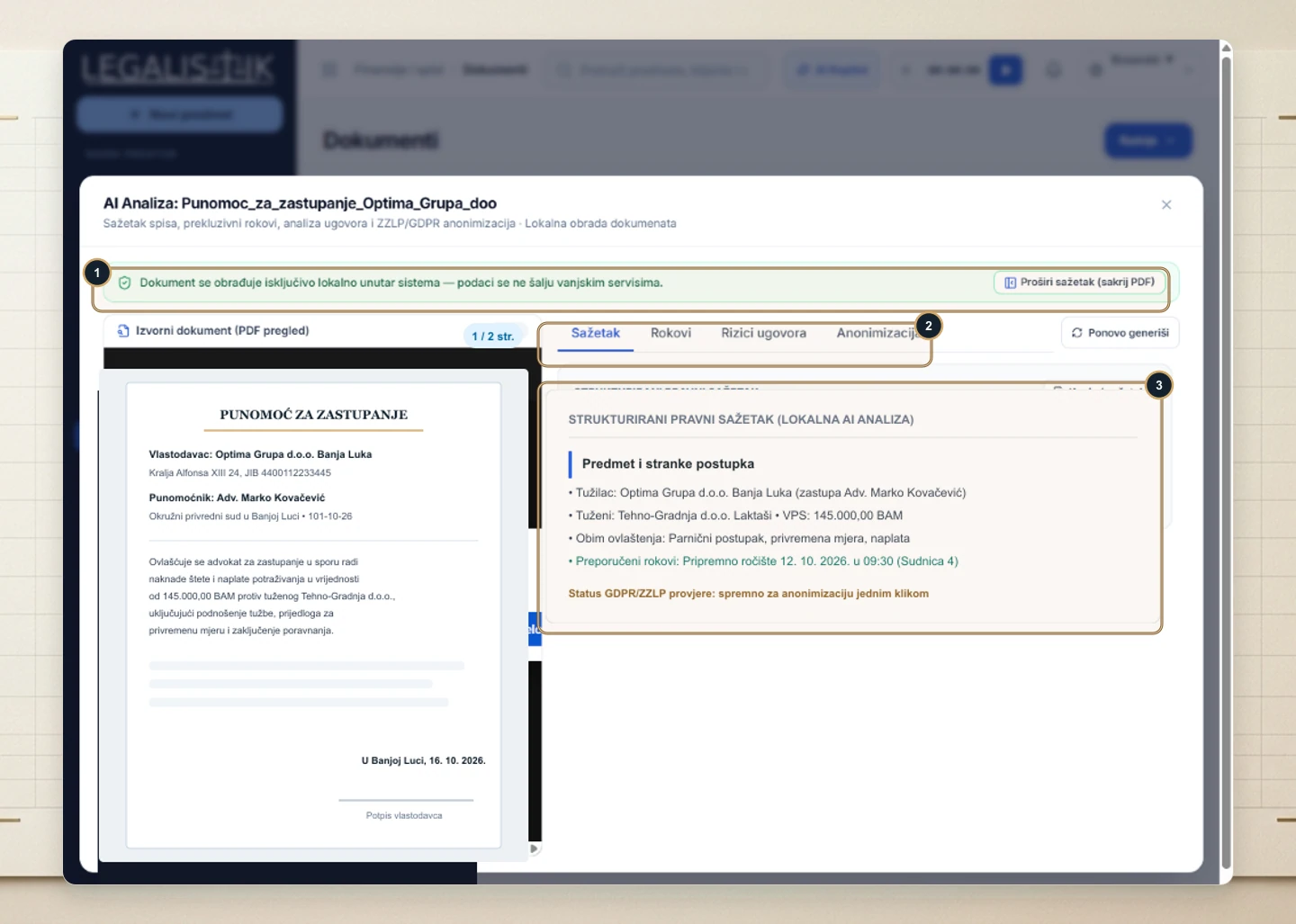
Click AI Analysis on any file to inspect its PDF side-by-side with automated legal intelligence:
- (1) Privacy indicator confirming 100% local processing inside your workspace.
- (2) Switch between Summary, Deadlines, Contract Risks, and Anonymization tabs.
- (3) Review extracted parties, claim amounts, hearing dates, and one-click GDPR redaction checks.
3. Google Drive Storage
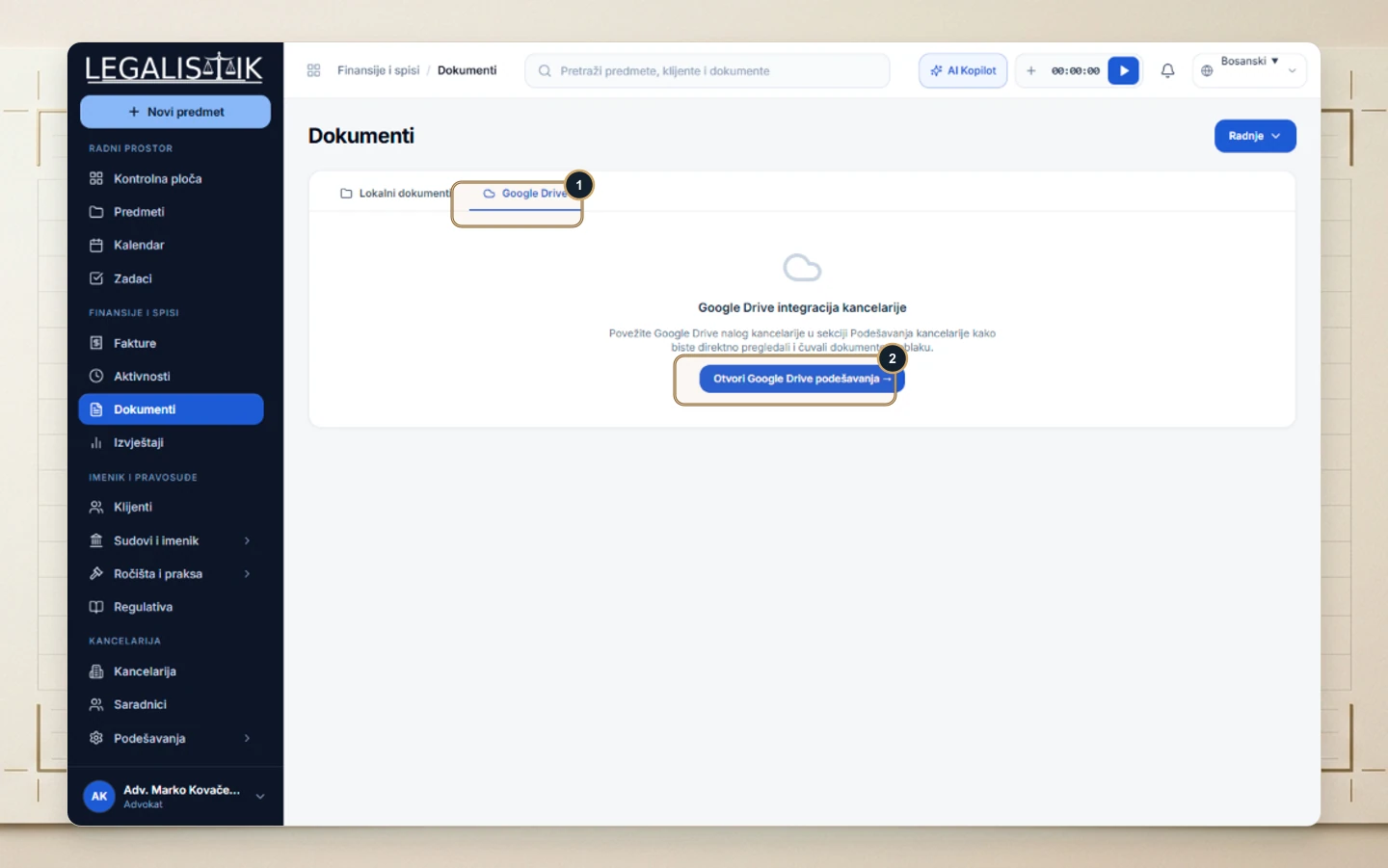
(1–2) Switch to the Google Drive tab to connect and browse your law firm’s cloud repository directly inside Legalistik.