




Getting Started 2 min read Updated: 2026-11-14
How to Sign Out of Legalistik
If you are working on a shared computer or switching firm accounts, you can sign out securely in two clicks.
Sign-Out Steps
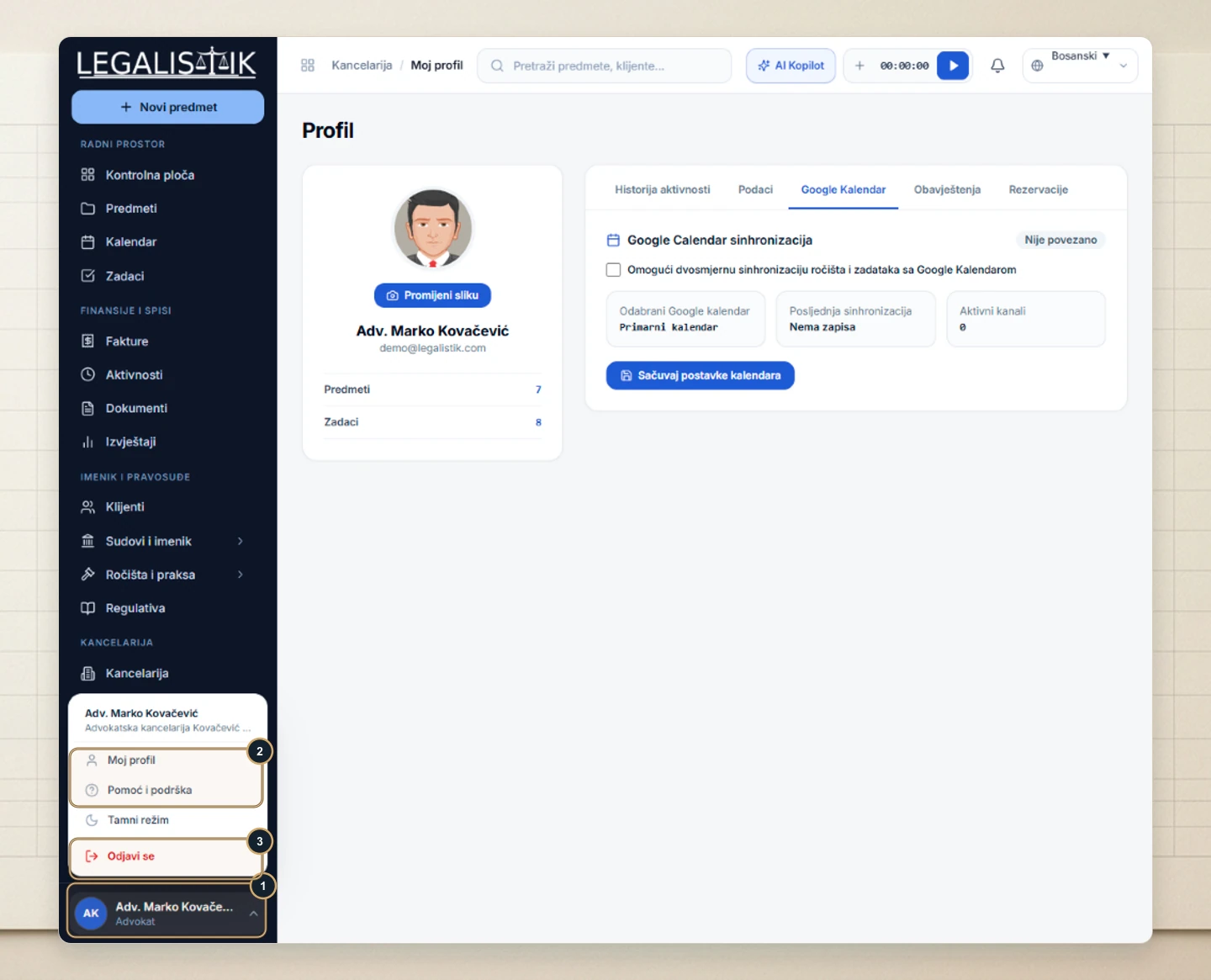
- (1) Click your user profile bar at the bottom-left corner of the navigation sidebar.
- (2) In the popup menu, you can also jump to My Profile, open Help & Support, or toggle Dark Mode.
- (3) Click Sign Out at the bottom of the menu to close your session cleanly.
Session Security & Display Preferences
- Shared workstations: Always click Sign Out when finishing work on a courthouse terminal or shared computer so confidential client files remain protected.
- Quick theme switching: From the same bottom-left user menu you can toggle Dark Mode for comfortable late-night drafting—this preference applies only to your own account.
