




Frequently Asked Questions 2 min read Updated: 2026-11-14
How to Change Your Account Password
You can update your password, display name, or calendar color anytime inside your user profile settings.
Password Change Steps
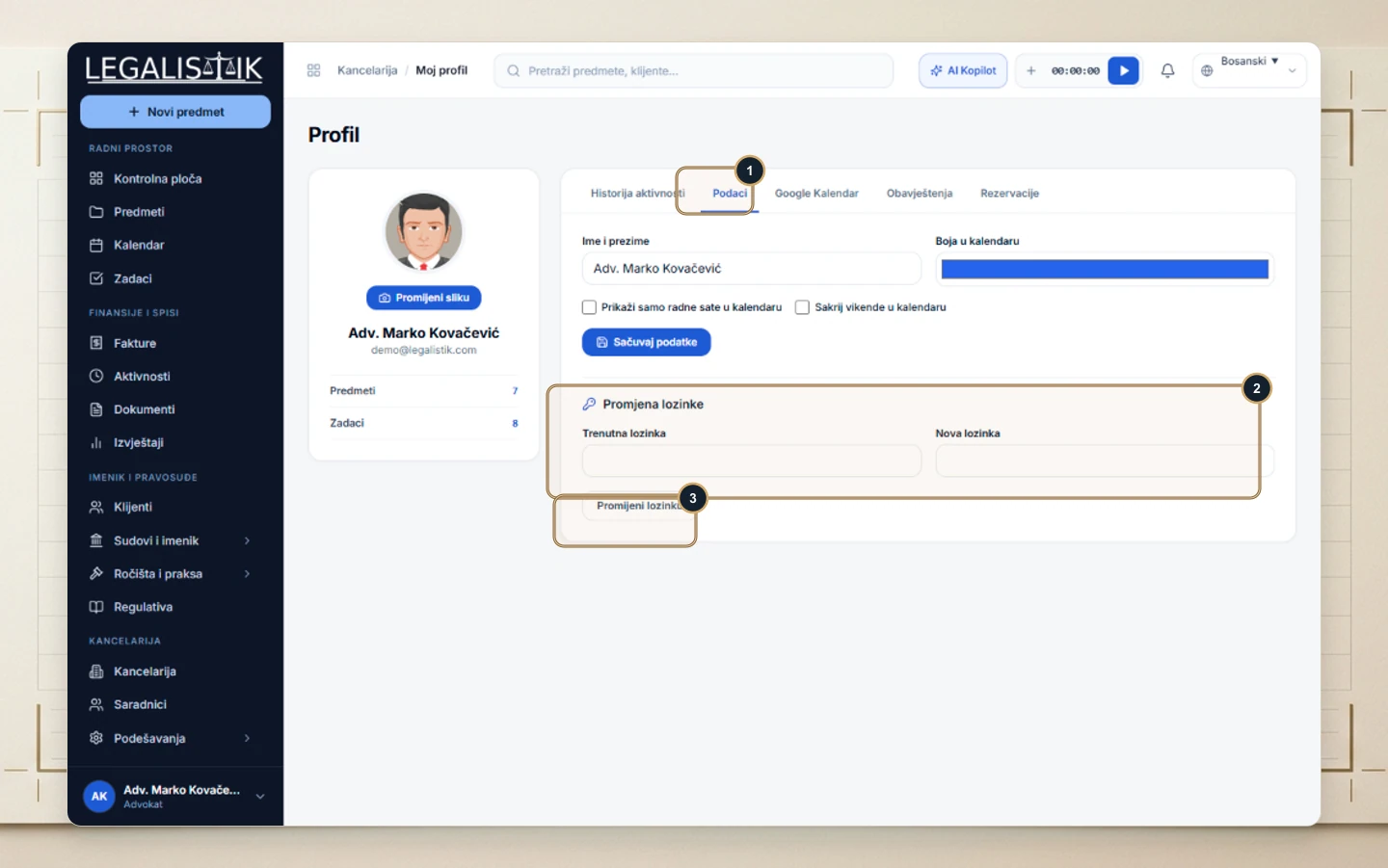
- Click your profile bar at the bottom-left and choose My Profile, then (1) select the Details tab.
- (2) Scroll to the Change Password section and enter both your Current Password and New Password.
- (3) Click Change Password to apply your updated credentials immediately.
Password Security & Profile Tips
- Use a strong password: Combine at least 8 characters with uppercase and lowercase letters, numbers, and symbols that are unique to Legalistik.
- Update display details together: From the same Details tab inside My Profile, you can also adjust your display name and assigned calendar color.
- Forgot your current password? Sign out and follow the recovery guide in How to Reset Your Password.
