Frequently Asked Questions 2 min read Updated: 2026-11-14
Troubleshooting Password & Sign-In Issues
Access Checks & Password Recovery
If you cannot sign in to your Legalistik workspace, run through these checks before contacting support:
- Verify your email address and Caps Lock: Confirm you are entering the exact work email tied to your firm account and check that Caps Lock is off.
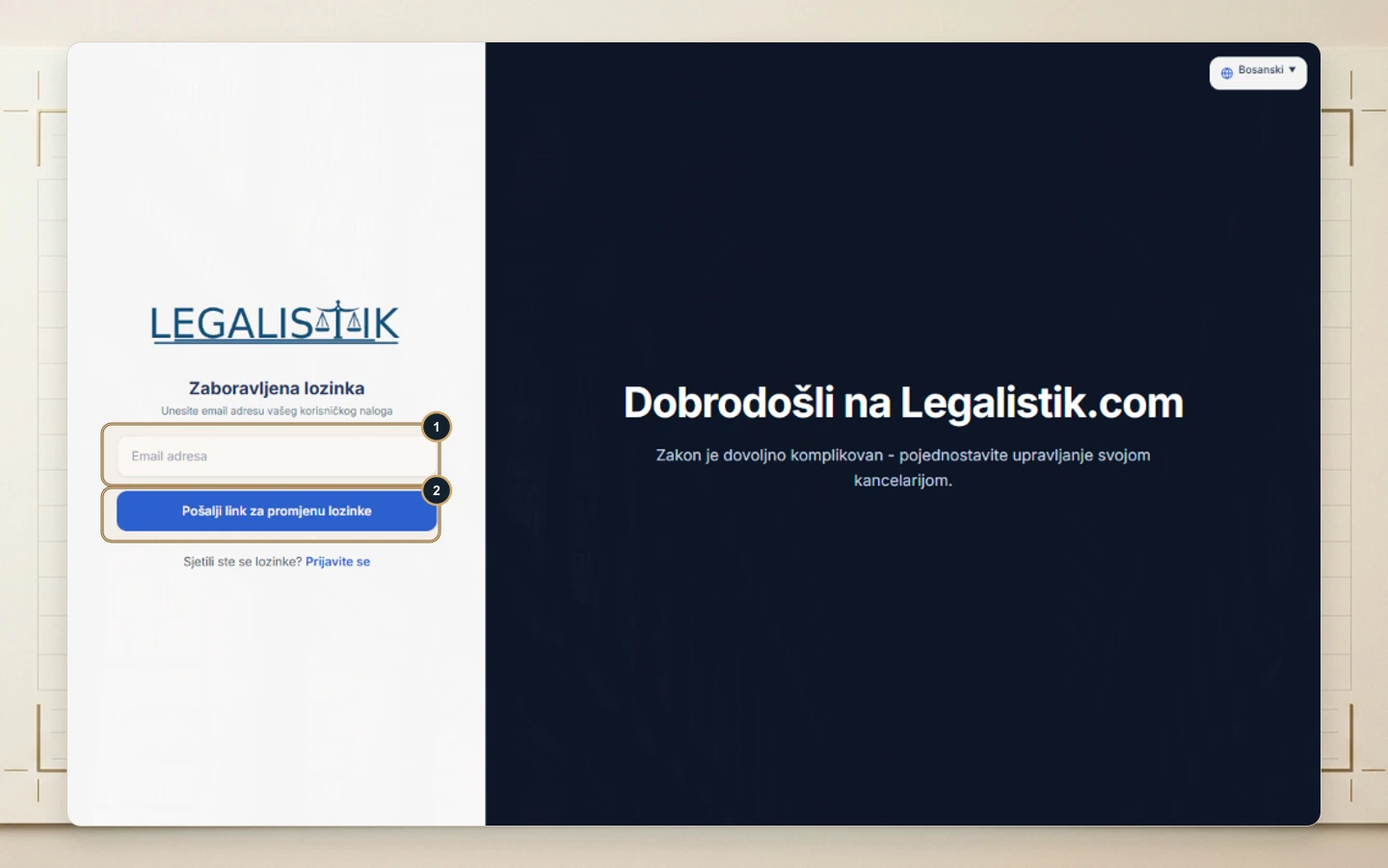
- Reset a forgotten password: On the sign-in page, click Forgot password, (1) enter your email address, and (2) click Send password reset link. Full details are covered in How to Reset Your Password.
- Confirm account activation: If you are an office associate, ask your administrator to confirm that Account is active is enabled under Associates.
- Reach out to support: Still locked out? Email [email protected] with your registered email address and firm name.
Updating a Known Password While Signed In
Need to change a known password?
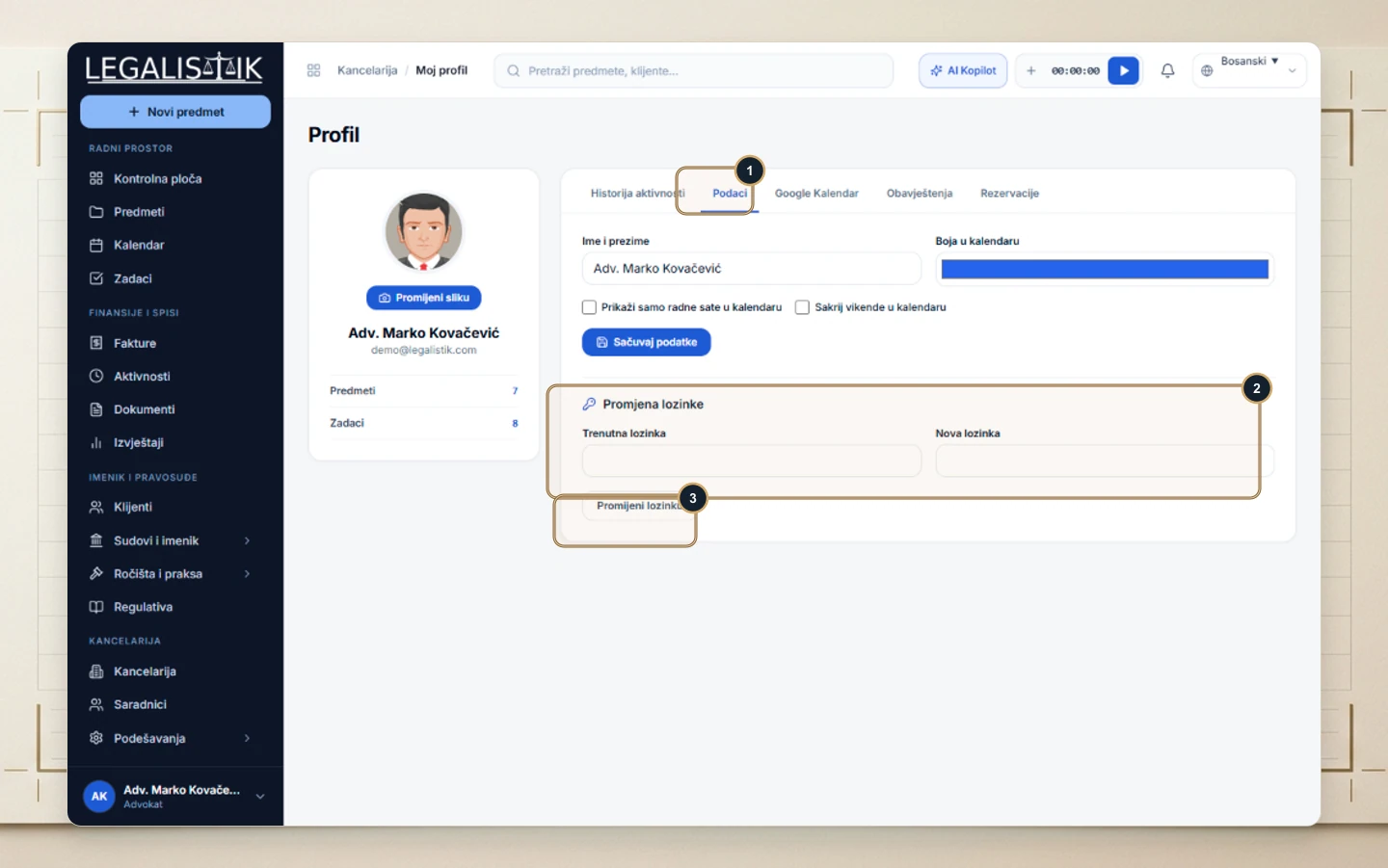
Once signed in, click your name at the bottom-left → My Profile → Details tab and use the password change form at the bottom.