




Frequently Asked Questions 2 min read Updated: 2026-11-14
Search Across Clients, Cases & Documents
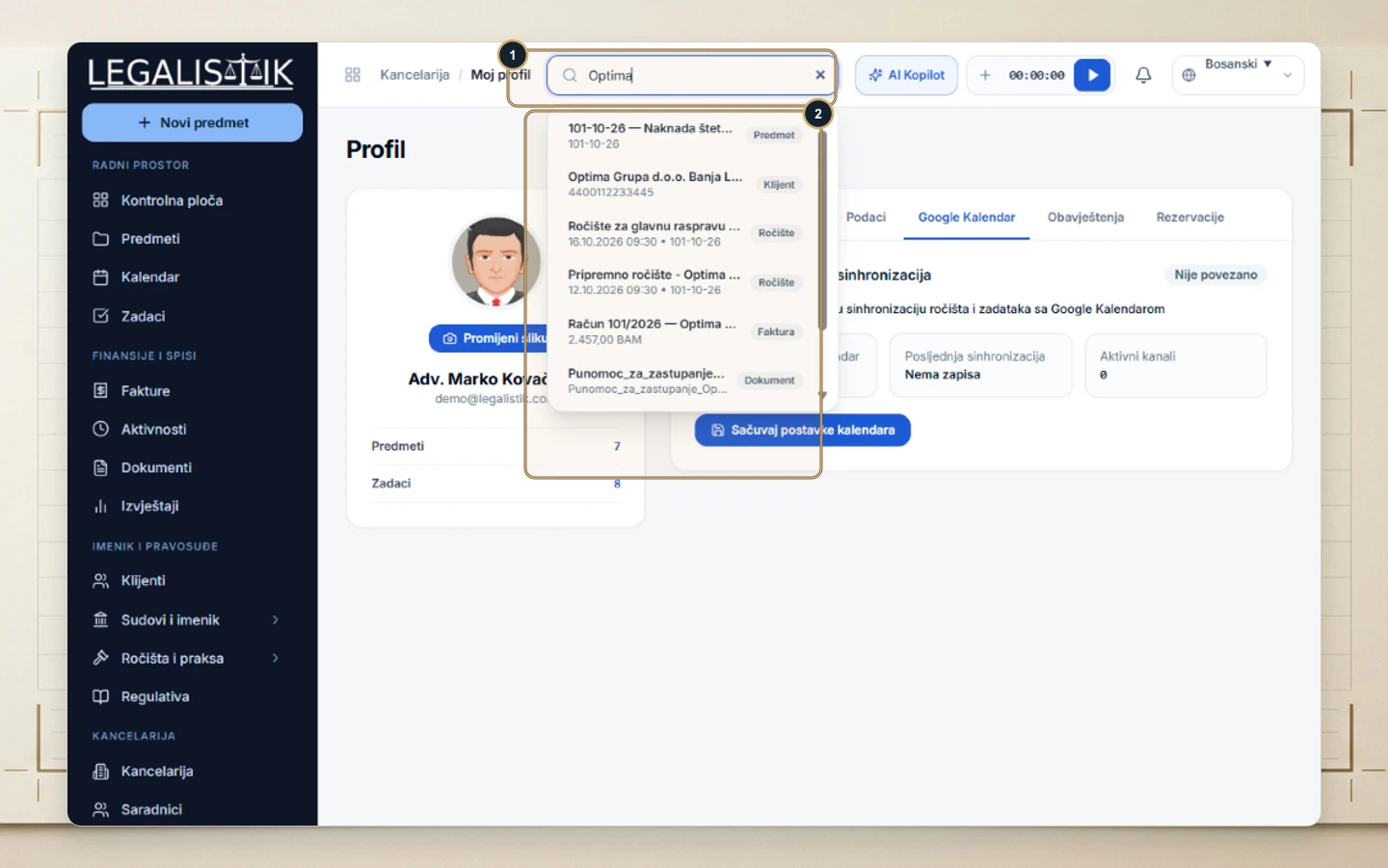
From any screen inside Legalistik, you can jump directly to any case file, client, hearing, or document using the global header search.
Using Global Search
- (1) Click the top search bar (Search cases, clients, documents…) and type a client name, file ID, court number, or keyword.
- (2) Instant results appear grouped by type badges (Case, Client, Hearing, Invoice, Document). Click any row to open that record immediately.
Full-Text Document Content Search
Need to search words inside attached PDF or Word files? Open the Documents module and check Search file contents next to the table filter bar.
