Reports & Analytics 2 min read Updated: 2026-11-14
On-Demand Exports & Scheduled Periodic Reports
The Reports module powers both instant filtered exports and hands-free scheduled reports delivered automatically to managing partners.
1. Quick Criteria Report Generator
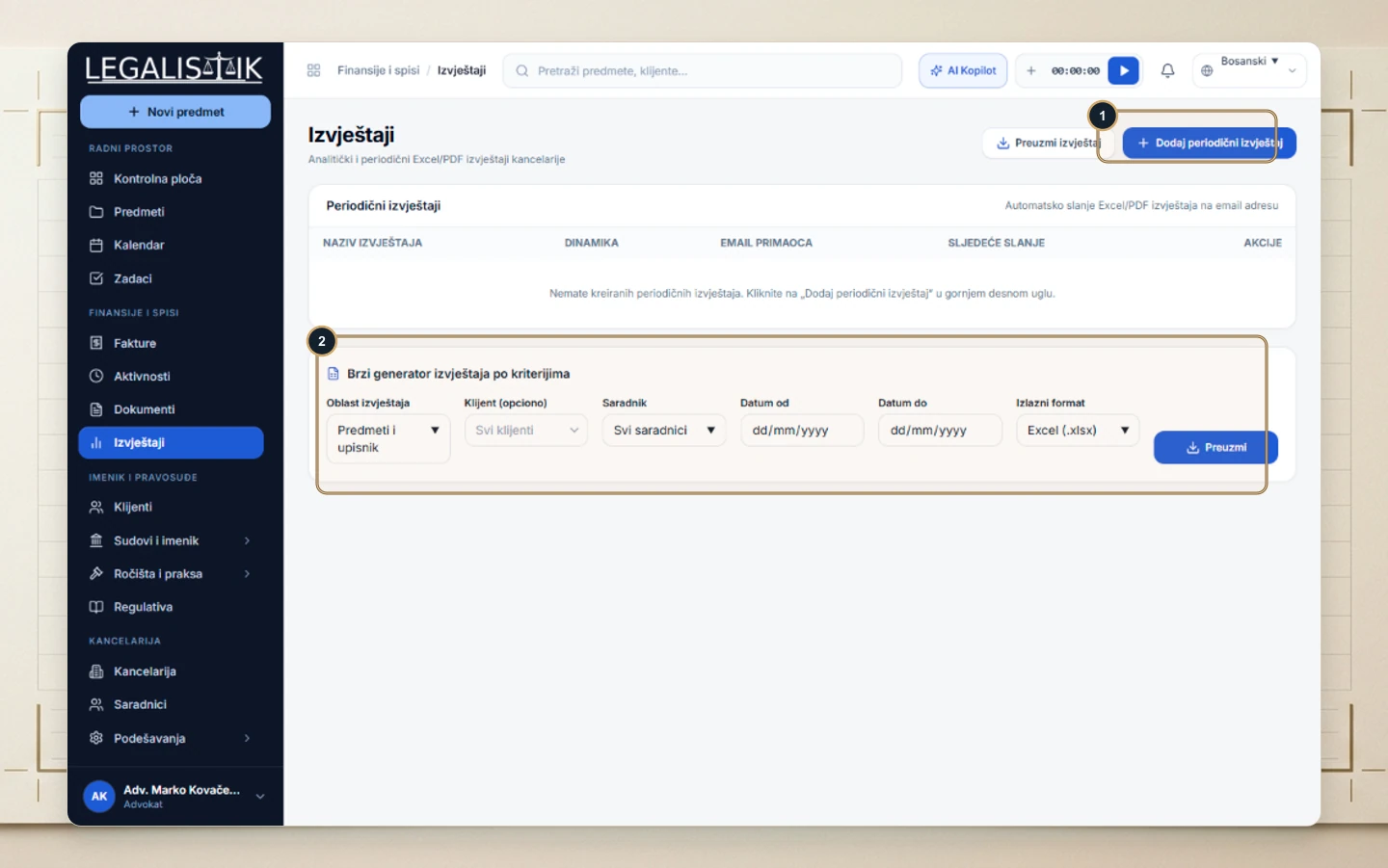
- Navigate to Reports.
- (2) In Quick Criteria Report Generator, pick the Report Domain (Cases & Docket, Tasks & Deadlines, Activities, Invoices), optionally filter by Client or Associate, enter Date From / To, choose
Excel (.xlsx)orPDF, and click Download.
2. Scheduling Automated Periodic Reports
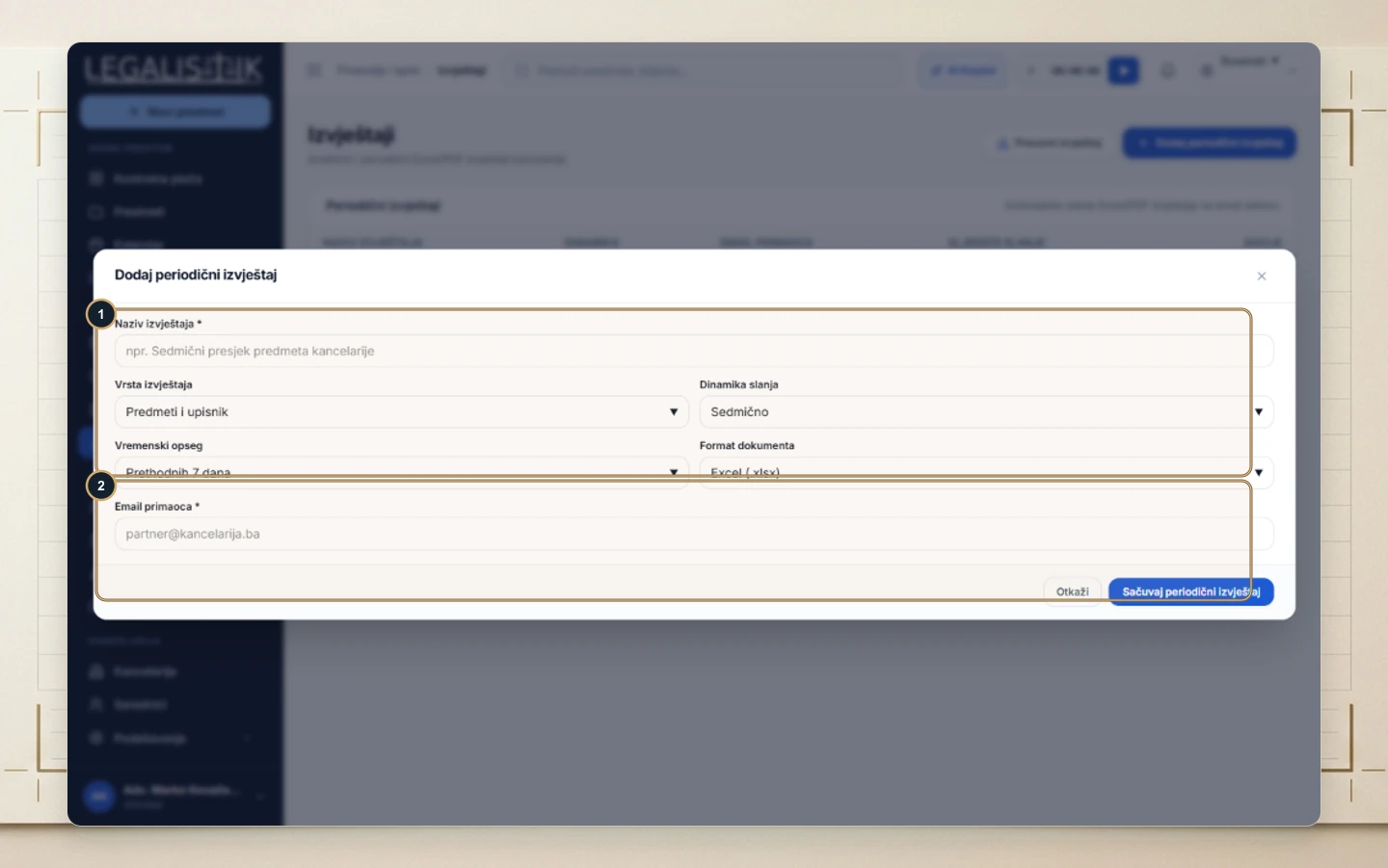
- (1) Click + Add Periodic Report.
- (1) Provide a Report Name, select Report Type, Frequency (Daily, Weekly, Monthly), Date Range, and Output Format.
- (2) Enter recipient email addresses under Recipient Email and click Save Periodic Report.