




Reports & Analytics 2 min read Updated: 2026-11-14
Daily & Weekly Team Task Summary Examples
Stay on top of associate deliverables without status meetings by scheduling automated end-of-day and weekly task summaries straight to partner inboxes.
Starting a Scheduled Digest
Open Reports and (1) click + Add Periodic Report.
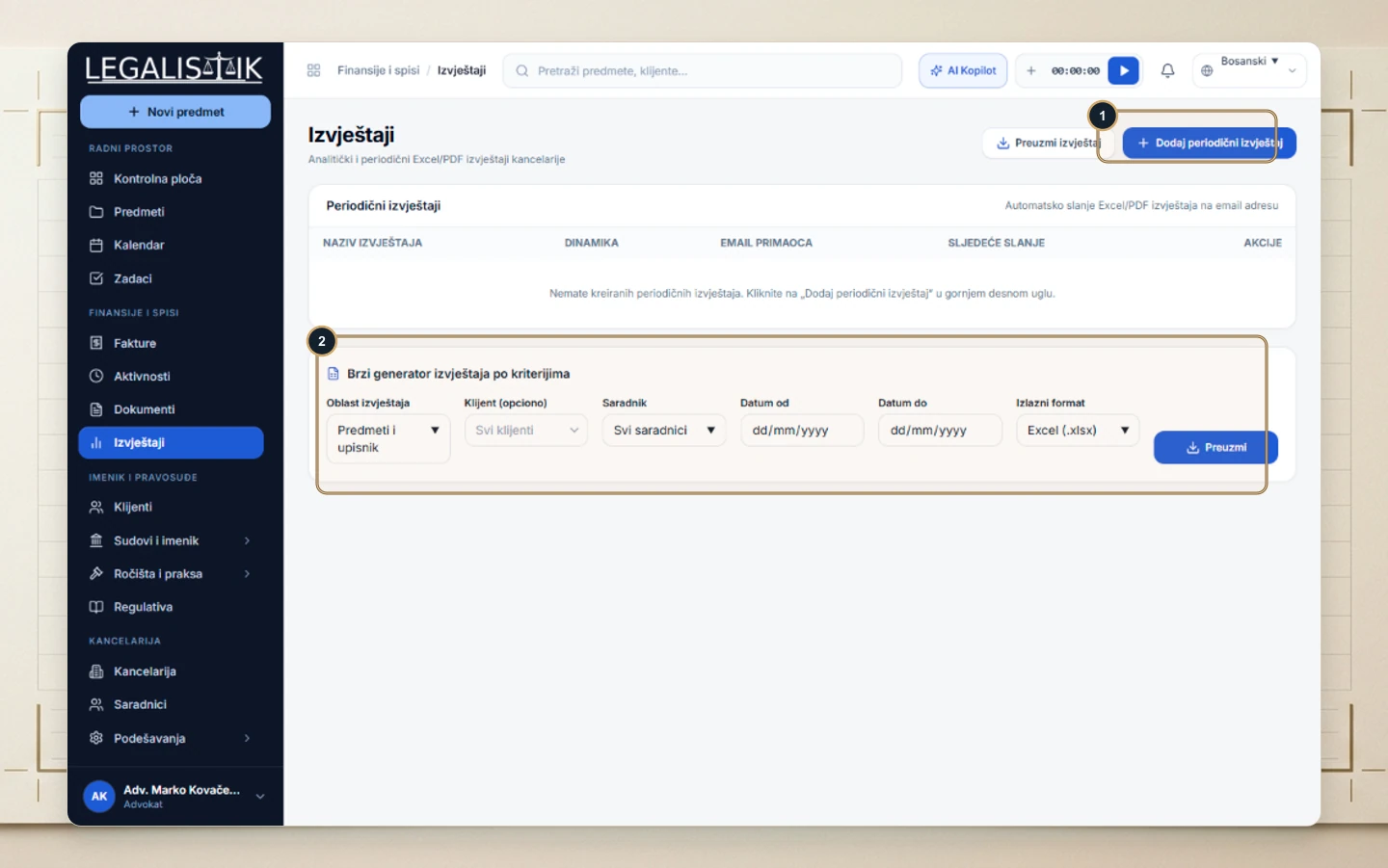
Example 1: Weekly Team Productivity Digest (Fridays)
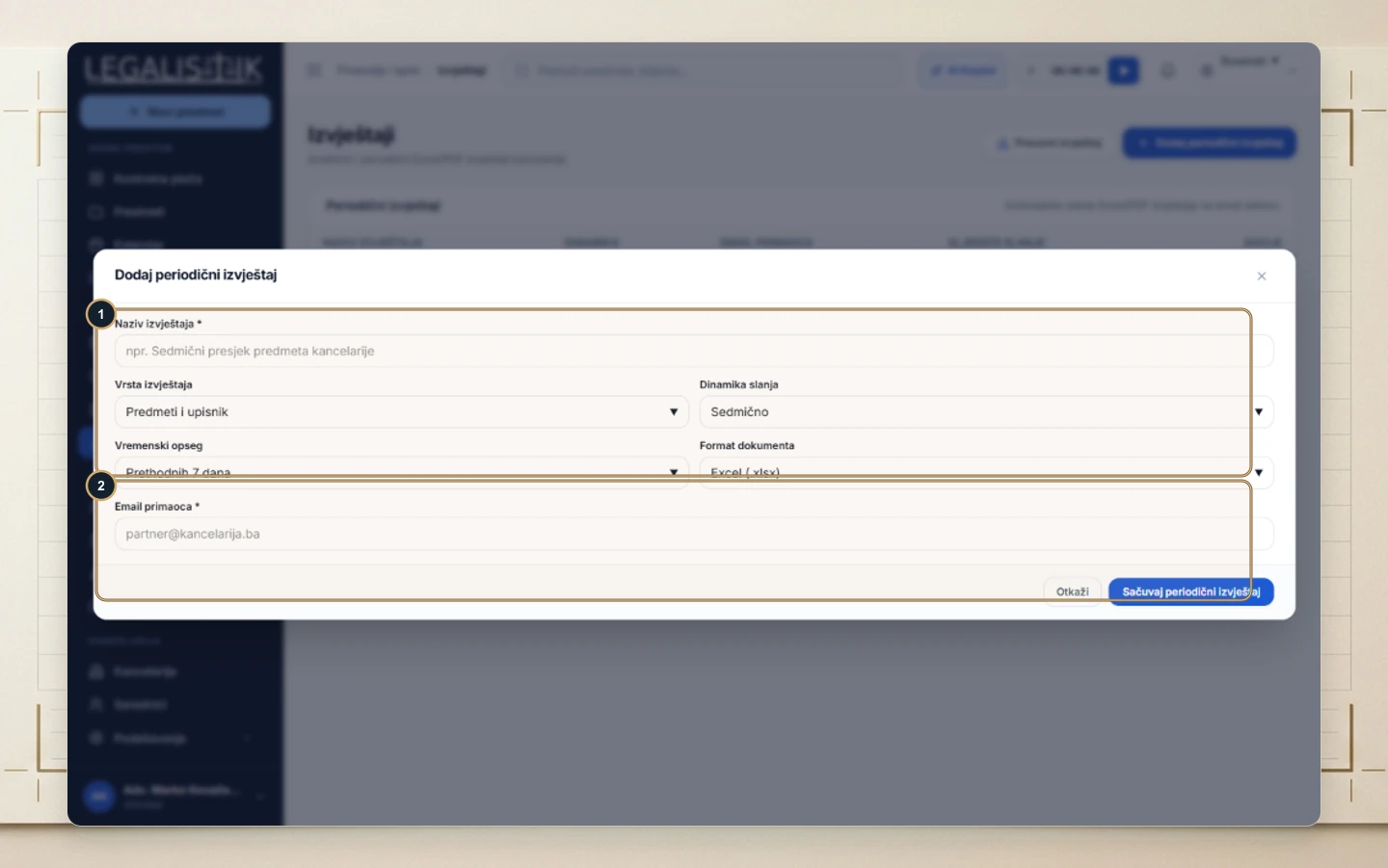
- (1) Report Name: Weekly Staff Tasks & Deadlines Digest
- Report Type: Tasks & Deadlines (or Activities & Time)
- Frequency: Weekly | Date Range: Past 7 Days | Format:
Excel (.xlsx) - (2) Recipient Email: Enter partner emails and save.
Example 2: End-of-Day Completed Task Recap
- (1) Report Name: Daily Team Task Recap
- Report Type: Tasks & Deadlines
- Frequency: Daily | Date Range: Today | Format:
PDF
Preview Immediately Without Waiting
Click Download Report anytime after saving a schedule to verify columns and grouping right away.
