Automated Legal Pleadings & Word Templates
How many times a week does your legal team duplicate an old Microsoft Word file from a closed case, manually overwrite the party names, tax numbers, presiding court, and docket ID, and hope an outdated opponent name was not missed in the footer? Manual copy-paste drafting of powers of attorney, demand letters, enforcement motions, and routine contracts wastes hours of billable attorney time and introduces avoidable clerical errors.
Document automation inside Legalistik’s Documents & Templates module eliminates repetitive typing cleanly: upload your own formatted Word (.docx) templates, merge live dossier data automatically, and refine generated drafts right inside your web browser without version clutter.
How Smart Word (.docx) Templates Work in Legalistik
You do not need complex scripting or rigid proprietary forms. Upload your existing branded Word templates directly under Settings → Document Templates, placing standardized merge placeholders in square brackets wherever live matter data belongs.
Legalistik supports 18 built-in merge variables organized across four practical groups, as documented in our guide on Using Word (.docx) Templates & Automated Document Assembly:
| Merge Field Tag | Category | Auto-Populated Value in Word (.docx) | Sample Output |
|---|---|---|---|
[Datum] | General | Today’s document generation date | 13.11.2026. |
[Predmet.Broj] / [Predmet.BrojSud] | Case | Internal office ID and official court docket number | 42/26 / 71 0 P 123456 26 P |
[Predmet.Sud] / [Predmet.Sudija] | Case | Competent court name and assigned judge | Municipal Court / Marko Marković |
[Predmet.VrijednostSpora] | Case | Claim amount / Value in dispute | 15.000,00 EUR |
[Klijent.Ime] / [Klijent.JIB] / [Klijent.PIB] | Client | Client full name, national ID, and VAT/tax ID | Petar Petrović |
[Klijent.Pozicija] / [Protivnik.Ime] | Parties | Procedural role (Plaintiff) and opposing party name | Plaintiff / Osiguranje d.d. |
[Faktura.Broj] | Billing | Linked invoice or proforma reference number | 12/26 |
You can view the complete reference table anytime inside the app or in our List of Template Merge Fields. Keep each bracketed placeholder formatted uniformly (without mixing bold and plain characters inside a single tag) so parsing remains 100% reliable.
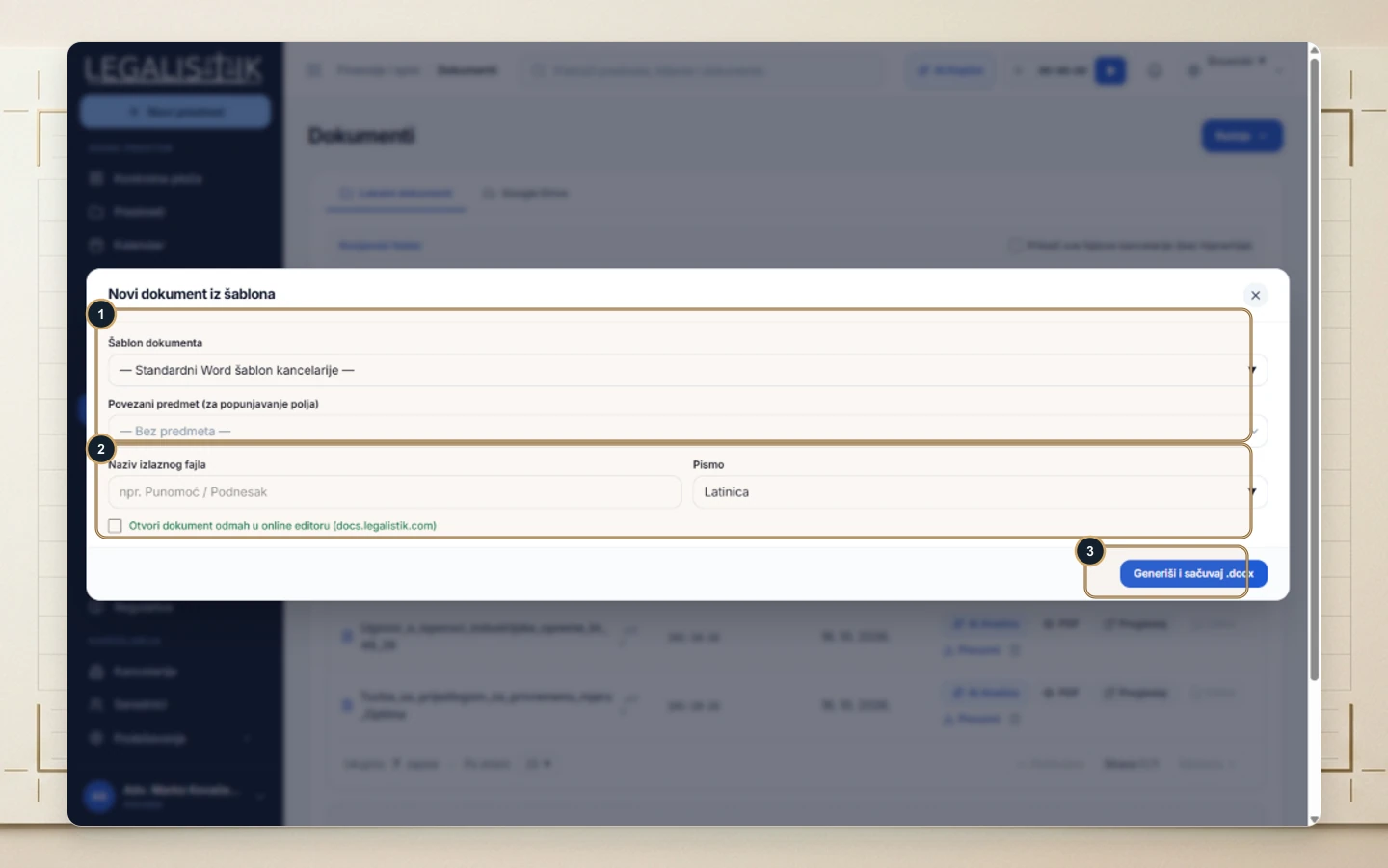
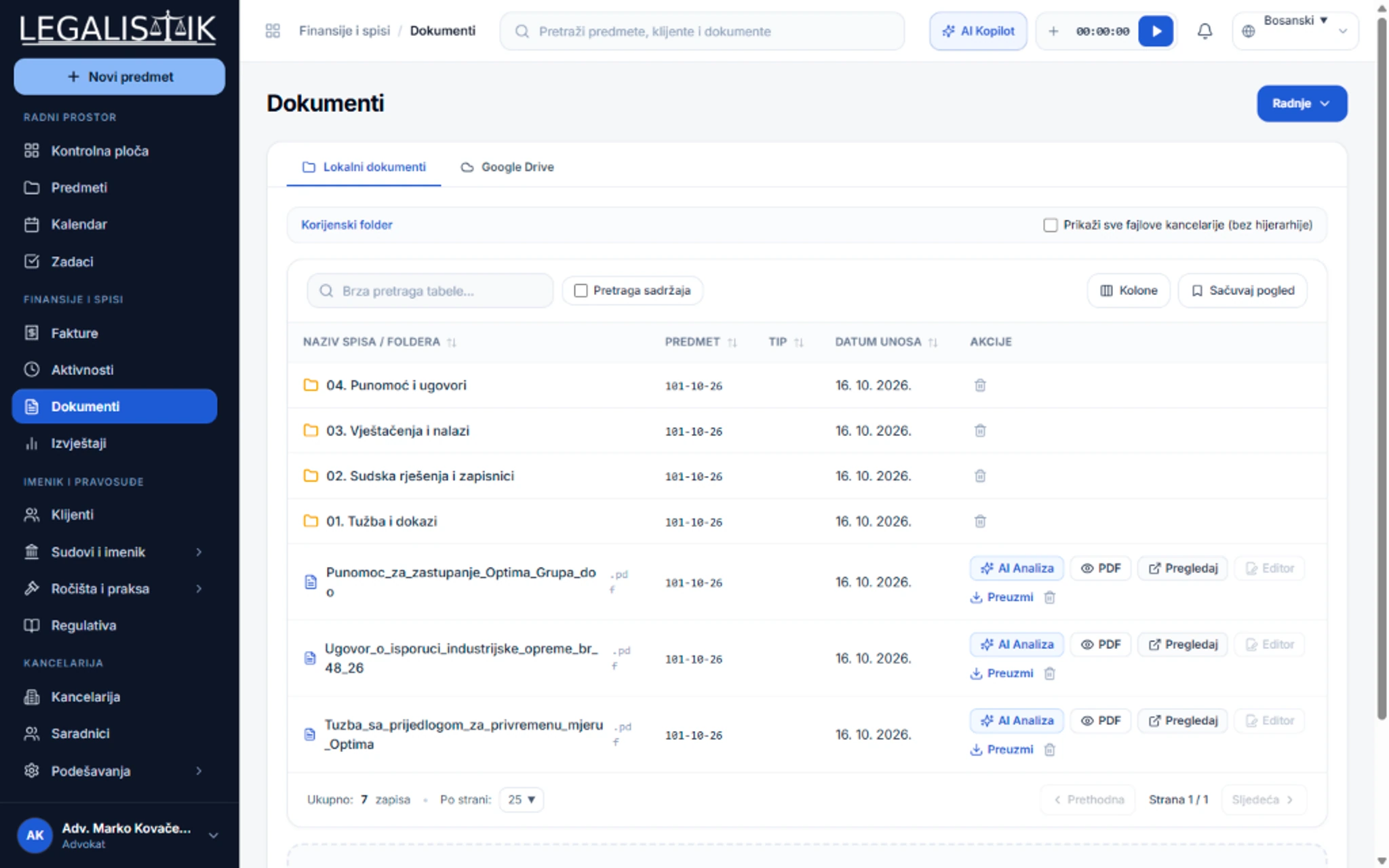
Inside any matter’s Documents tab, select Actions → New Document from Template, pick your template, select the desired script (Latin or Cyrillic), enter a filename, and optionally toggle immediate opening in the online editor. Clicking Generate & Save .docx stores the merged filing straight inside that matter’s folder.
Browser Editing With Online Docs Editor (docs.legalistik.com) & Desktop Sync
Downloading files locally, editing them on a desktop, and re-uploading renamed files like _FINAL_v3.docx is one of the fastest ways teams lose track of changes. In Legalistik, every .docx and .xlsx row provides a direct Editor action opening the file inside the integrated Online Docs Editor at docs.legalistik.com.
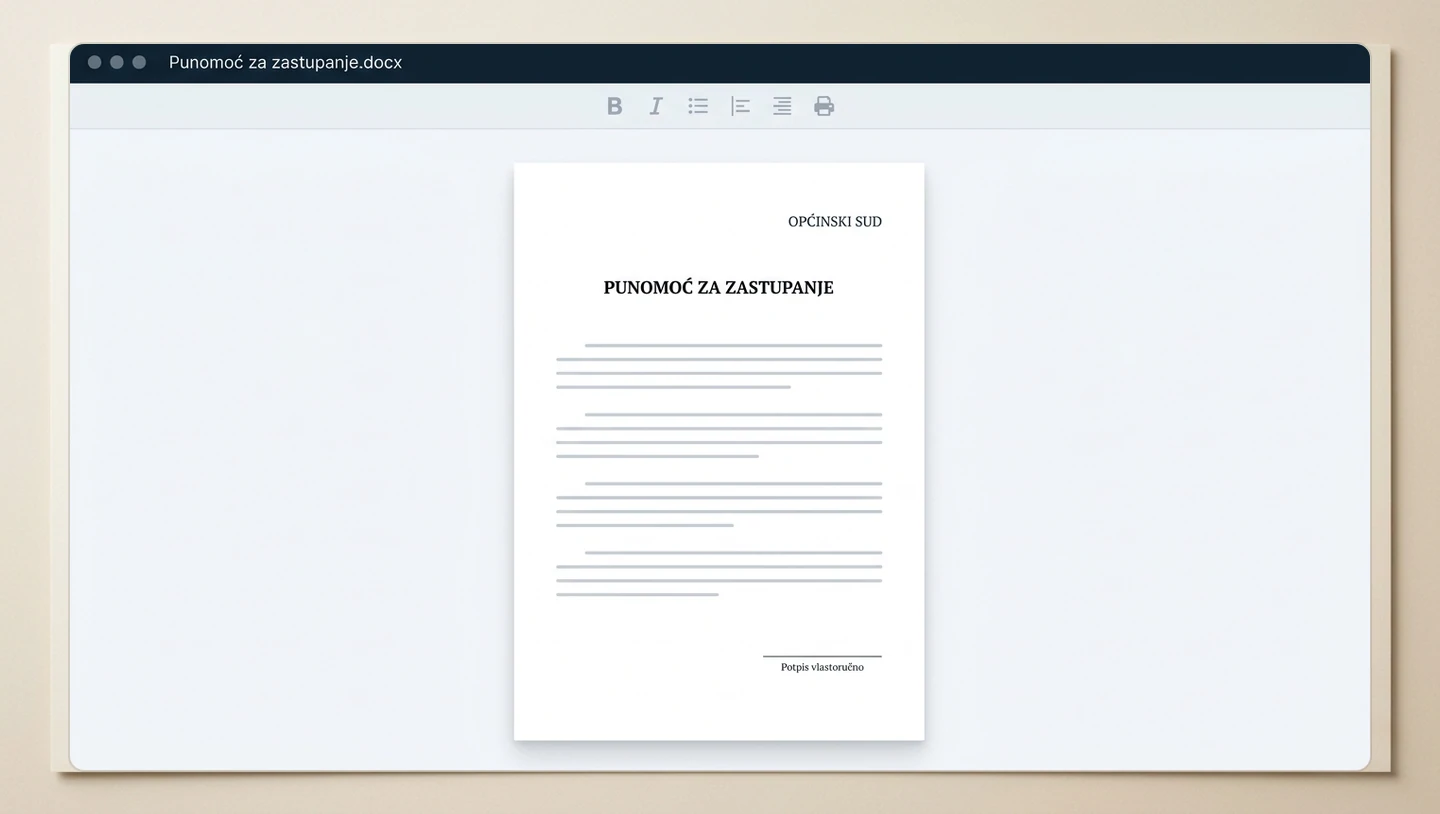
Every paragraph revision, caption tweak, and signature update saves straight back into the underlying case record. For Windows users who prefer working inside locally installed Microsoft Word or Excel, the free Legalistik Launcher companion tool (featured on our Integrations page) opens cloud files natively on your desktop and syncs updates back automatically whenever you press Save.
You can also connect your own Google Drive repository, convert Word drafts to PDF for direct client emailing, and query inside attachment text using full-text search—covered step by step in Online Document Editing & AI Analysis.
Workflow Comparison: Manual Copy-Paste vs. Legalistik Document Automation
| Drafting Stage | Copying Past Word Files Manually | Legalistik Templates & Online Docs Editor |
|---|---|---|
| Party & Court Header Entry | Retyping tax IDs, addresses, and docket numbers | Auto-populated via 18 verified case merge tags |
| Risk of Leftover Client Data | High risk of stale names remaining in headers/footers | Always pulled dynamically from the live case record |
| Team Revisions & Versioning | Emailing files back and forth (Draft_v3_FINAL.docx) | Direct browser editing via docs.legalistik.com or Launcher |
| Searching Past Briefs | Hunting across local desktop folders by filename | Full-text content search across all uploaded matter files |
| Client PDF Delivery | Manual Word-to-PDF export and separate email | One-click PDF export and direct client delivery from dossier |
Law Firm Document Standardization Checklist
- Start with your top 10 templates: Convert powers of attorney, fee agreements, demand letters, standard enforcement petitions, and NDA templates first.
- Lock down official letterhead formatting: Place firm logos and bank details neatly in the Word header and footer before adding bracketed merge tags.
- Enforce complete intake data: Merged filings stay error-free when clients’ tax IDs, addresses, court names, and docket numbers are entered consistently at intake.
- Structure folders per matter: Separate Pleadings, Court Orders, Evidence, and Correspondence into consistent subfolders across every case.
- Control client visibility cleanly: Toggle portal visibility per document so internal drafts never leak into client-facing views.
Conclusion
Combining reusable Word (.docx) templates with in-browser editing via docs.legalistik.com and desktop sync through Legalistik Launcher transforms legal drafting from tedious copy-pasting into a fast, repeatable workflow—leaving attorneys more time for substantive legal argumentation.