Invoicing & Retainers 2 min read Updated: 2026-11-14
Default Currency & Cross-Border Billing
For firms serving domestic and cross-border clients, Legalistik lets you configure your default office currency, wire-transfer footers, and zero-rated VAT invoice options.
1. Configuring Default Currency & Invoice Footers
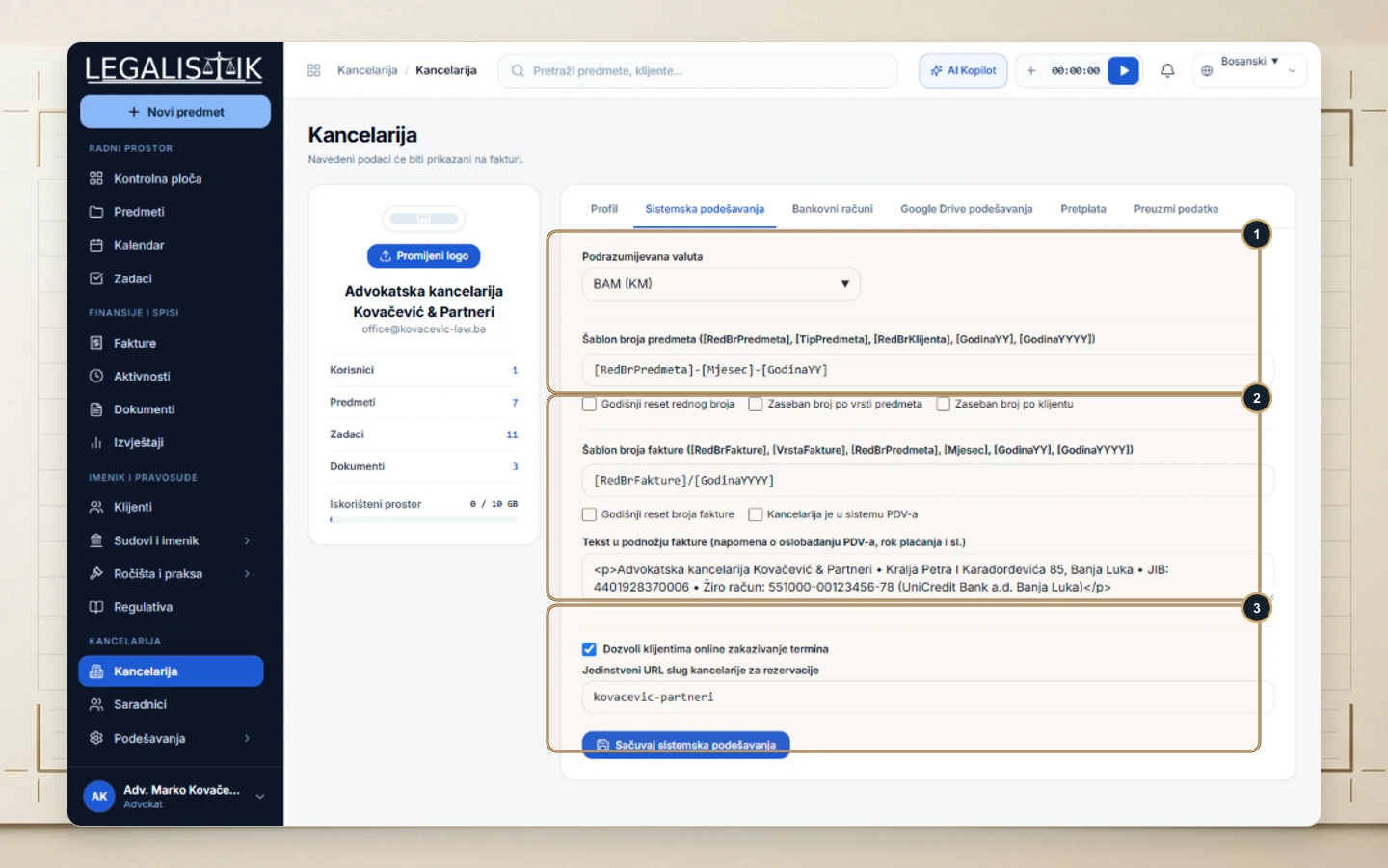
- Navigate to Office → System Settings.
- (1) Select your Default Currency (
BAM,EUR,RSD, orUSD). - (2) Enter IBAN/SWIFT instructions and statutory VAT-exemption clauses in Invoice Footer Text, then (3) click Save System Settings.
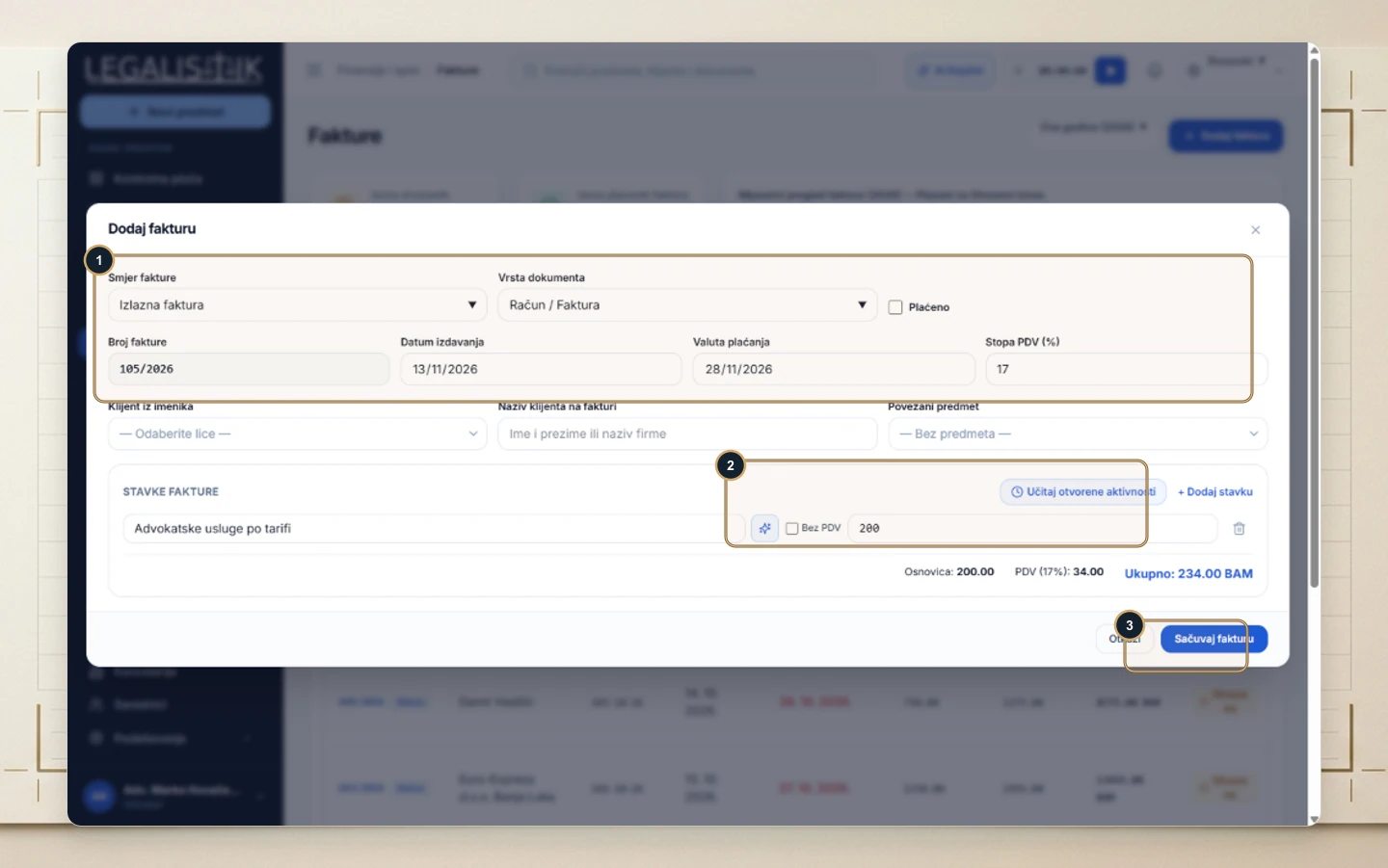
2. Issuing Zero-VAT Invoices & Tax-Exempt Disbursements
Inside Invoices → + Add Invoice, set (1) VAT Rate (%) to 0 for international services, or check (2) Tax Exempt per line item for court filing fee reimbursements.