




Invoicing & Retainers 2 min read Updated: 2026-11-14
Converting a Proforma Quote to Invoice
Once a client approves or pays a Proforma, you can turn that exact record into a finalized invoice without re-entering any line items.
Converting a Proforma to an Invoice
- (2) In the Invoices screen, locate the proforma badge in (3) the ledger table and click the row to open its preview.
- On the right action panel, click Edit Invoice.
- Change Document Type from Proforma to Invoice, confirm the updated invoice number and issue date, and click Save Invoice.
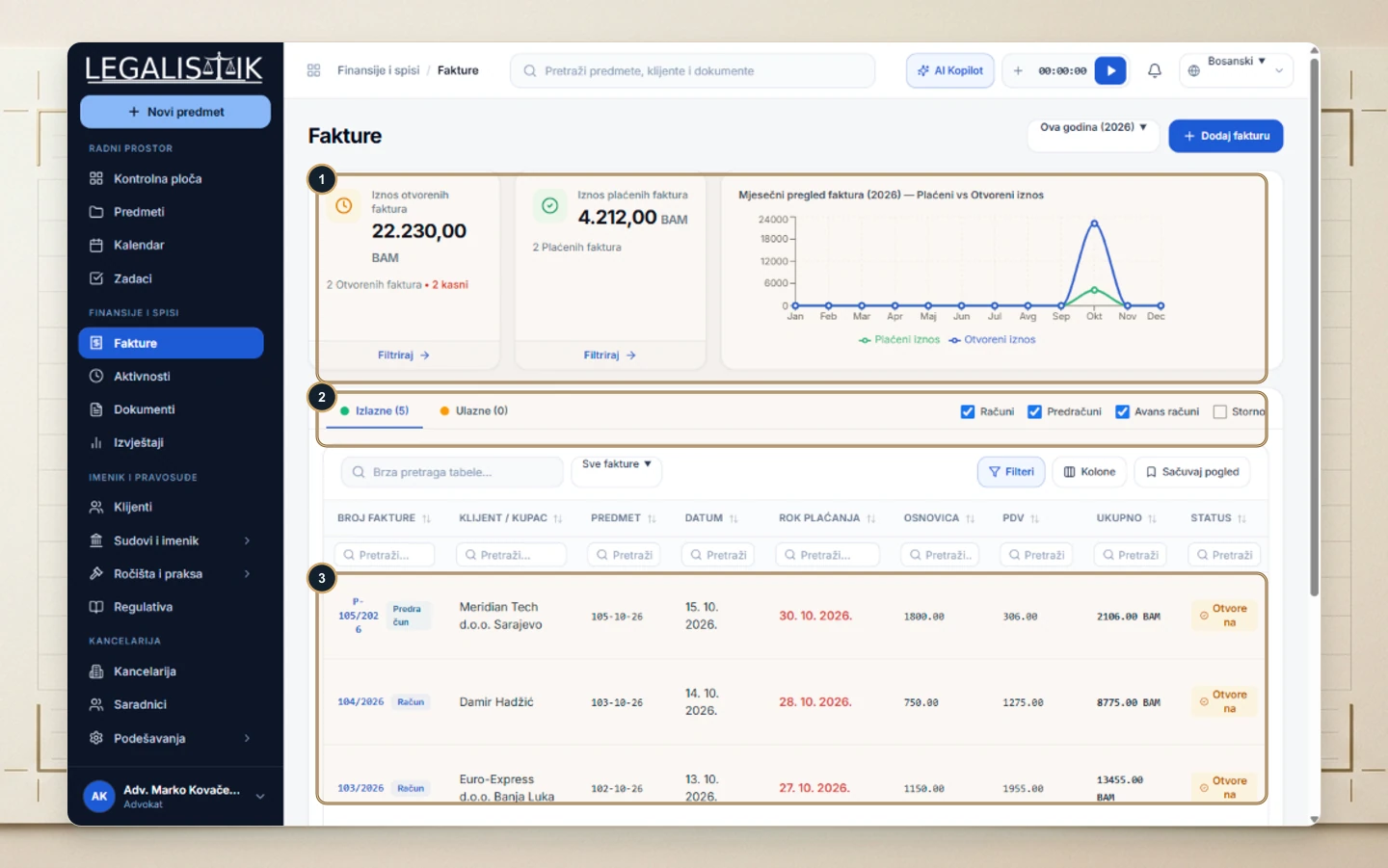
You can then immediately mark it paid or export the finalized PDF / Word invoice.
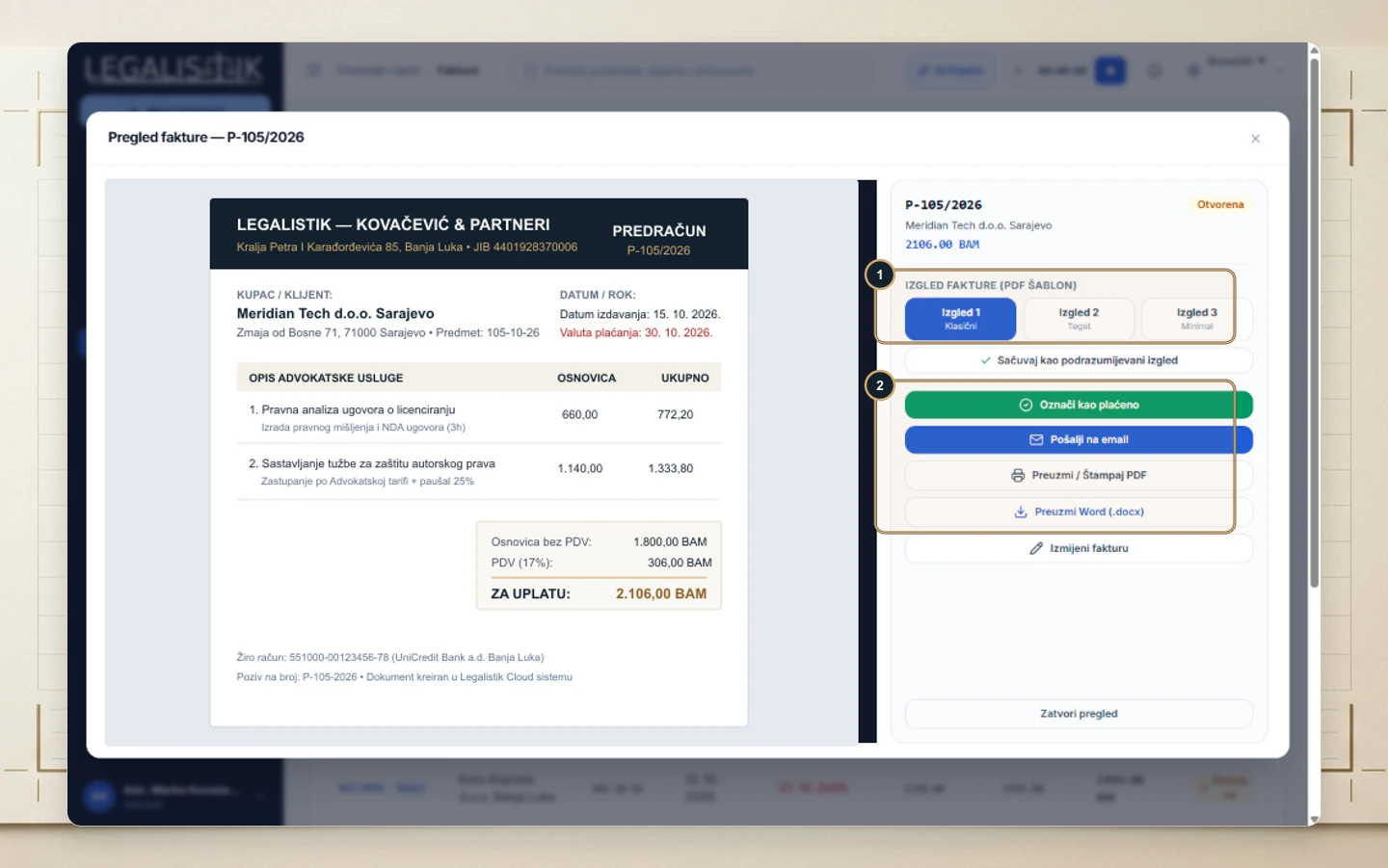
Automatic Invoice Numbering & Post-Conversion Actions
Converting a Proforma into a Final Invoice preserves all existing line items, client billing details, tax rates, and matter references without re-entry. Once saved, immediately export a formatted PDF or Word file to send to the client and use Mark as Paid when funds settle.
