Invoicing & Retainers 2 min read Updated: 2026-11-14
Invoicing, Retainers & Office Finances
The Invoices module centralizes firm billing—from issuing standard invoices, proformas, advance retainers, and credit notes to monitoring overdue payments and emailing PDF/Word bills.
Understanding the Invoices Screen
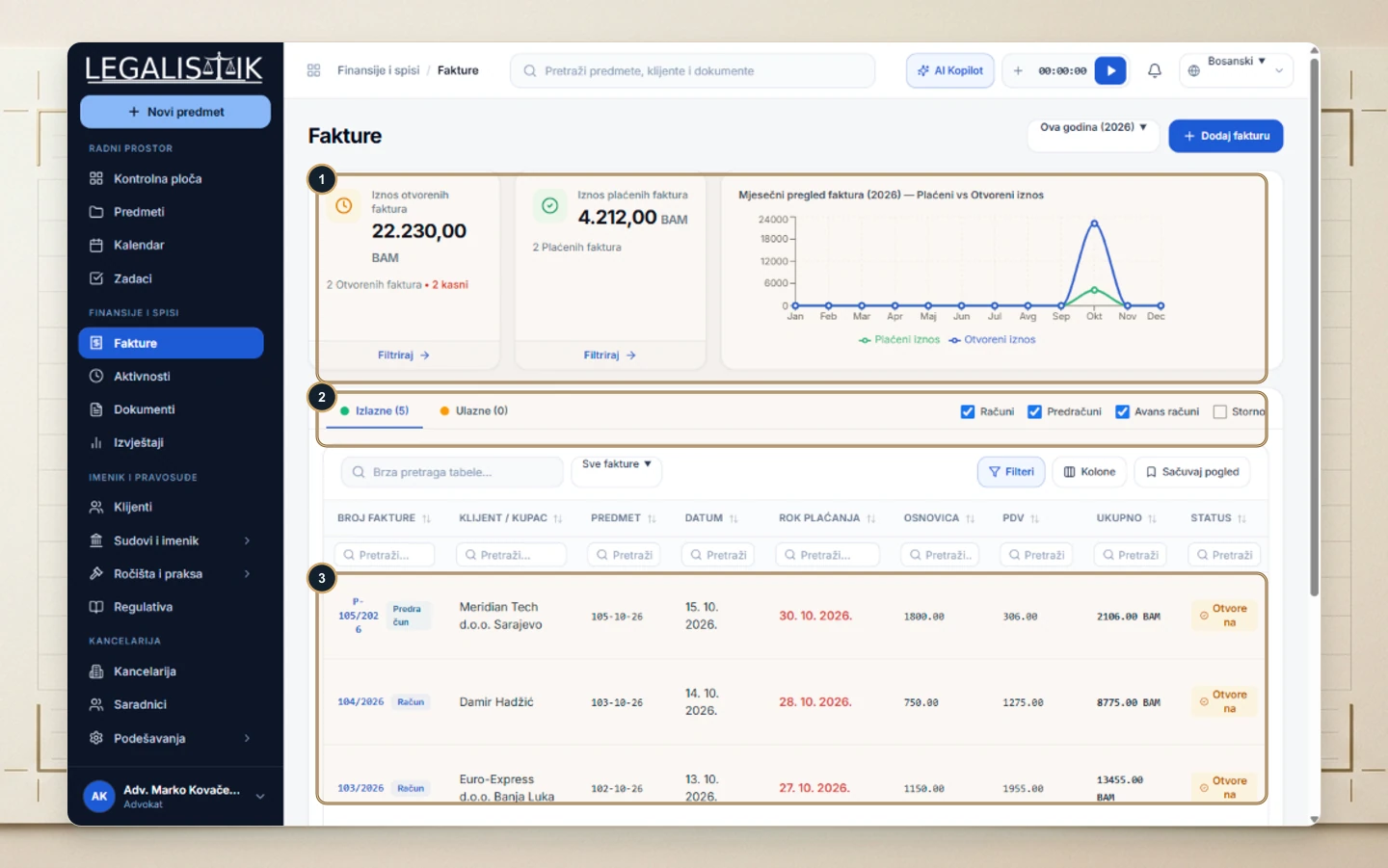
- (1) Top KPI cards track Open Invoices (highlighting overdue items) and Paid Revenue, paired with a monthly Paid vs Open trend chart.
- (2) Switch between Outgoing (client bills) and Incoming (firm expenses), and filter document kinds: Invoices, Proformas, Advance Invoices, and Credit Notes.
- (3) The main ledger displays invoice numbers, clients, linked cases, issue/due dates, net base, VAT/tax, total amount, and settlement status.
Previewing, Printing & Emailing Invoices
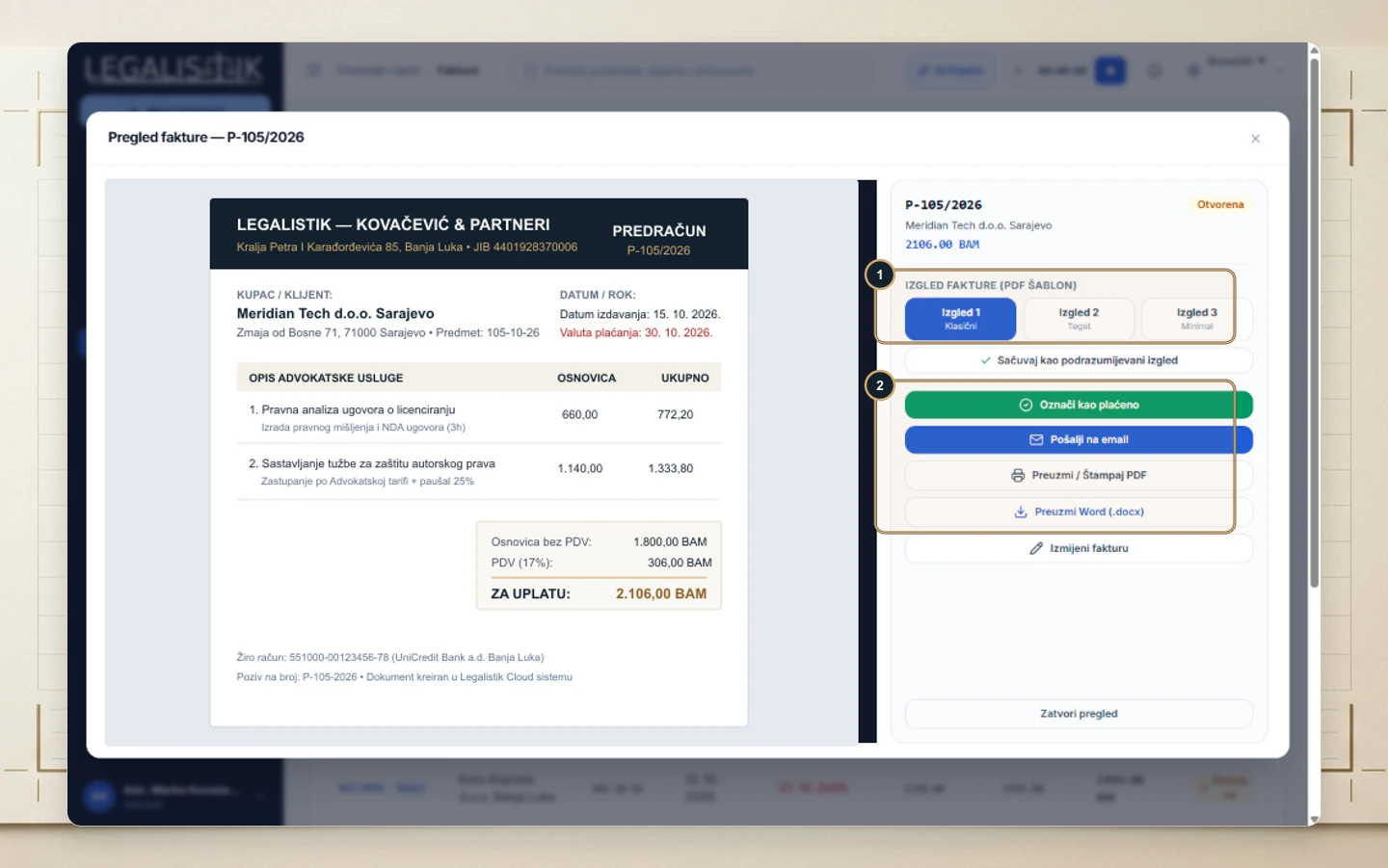
Click any row to open the invoice viewer, choose a layout preset (Layout 1 Classic, Layout 2 Navy, Layout 3 Minimal), and use Mark as Paid, Send via Email, Download / Print PDF, or Download Word (.docx).