Invoicing & Retainers 2 min read Updated: 2026-11-14
Creating a New Invoice or Proforma
Issue clean client invoices or proforma quotes in seconds—whether billing a flat retainer, tariff action, or tracked hourly tasks.
Steps to Issue a New Invoice
- Open Invoices and click + Add Invoice in the top right.
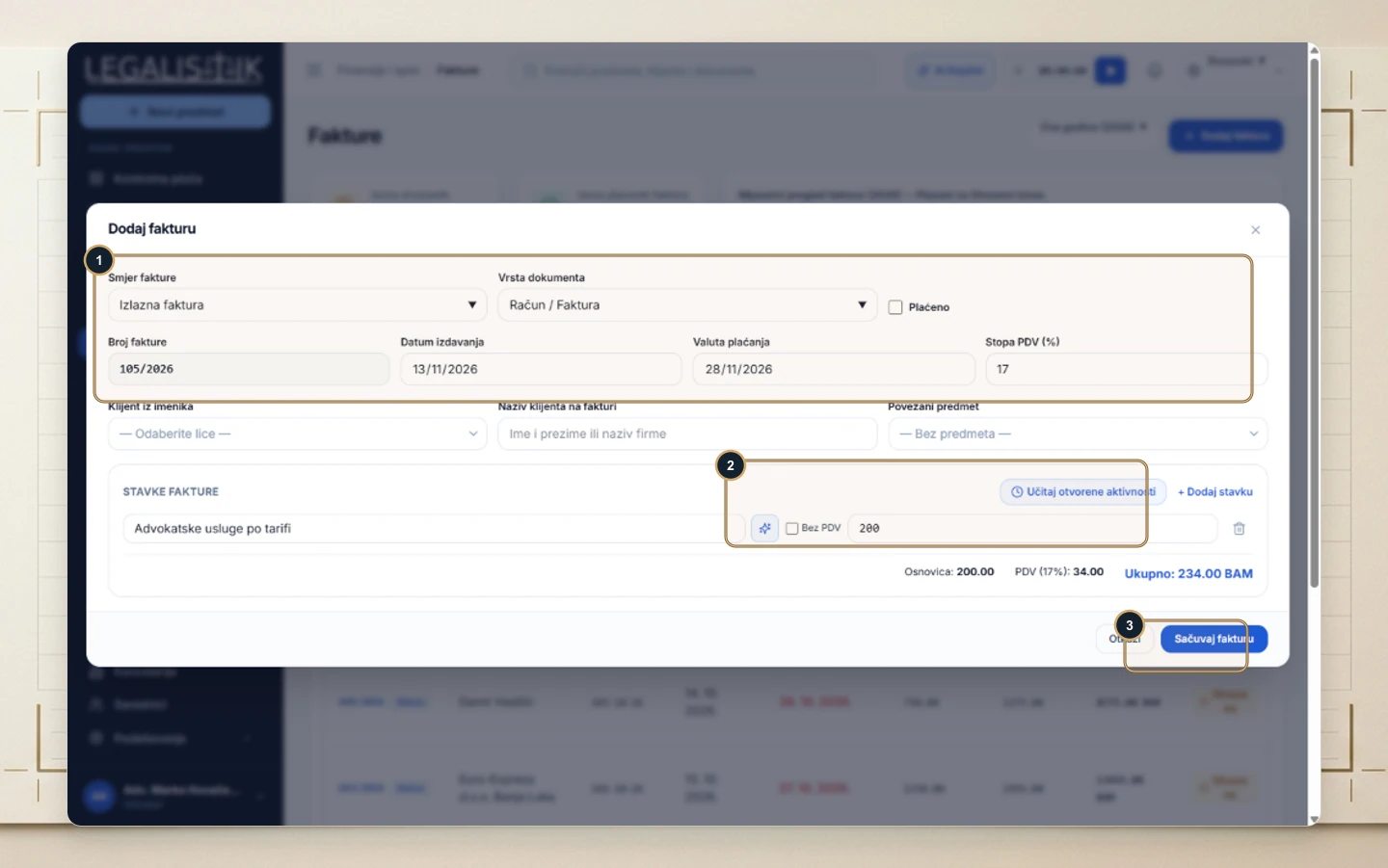
- (1) Set Direction (Outgoing Invoice / Incoming), Document Type (Invoice, Proforma, Advance Invoice, Credit Note), Invoice Number, Issue Date, Payment Due Date, and VAT Rate (%).
- Choose a Client from Directory (or enter a custom billing name) and link the relevant Case.
- (2) Under Invoice Line Items, click Load Open Activities to import pending work or click + Add Item to add fees manually (use Tax Exempt for pass-through court filing fees).
- (3) Review the automatic net/VAT totals and click Save Invoice.