




Calendar & Deadlines 2 min read Updated: 2026-11-14
Shared Calendar, Month & Agenda Views
Whether you practice solo or coordinate multiple associates, you can toggle the shared firm calendar between grid and list layouts in one click.
Using Agenda & Month Views
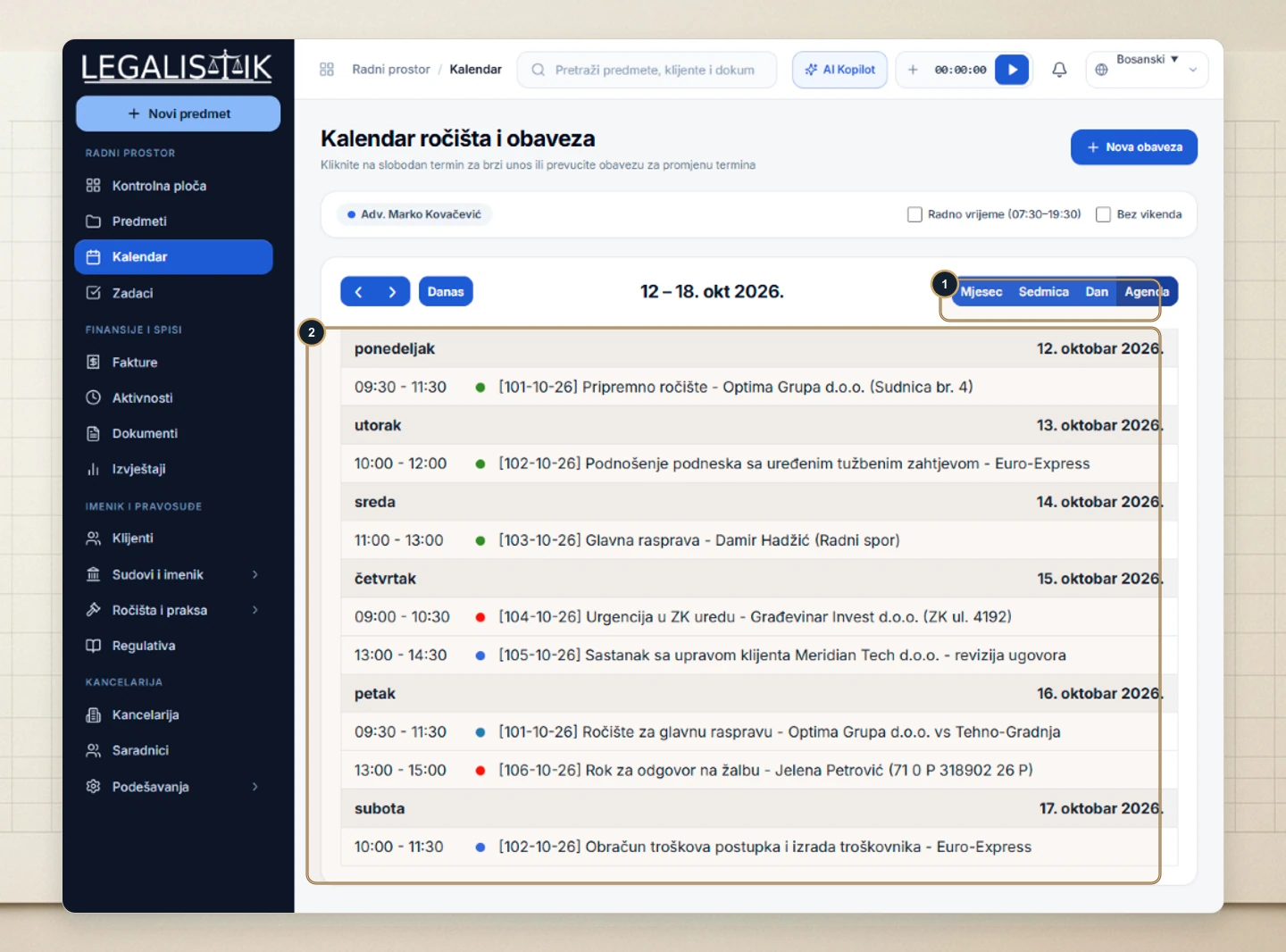
- (1) Open Calendar and click Agenda (or Month / Day) in the top-right switcher.
- (2) The Agenda view renders every hearing, meeting, and filing deadline in a chronological daily feed with timestamps, case numbers, color dots, and courtrooms—ideal for morning partner briefings.
Filtering by Associate & Balancing Team Workload
Each attorney and paralegal has a distinct color badge configured in their profile, making overlapping court appearances immediately visible in Month and Agenda views. Use the top-bar associate filter to inspect an individual lawyer’s docket or review weekly office capacity.
