




Advanced Tools 2 min read Updated: 2026-11-14
Secure Web Portal Access for Clients
The Client Web Portal gives key clients secure 24/7 visibility into their own matter progress and shared files without exposing any internal notes or other clients.
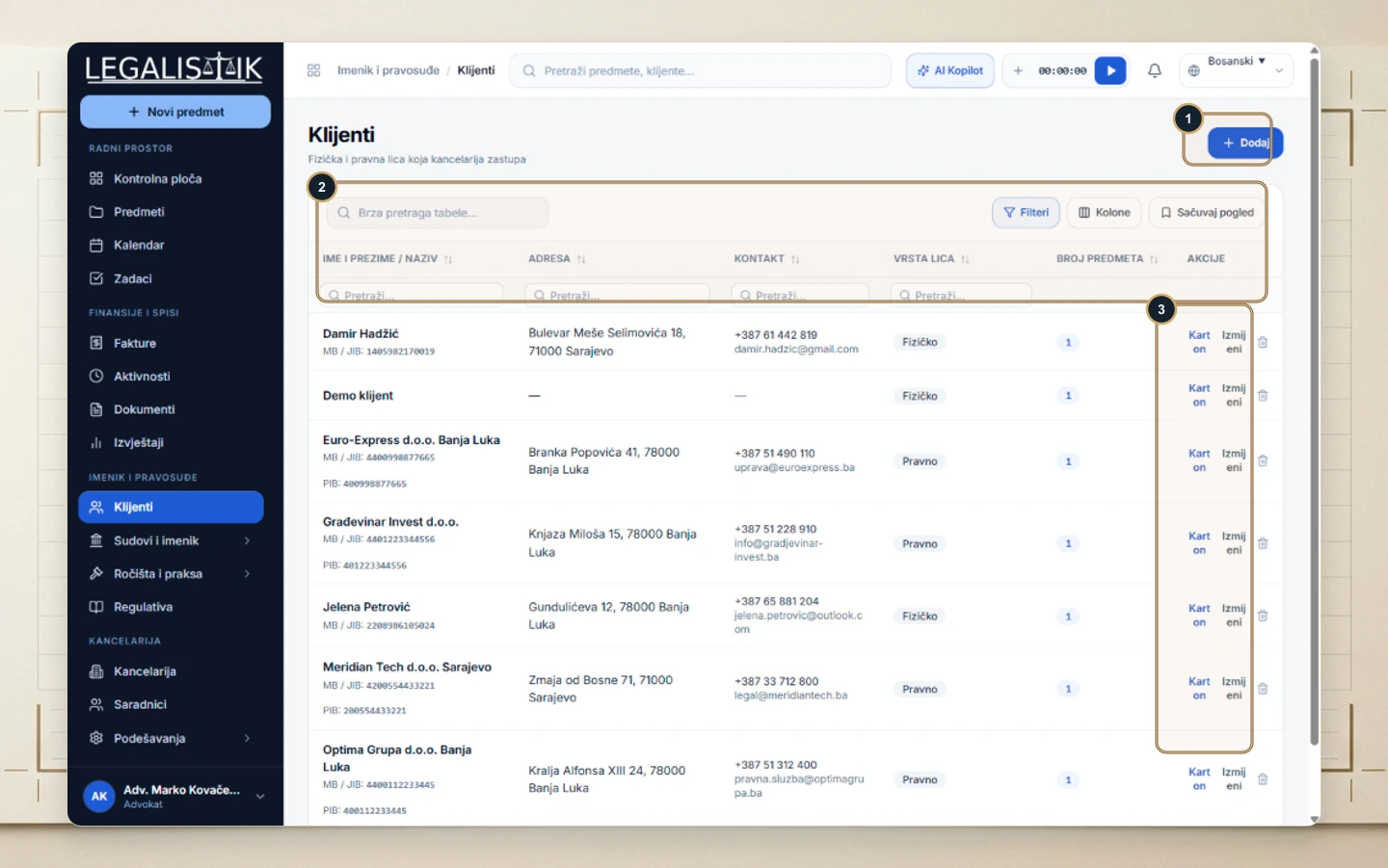
Step 1: Open the Client Record
(1–3) Go to Clients, locate the client, and click Profile (Karton).
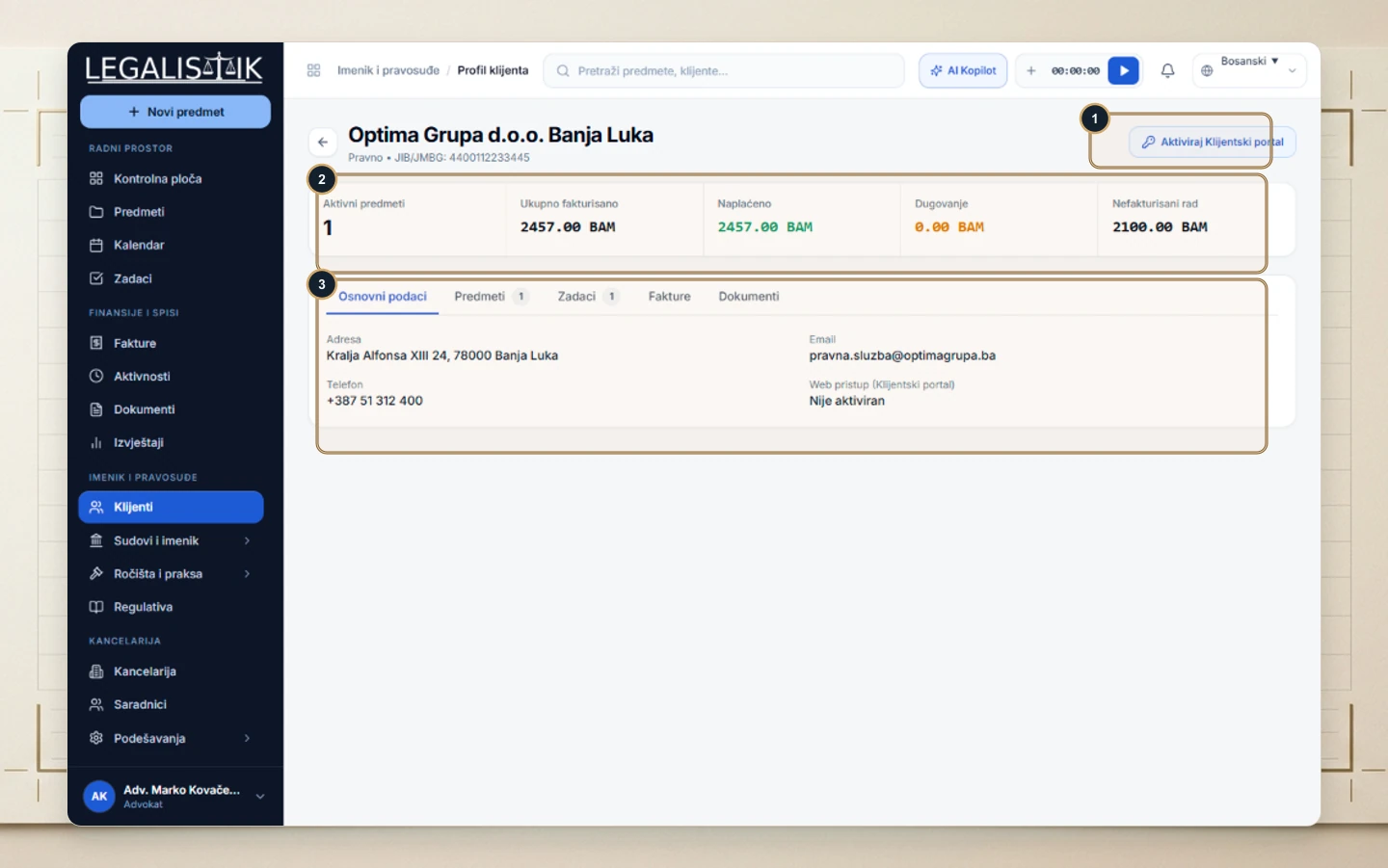
Step 2: Launch Portal Setup
(1–3) Click Activate Client Portal in the upper-right header of the client profile.
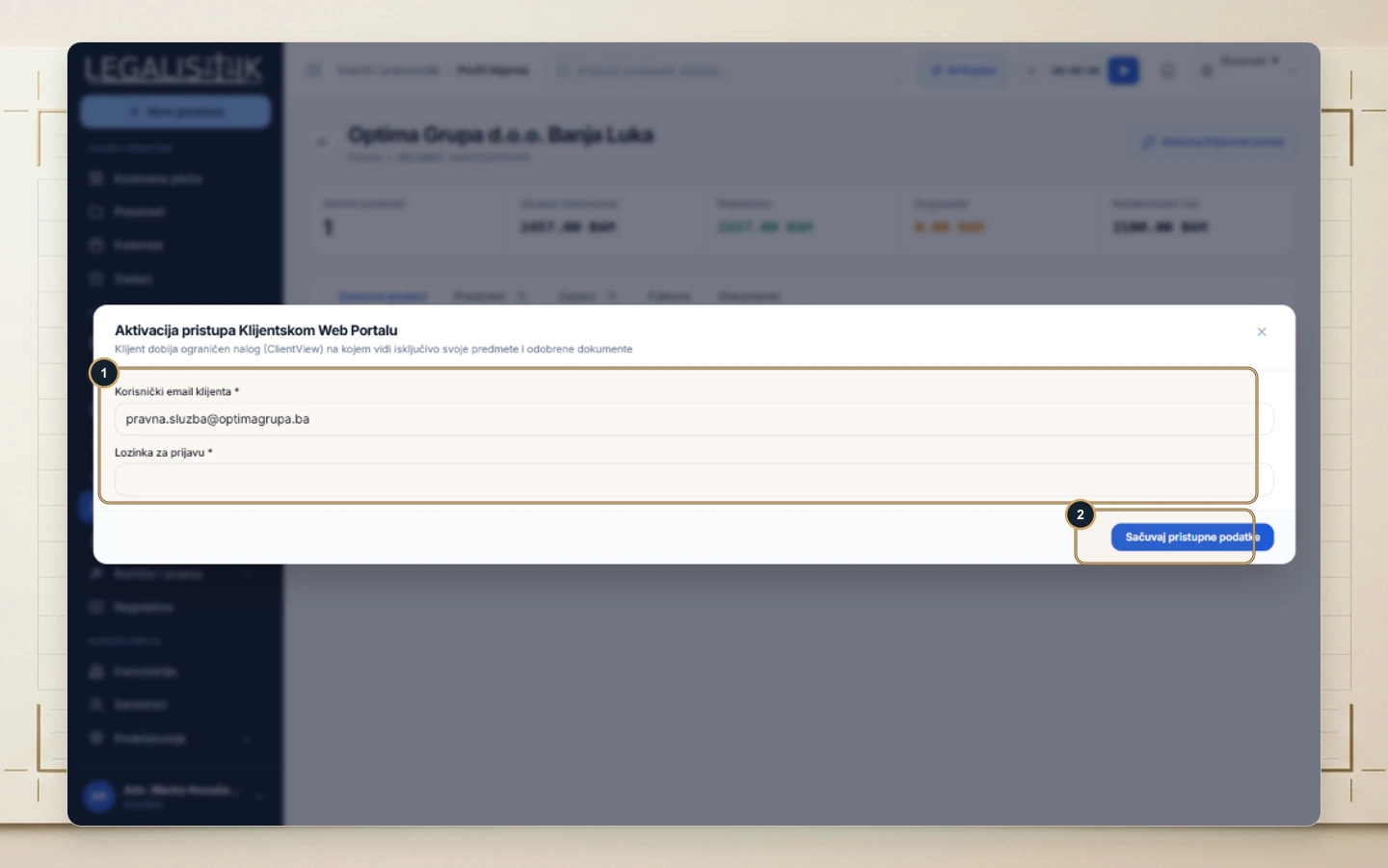
Step 3: Set Credentials
- (1) Enter the client’s Email and Sign-In Password.
- (2) Click Save Credentials to enable restricted portal access immediately.
Strict Client-Side Data Isolation
Every enabled client signs in inside a strictly scoped ClientView portal showing only their own matters, approved procedural milestones, and shared documents—with zero access to internal staff notes or other firm clients. Portal credentials can be updated or disabled anytime.
