Advanced Tools 2 min read Updated: 2026-11-14
Online Consultation Booking & QR Link
The Online Booking module lets prospective and existing clients self-schedule available consultation slots through your firm’s branded link (https://app.legalistik.com/rezervacija/your-firm).
1. Configuring Consultation Categories & QR Code
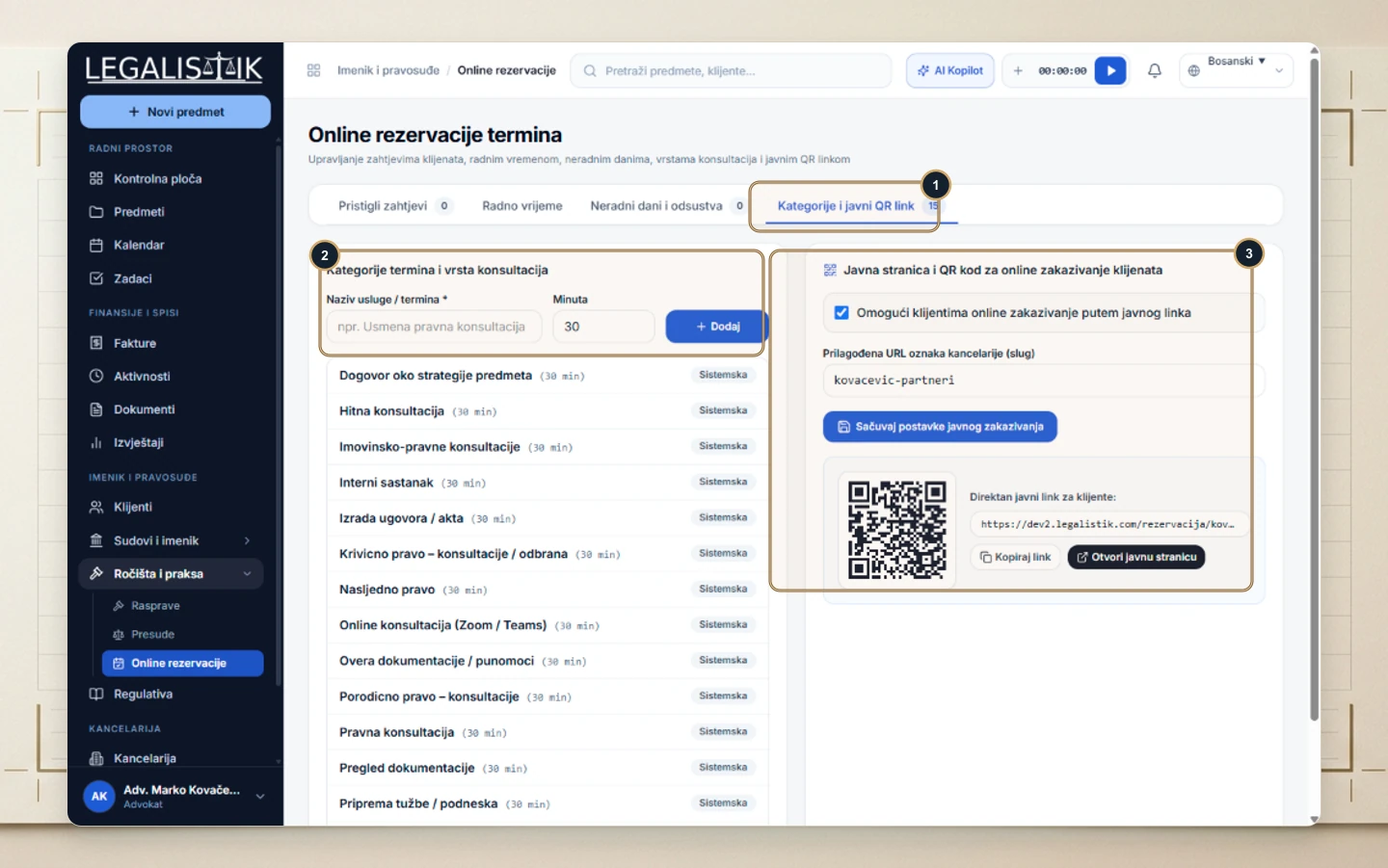
- Open Hearings & Case Law → Online Booking and (1) click Categories & Public QR Link (use the adjacent tabs to manage Incoming Requests, Working Hours, and Days Off).
- (2) Define consultation types and slot durations (e.g., 30-minute Legal Consultation or Online Zoom/Teams review).
- (3) Enable public booking, set your custom URL slug, and copy the link or download your QR code for business cards and your website.
2. Client Self-Booking Experience
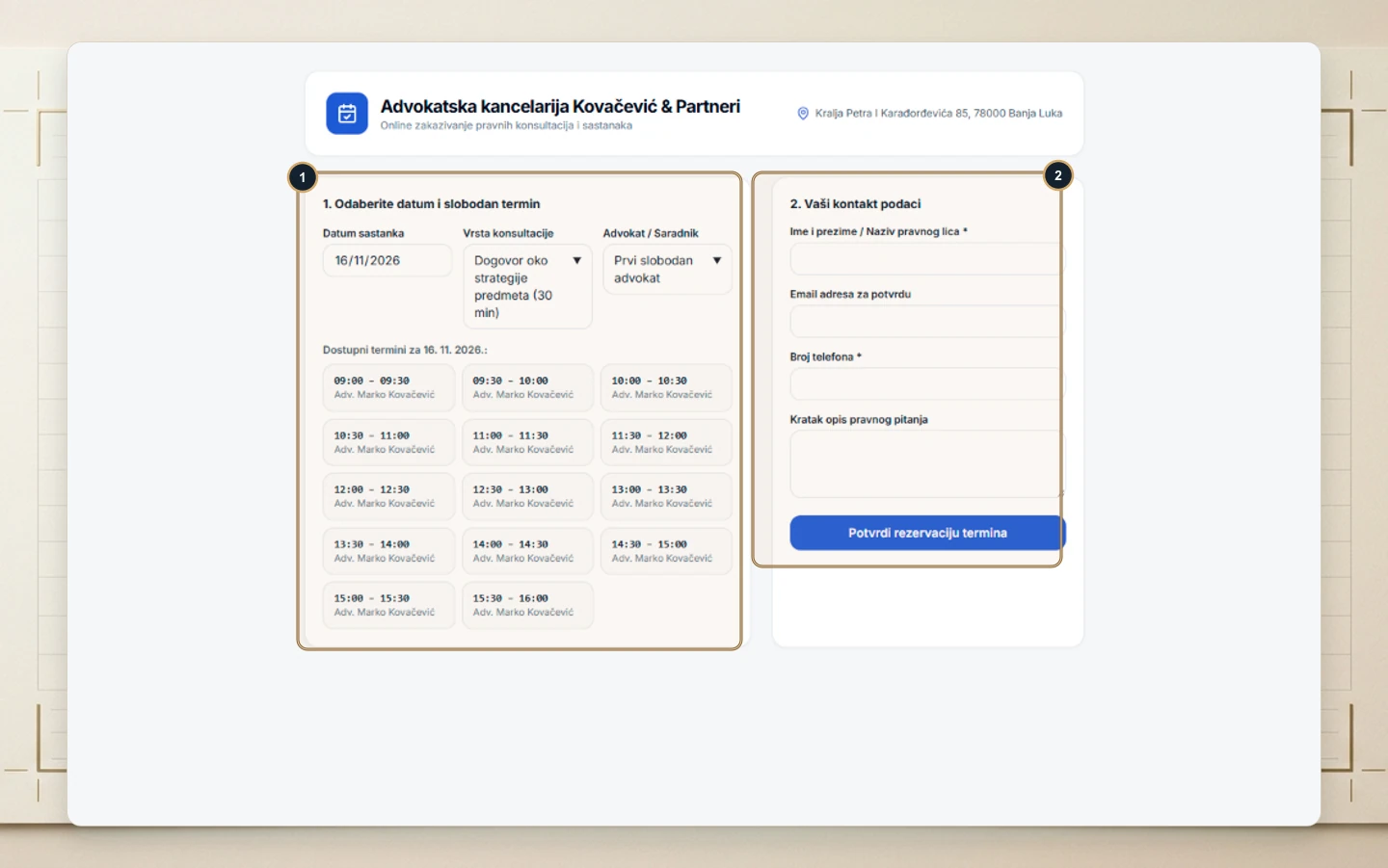
- (1) Clients select a date, consultation type, attorney (or First Available), and click an open slot.
- (2) They fill in their contact details and brief matter summary on the right and click Confirm Booking—sending the request straight into your inbox and calendar.