




Advanced Tools 2 min read Updated: 2026-11-14
Daily Activity Log & Team Discussion
Track daily progress effortlessly across both your personal Activity Timeline and per-case Comments.
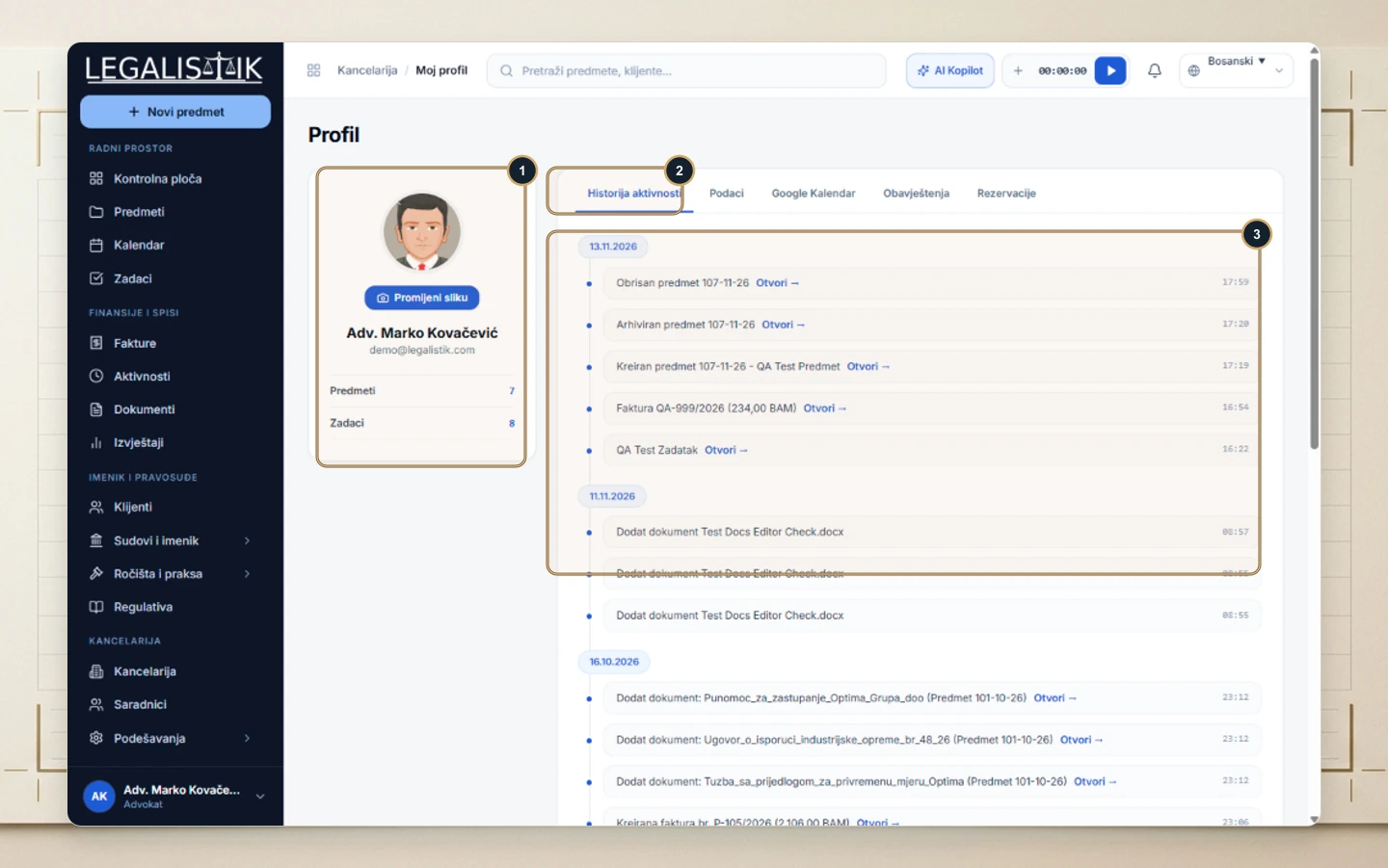
1. Chronological Activity History
- (1) Open My Profile at the bottom-left and (2) stay on Activity History.
- (3) Review a timestamped audit log of newly opened matters, uploaded files, issued invoices, and completed tasks with direct Open → links.
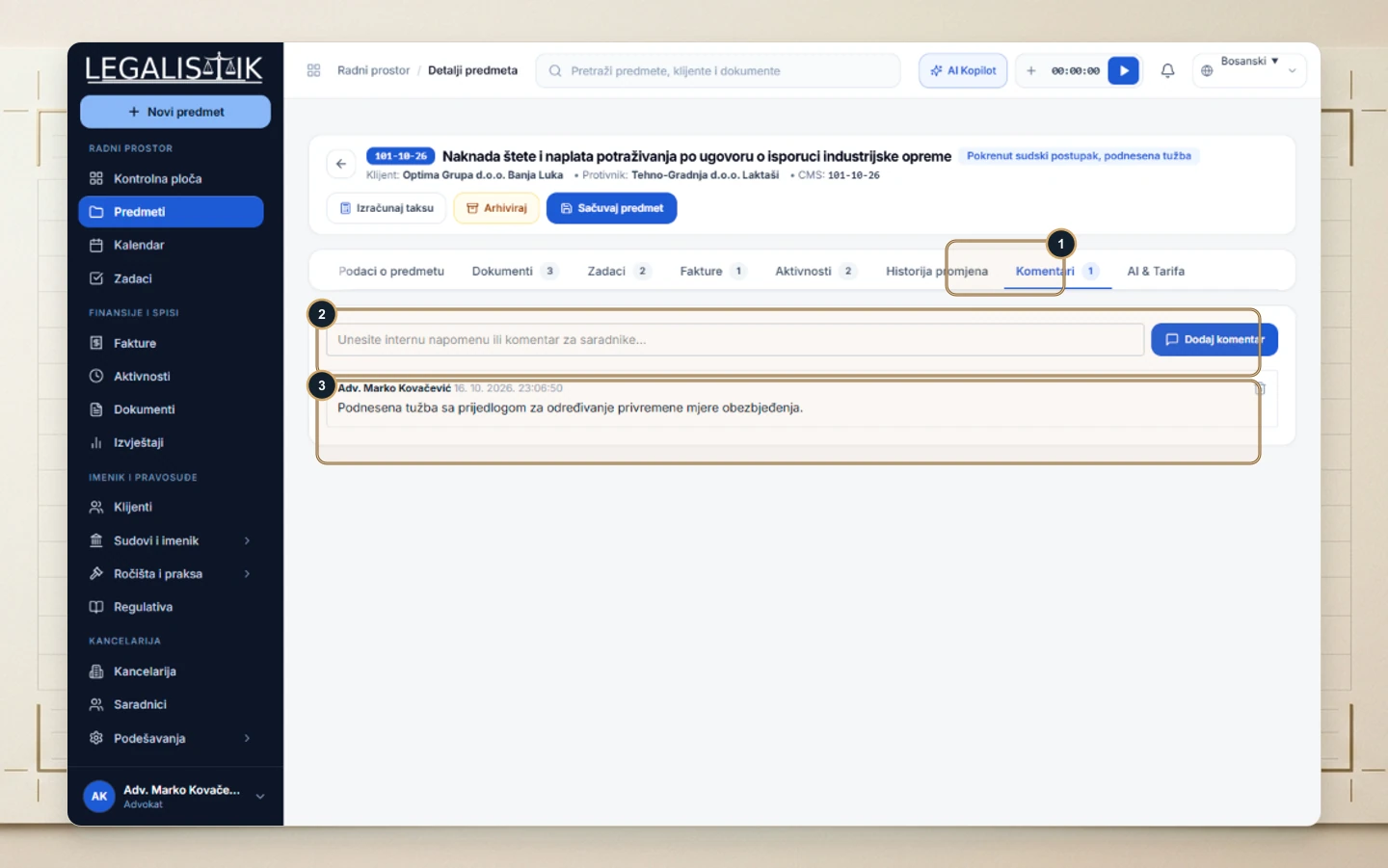
2. Daily Notes Inside Case Discussions
(1–3) Use the Comments tab inside any case to exchange quick strategy notes and call recaps with colleagues.
Firm Audit Trail & Daily Accountability
Every key action in your workspace—from opening a new matter or uploading a filing to updating a deadline or issuing an invoice—is permanently logged with the team member’s name and timestamp. Combined with case-level threads on the Comments tab, managing partners get a transparent daily overview without status meetings.
