Activities & Time Tracking 2 min read Updated: 2026-11-14
Stopwatch & Manual Activity Logging
Legalistik supports both real-time stopwatch tracking from anywhere in the workspace and manual entry of hourly or flat-fee billable tasks under Activities.
1. Header Stopwatch & Activity Ledger
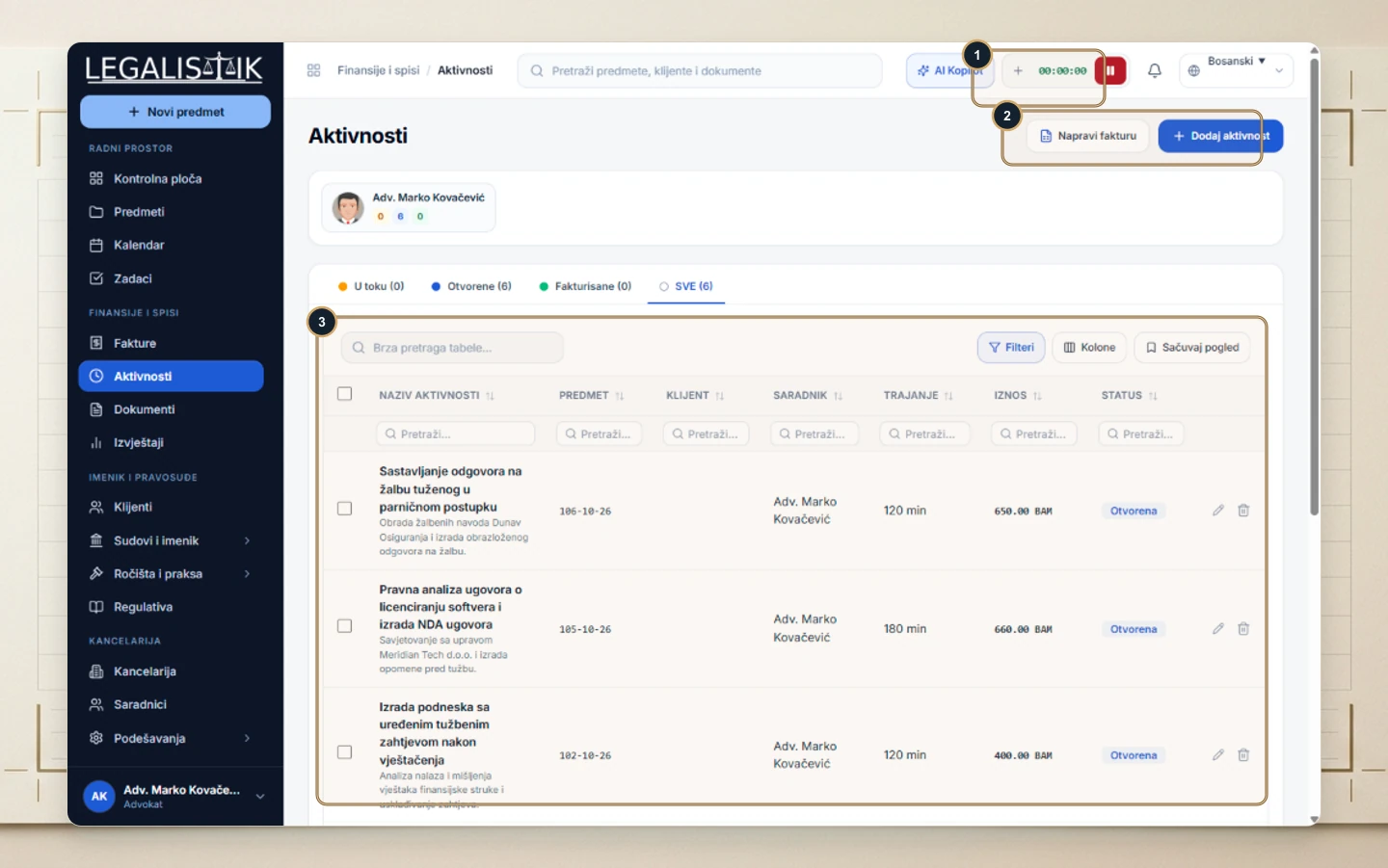
- (1) Use the persistent top-bar timer (
+ 00:00:00) to start, pause, and save live work without leaving your current case screen. - (2) In Activities, click + Add Activity to log past work, or click Create Invoice to convert open entries directly into a client bill.
- (3) Filter entries by state (In Progress, Open, Invoiced), customize visible columns (Columns), or search across matters and clients.
2. Logging an Activity Manually
- Click + Add Activity.
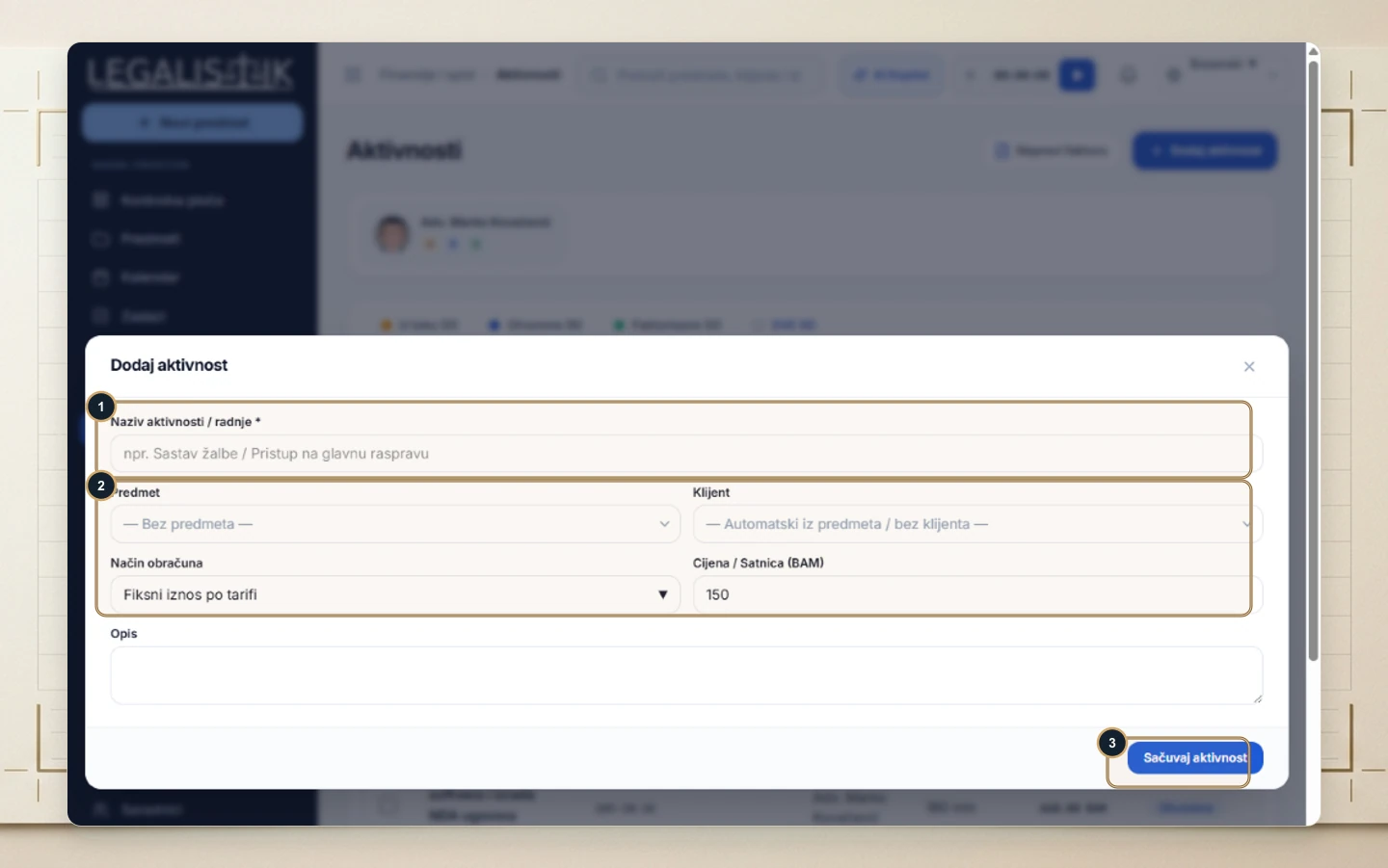
- (1) Enter the Activity / Action Name (e.g., Drafting Appeal / Court Hearing Attendance).
- (2) Pick the Case and Client, choose Billing Method (Fixed Tariff Amount or hourly rate), and set the Rate / Price.
- (3) Click Save Activity.