




Activities & Time Tracking 2 min read Updated: 2026-11-14
Attorney Tariff & Service Catalog Setup
Save associates from typing common legal actions and lookup fees repeatedly by defining your office’s reusable tariff and activity catalog.
Adding a Service / Tariff Item
- Navigate to Settings and (2) click the Attorney Tariff pill tab.
- (1) Click + Add Item in the upper-right corner.
- Enter the service name (e.g., Drafting Complaint, Pre-Trial Hearing, Legal Opinion), billing unit, and default fee, then save.
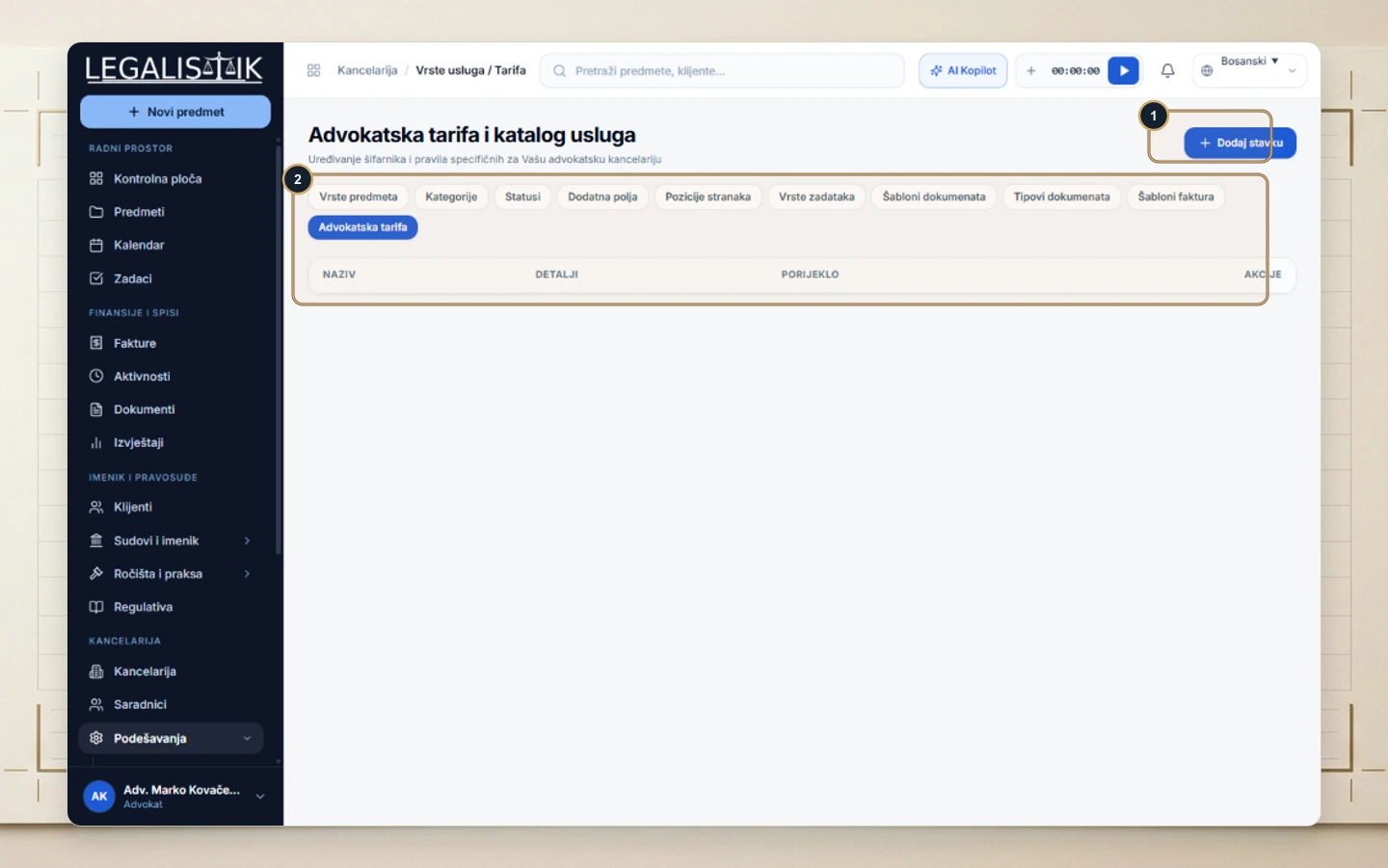
Configured services immediately appear as selectable presets when logging activities and issuing invoices.
Using Catalog Items in Time Logs & Invoices
Once configured, entries from the Attorney Tariff catalog appear automatically whenever team members start the header stopwatch, log a manual activity, or add line items to an invoice. Updating a default rate in settings never alters previously issued invoices, keeping historical billing records intact.
