Activities & Time Tracking 2 min read Updated: 2026-11-14
Converting Logged Activities into an Invoice
When monthly billing or final matter closing arrives, Legalistik turns every Open time entry and tariff task into invoice line items in seconds—with zero retyping.
Method 1: Straight from the Activities Screen
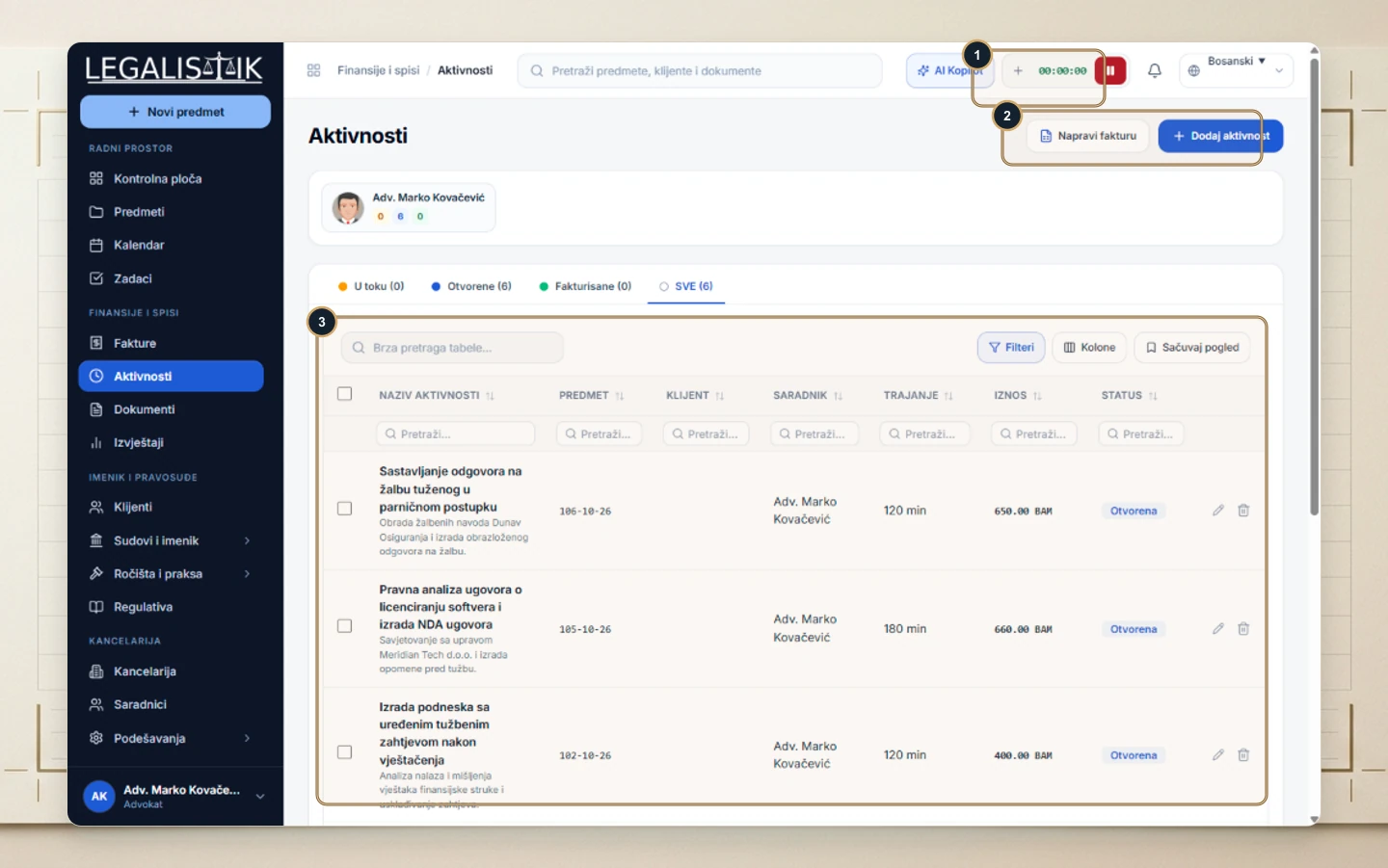
- Open Activities and filter to Open entries for the target client or case.
- (2) Click Create Invoice above (3) the ledger table.
- Unbilled entries populate the new invoice with descriptions, durations, and amounts, automatically marking them as Invoiced once saved so nothing gets double-billed.
Method 2: Pulling Entries Inside Add Invoice
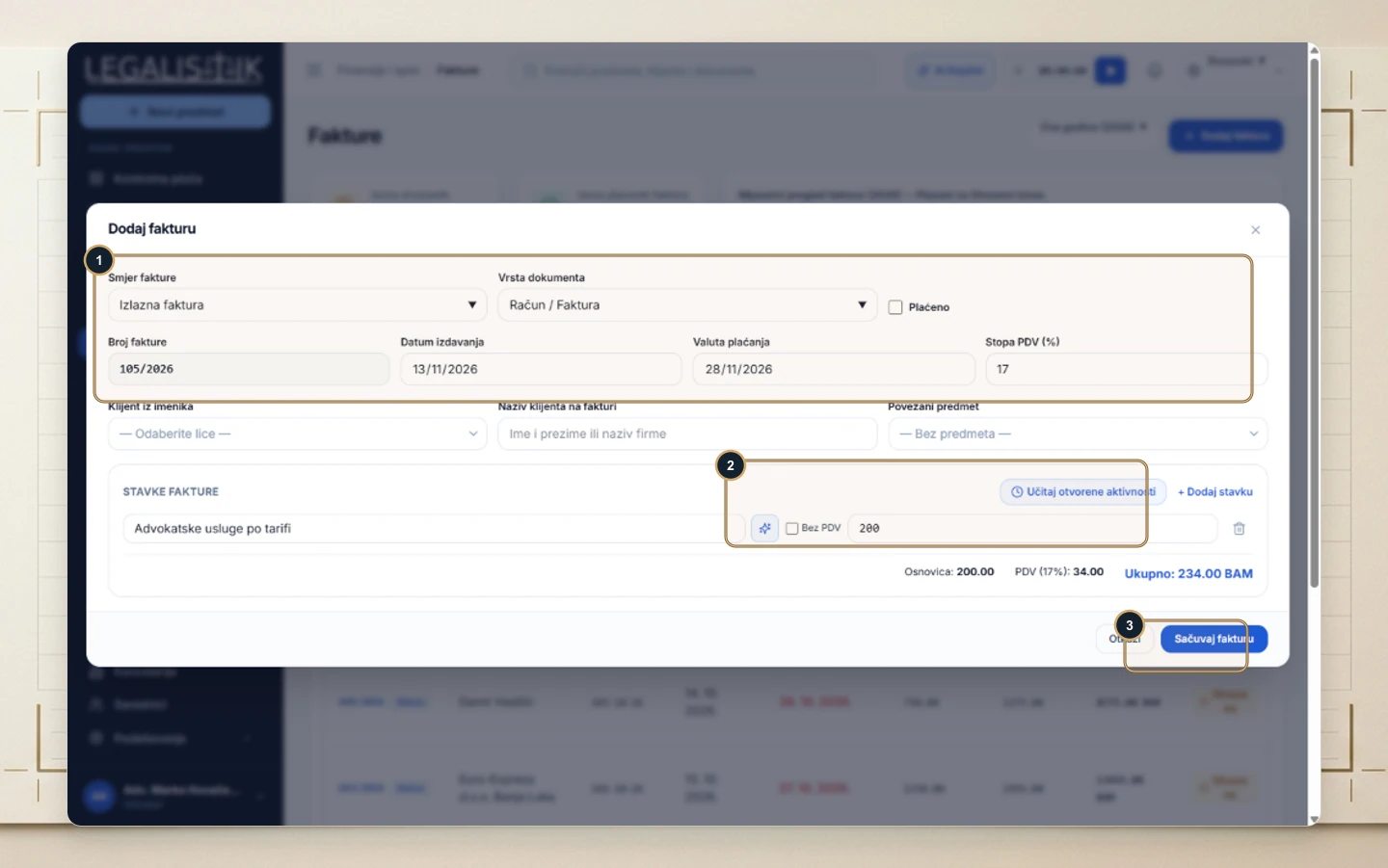
- Open Invoices → + Add Invoice and pick your client or case.
- (2) Under Line Items, click Load Open Activities to pull every pending billable item, then (3) click Save Invoice.